n
Abc: First letter in uppercase, subsequent letters in lowercase
n
abc: Lowercase letters only
l
Move cursor left: Moves the cursor to the left
l
Move cursor right: Moves the cursor to the right
l
Copy: Copies the entire content to the clipboard
l
Paste: Inserts the entire content from the clipboard at the cursor position
Display
The various screens displayed in the following sections depend on the con-
figuration by the administrator. Some items may not be displayed if not con-
figured.
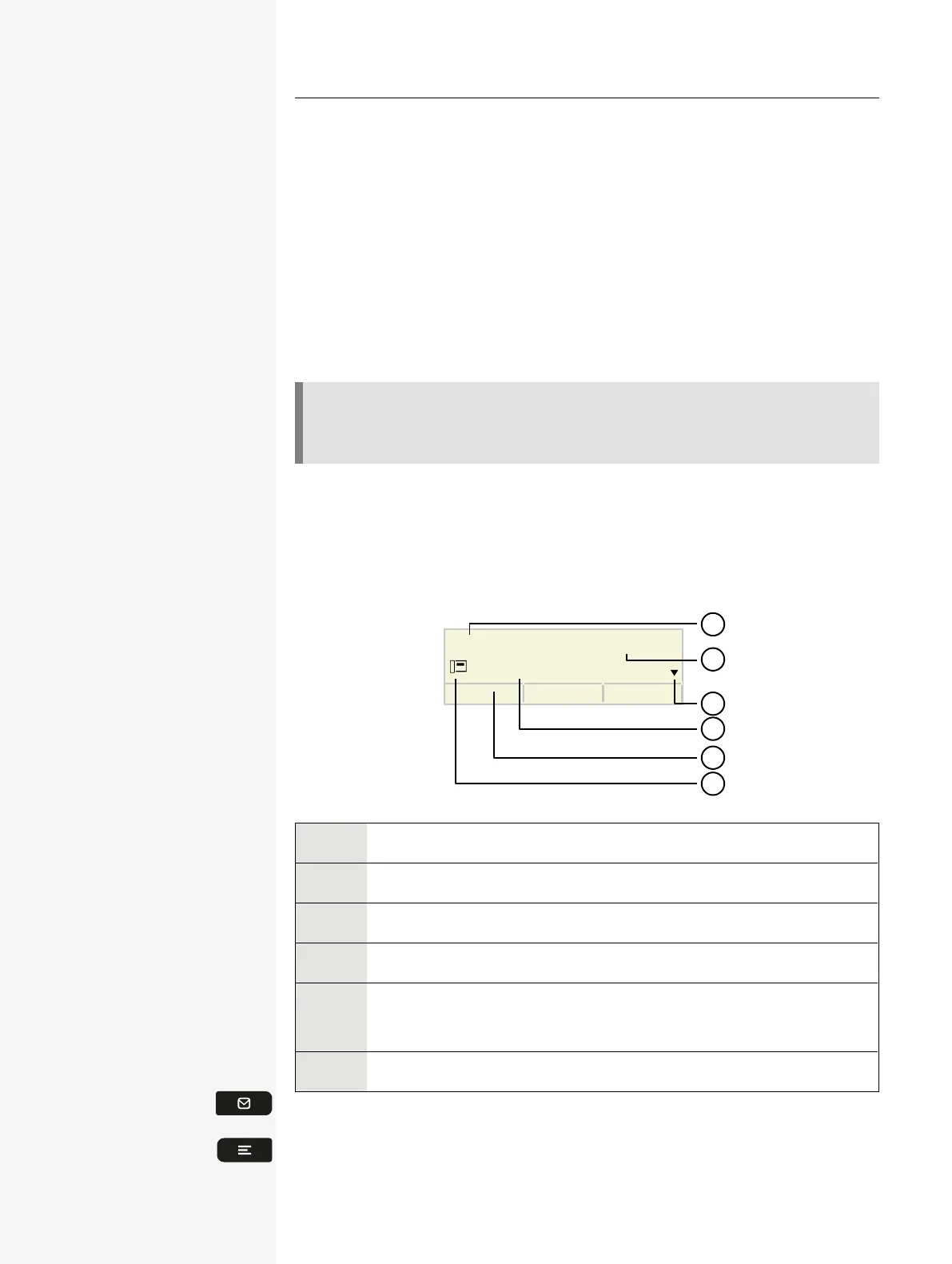
IDLE MODE
If no calls are taking place or settings being made, the phone is in idle mode.
12345678
Wed 01.01.2210:59
2
1
3
4
5
6
1 Time screen
2 Date and time
3 Idle menu navigation
4 Phone number
5
The function key labels display the assigned key settings. For each
label, a maximum of eight characters can be displayed.
6 Status icon
Press this key to return to the idle mode display from a call list.
Press this key to return to the idle mode display from the Program or Service
menu.
Getting to know the Desk Phone CP110 19














 To Next Page