13
Section 2: Media, Cartridges, and Knives
2A. Label and Roll Specifications
Two types of media can be used.
1. Digital Die-Cut Labels. If you are using the printer to digitally die-cut your desired shapes and
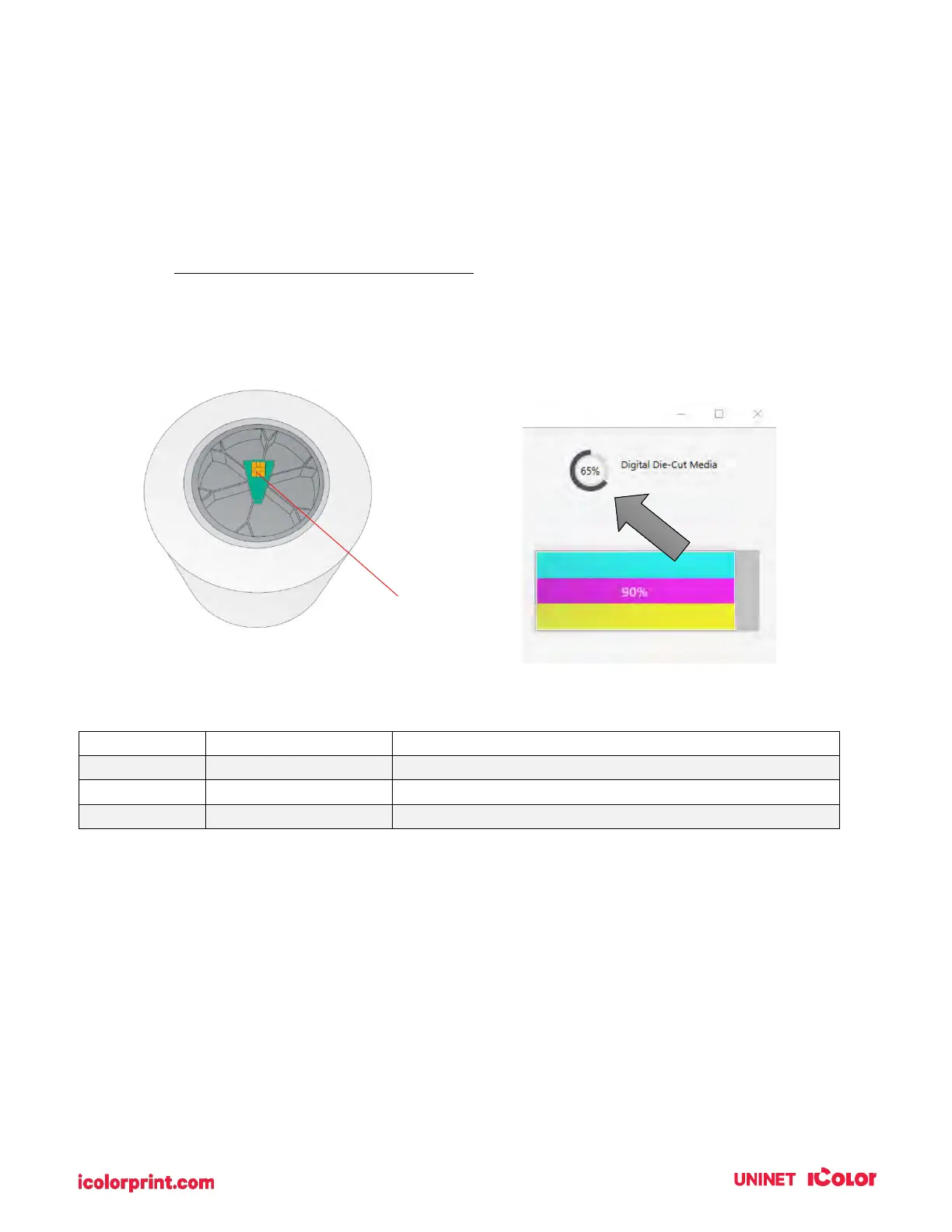
sizes only UNINET label stock is recommended. This media comes from UNINET with a smart chip
that identifies the media, tracks the percentage remaining, and automatically sets the sensor type
to continuous. You will know it is installed when you see the Digital Die-cut Media percentage in
the upper right corner of UNINET IColor PrintHub. If you do not see this indication, the digital die
cutter will not be enabled and you will not be able to cut shapes.
The following media types are currently available from UNINET. We will be adding more as additional
types are discovered, tested, and validated.
Durable Synthetic Polypropylene Media, 150 ft
Premium Paper Media, 150 ft
White Gloss Magnetic Media, 100 ft
Other media cannot be used even if you take the chip from new/old UNINET media for the following
reasons:
• Old chips cannot be reused once they reach 0% remaining.
• Other media has a liner that may be too thin. The liner on UNINET media is specially created for
our printer to prevent cut through to the wear strip
• The dust created from cutting through the inkjet printable topcoat can be excessive on some
media. This can cause frequent print cartridge clogging and other problems.



 To Next Page