27
2F. Replacing Ink Cartridges
You can replace cartridges at any time or wait for the Low Ink Warning to prompt you to replace
cartridges. You will receive low ink warnings at 10% and 0%. Press the Load/Feed button to continue
printing after you receive this warning.
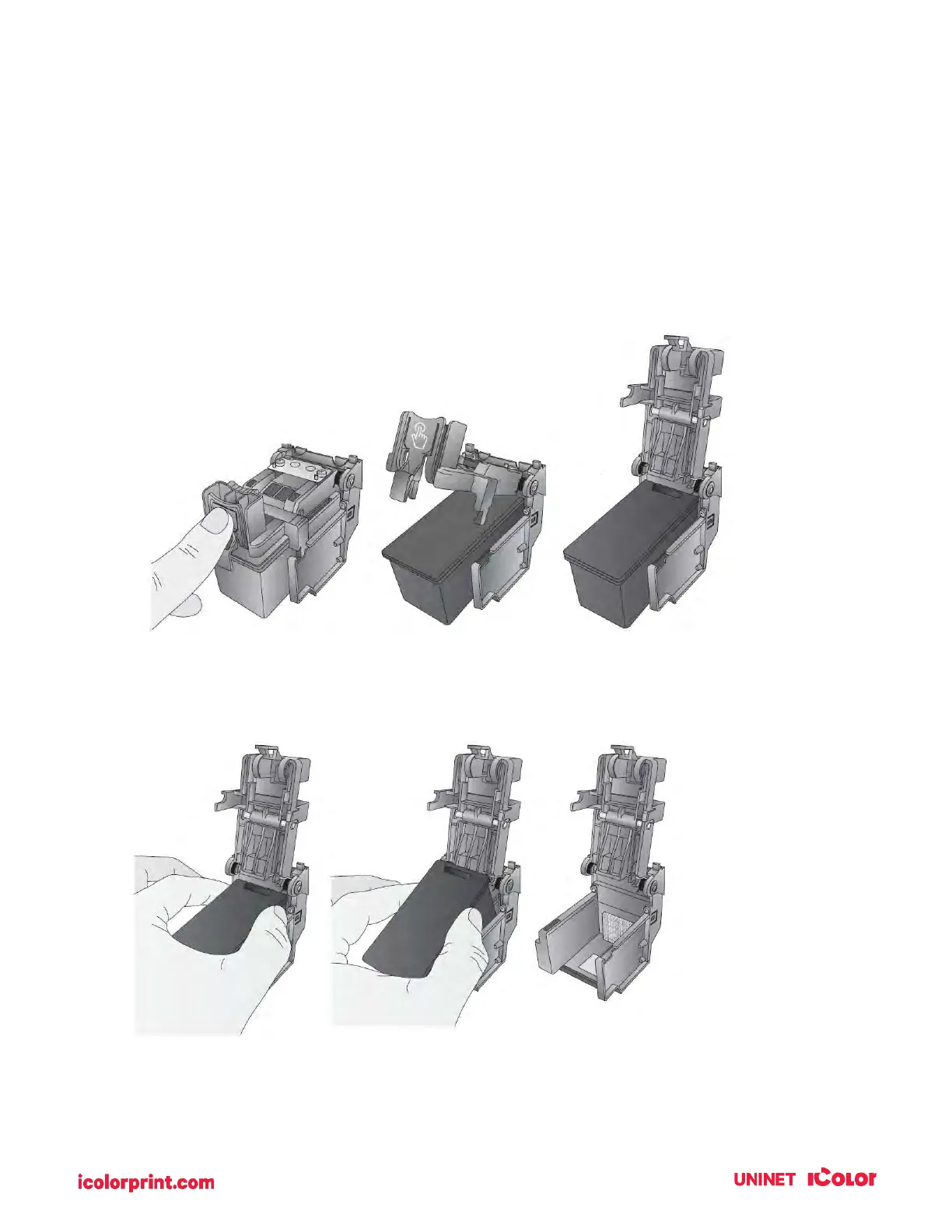
To change a cartridge, follow this procedure:
1. Open the front cover. That cartridge will automatically move to the right side if it is not already
there.
2. Press or pinch the tab on the front of the cartridge holder.
3. Remove the cartridge.



 To Next Page