45
Section 4: Printing and Cutting with IColor CustomCUT Software on PC
and Mac
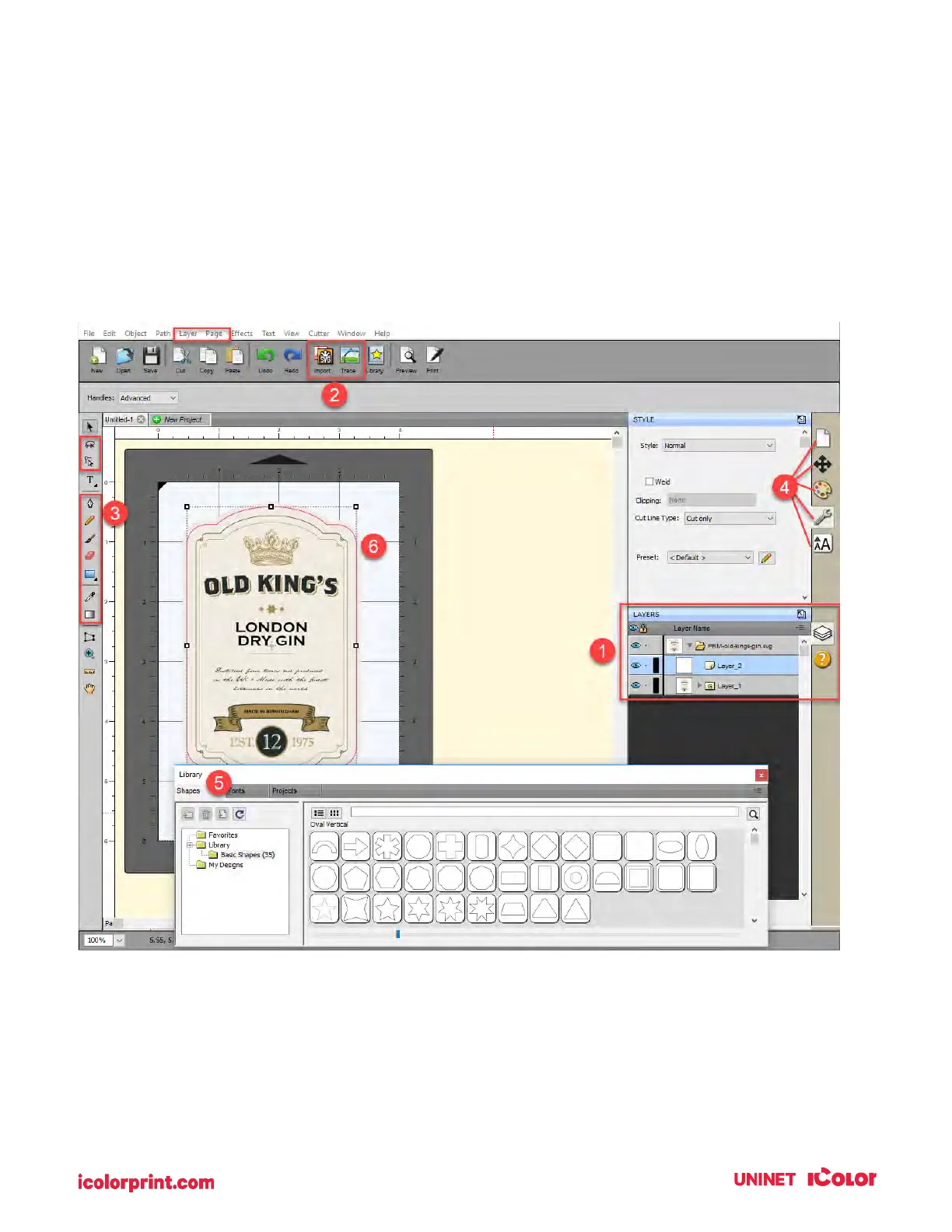
IColor CustomCUT Software is everything you will need to layout your prints and cuts for your IColor 250.
Every object that you place in your layout can be set to print only, cut only, or Print and Cut.
4A. Overview IColor CustomCUT
1. Layers. Layers allow you to see and manipulate layers of imported SVG files or elements
added within IColor CustomCUT. SVG files can be created in programs like Adobe Illustrator.
2. Import. Allows you to import flat files and Vector files like AI, EPS, and SVG which can be a
graphic you would like to print, a cut file, or both in the same file.



 To Next Page