56
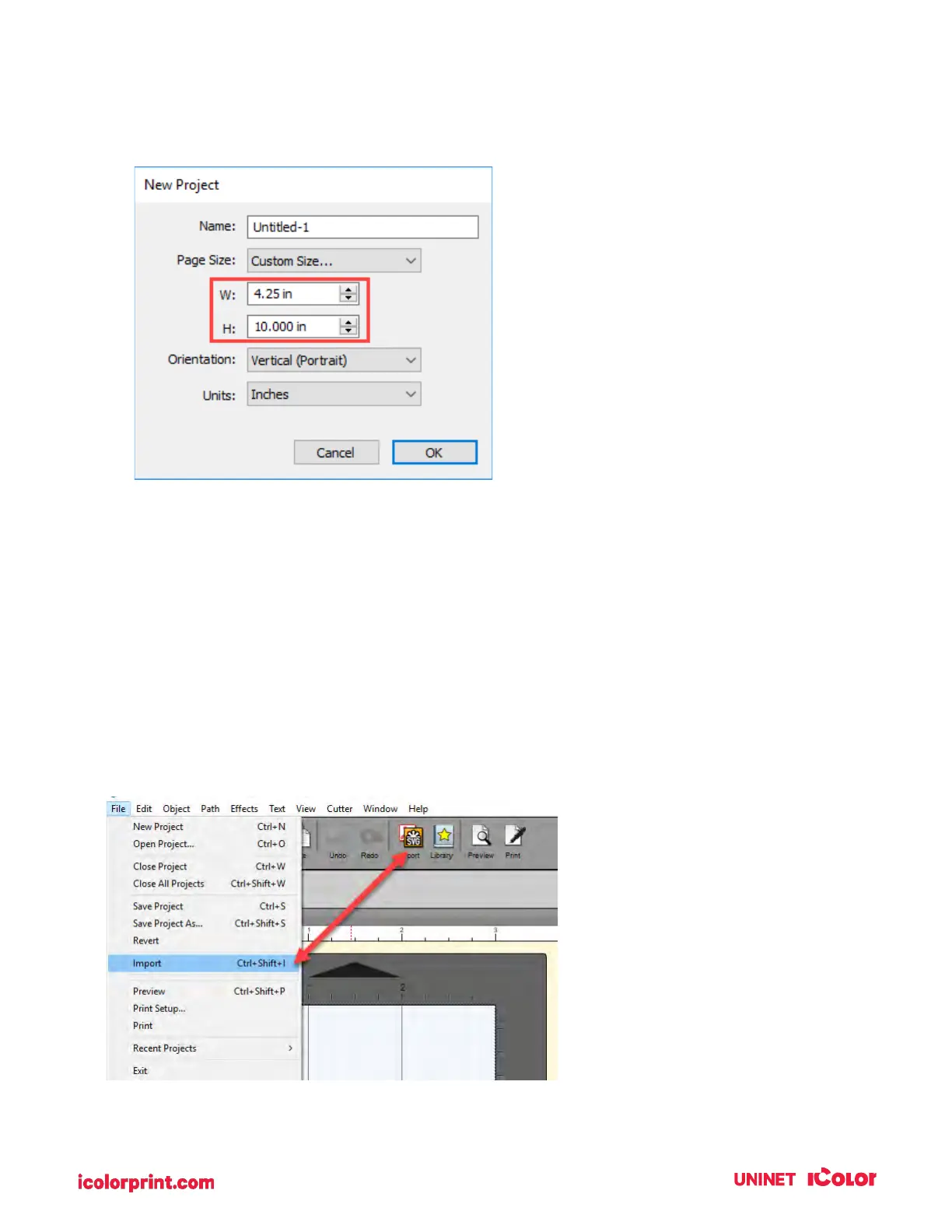
3. To set the page height or width to custom size, type the size in the W: and H: boxes or toggle the
size up or down with the arrows.
4D2. Import an Image.
IColor CustomCUT allows you to import flat files and vector files. You can import the following image
formats: AI, EPS, PDF, SVG, JPG, BMP, PNG, TIF, GIF.
IMPORTANT NOTE: UNINET recommends imported images are at least 300 dpi. The software is
optimized for this size. Larger DPI images can be manually resized. Smaller dpi images will not utilize the
maximum quality of the printer and may appear pixelated. Images downloaded from websites are
typically made to display only onscreen load quickly so they are typically only 72 dpi.
To import an image for printing follow these steps.
4. Go to the File Menu or shortcut bar, choose Import.



 To Next Page