57
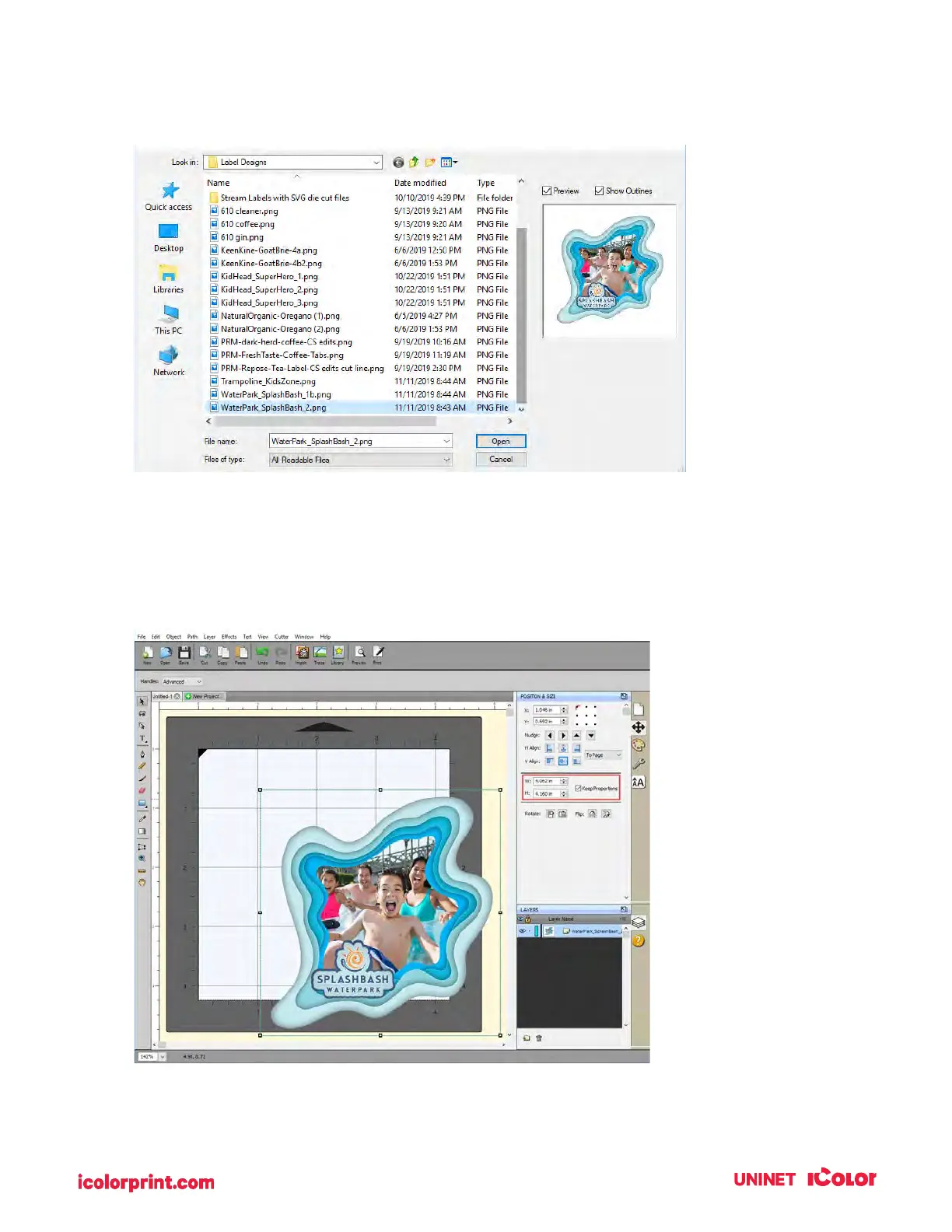
5. Browse to the file you would like to use and choose Open.
6. The file will appear on your page layout.
7. You can manually move it on your page or increase the size. However, a better option is to use
the Position & Size window. Set the size to match the size of the page layout. In this case, set
the width to 4” and check the Keep Proportions box.



 To Next Page