48
4B. IColor CustomCUT Software Activation
You will need to activate the IColor CustomCUT Software and will be sent an activation code in your
purchase confirmation.
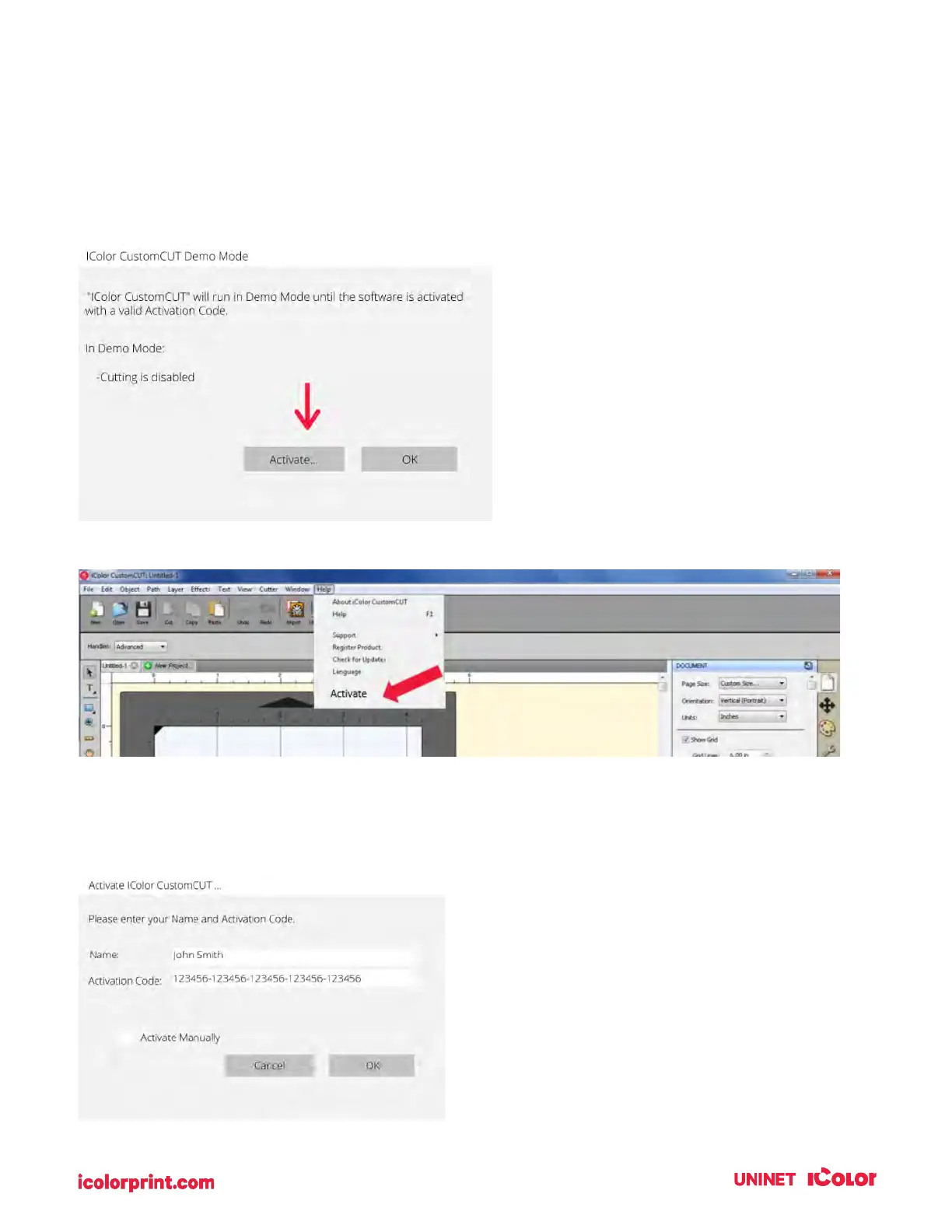
To Activate, follow the activation prompt that appears when you open the software or go to the Help
Menu – Activate.
An activation window will appear. Enter the activation code with the dashes included. Click OK.
The software is now activated on this computer.
IMPORTANT NOTE:
Activation requires internet
access!



 To Next Page