30
2G. Adjusting the Gap Sensor Position (Pre-Die-Cut Labels Only)
If you are using label stock other than standard square / rectangular die-cut labels, such as circular die-
cut labels or through-hole stock, use the instructions below to adjust the position of the label stock gap
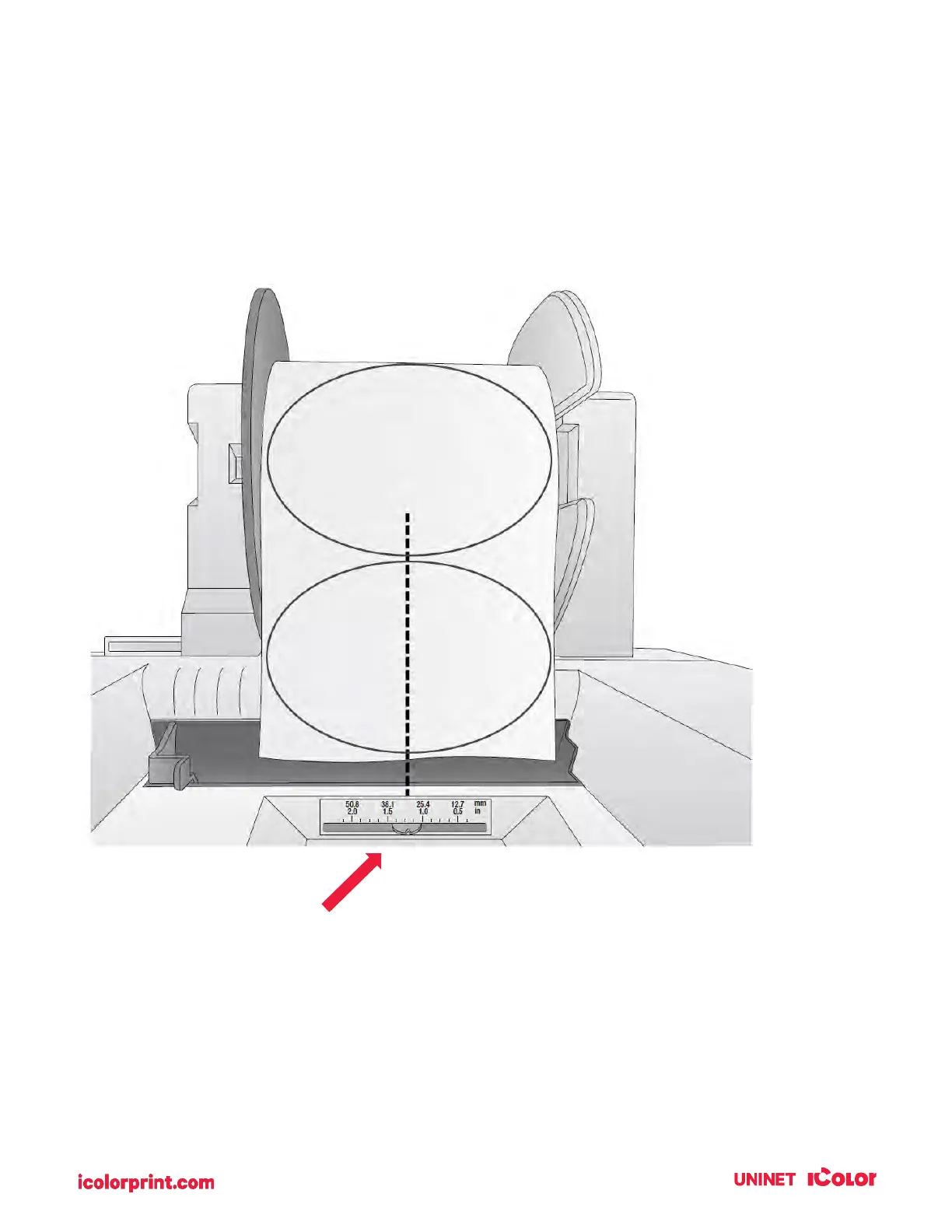
sensor. The sensor can be adjusted using the slide bar on the back of the printer. Below the slide bar is a
measurement that represents the distance between the edge of the label stock and the sensor. Measure
the distance from the edge of the label stock to the correct position on the label stock. Set the sensor so
the side of the slide bar lines up to this measurement. See the dashed line in the illustration below.
Circular Labels
If you are using Circular Labels you must adjust the stock sensor to correspond with the very top of the
label where the circles are closest together. If the sensor is too far to the right or the left, the printer will
still sense the label but the image may be offset downward because the printer will start printing in the
wrong position. If you are using stock that has multiple labels across, make sure the sensor corresponds
to a place on the stock that has a label and not a vertical gap.
IMPORTANT NOTE: You must adjust the stock
sensor before loading nonstandard label stock.



 To Next Page