70
4G. Vector File Specifications for Designer
When importing files using the methods described in section 4D please make sure the imported file
follows the specifications below:
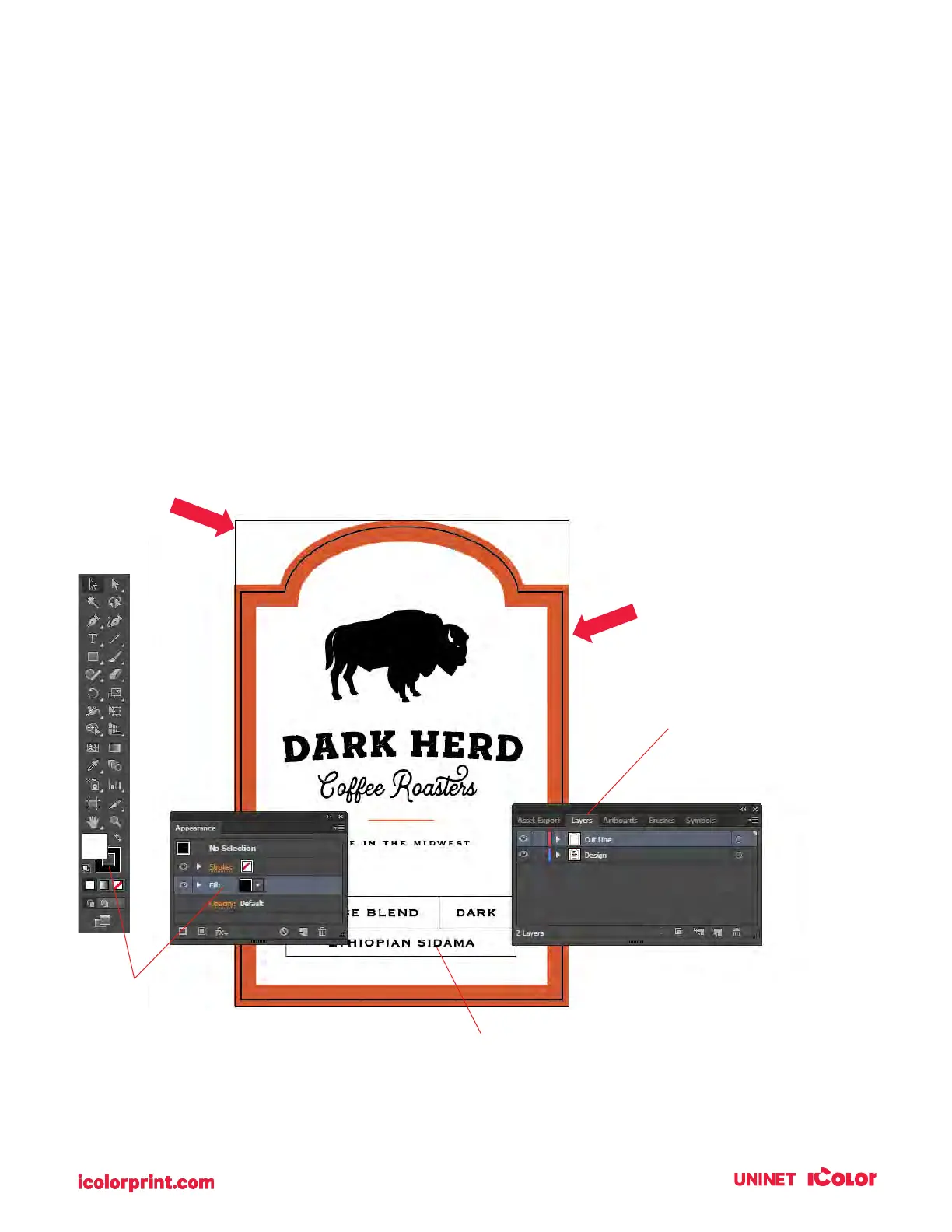
1. Place the design on a top layer. Place the cut line on another top layer at the same level as the
design. Do not bury the cutline inside the design.
2. The cutline should be a compound path set as an outline. Set the color to any color that stands
out against the design.
3. Position the cut line exactly where you want it relative to the design. The cut line should be the
size of the final label. The minimum over bleed should be 0.040”.
4. The workspace should match the full bleed of the design to be printed.
5. Convert fonts to vector graphics by outlining them. (In Illustrator, select the text - go to the Type
Menu - Choose to Create Outlines).
6. Save the design as a vector file in this order of preference. 1. SVG File 2. AI File 3. PDF File.



 To Next Page