110
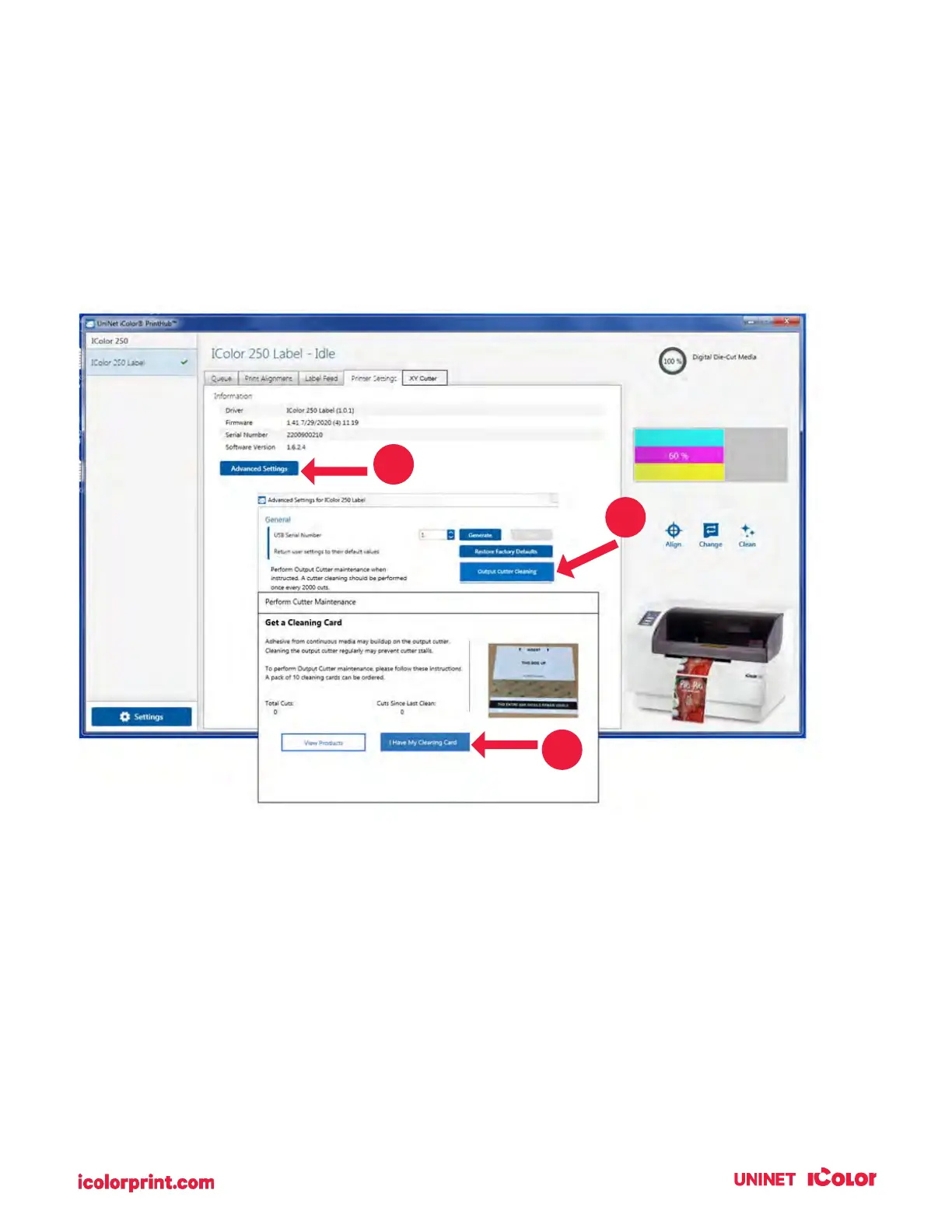
7D. Cleaning the Output Cutter
Every 2000 cuts you will be prompted to clean the output cross cutter using a cleaning card. If you have
the card, you may follow the prompts to complete the cleaning procedure. Otherwise, you can purchase a
pack of ten cleaning cards. Email at sales@icolorprint.com for more information.
To manually perform a cleaning in UNINET IColor PrintHub, go to the Printer Settings tab – Advanced
Settings – Output Cutter Cleaning.



 To Next Page