50
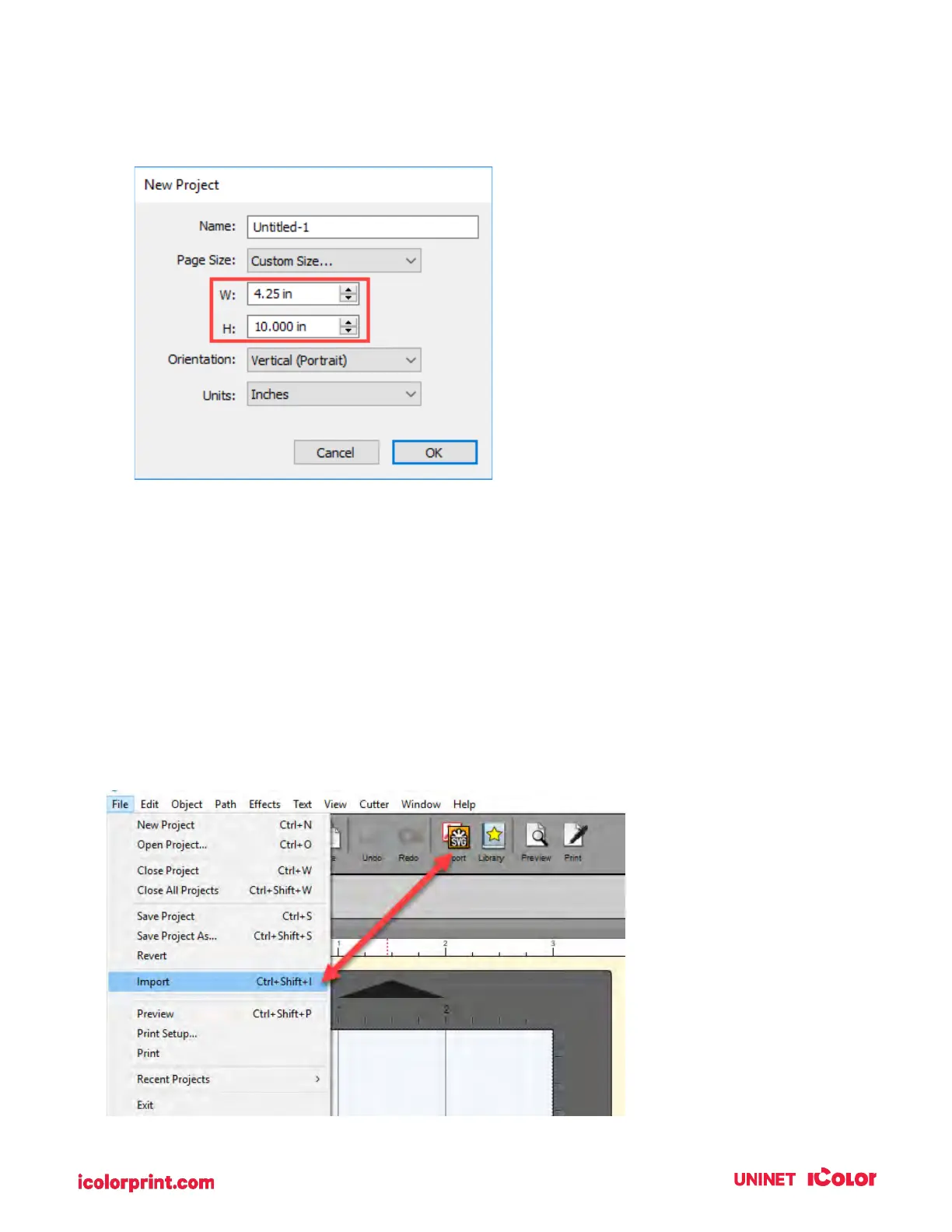
3. To set the page height or width to a custom size type the size in the W: and H: boxes or toggle the
size up or down with the arrows.
4C2. Import a Vector Image (PDF, AI, EPS, SVG)
The IColor CustomCUT Software allows you to import vector files for printing and cutting.
You can import the following vector image formats: PDF, AI, EPS, SVG
To import an image for printing follow these steps.
1. Go to the File Menu or shortcut bar, choose Import.


 To Next Page