59
4D3. Trace Image and Create Cut Line
Tracing the images requires a flat-file such as BMP, GIF, JPG, or PNG.
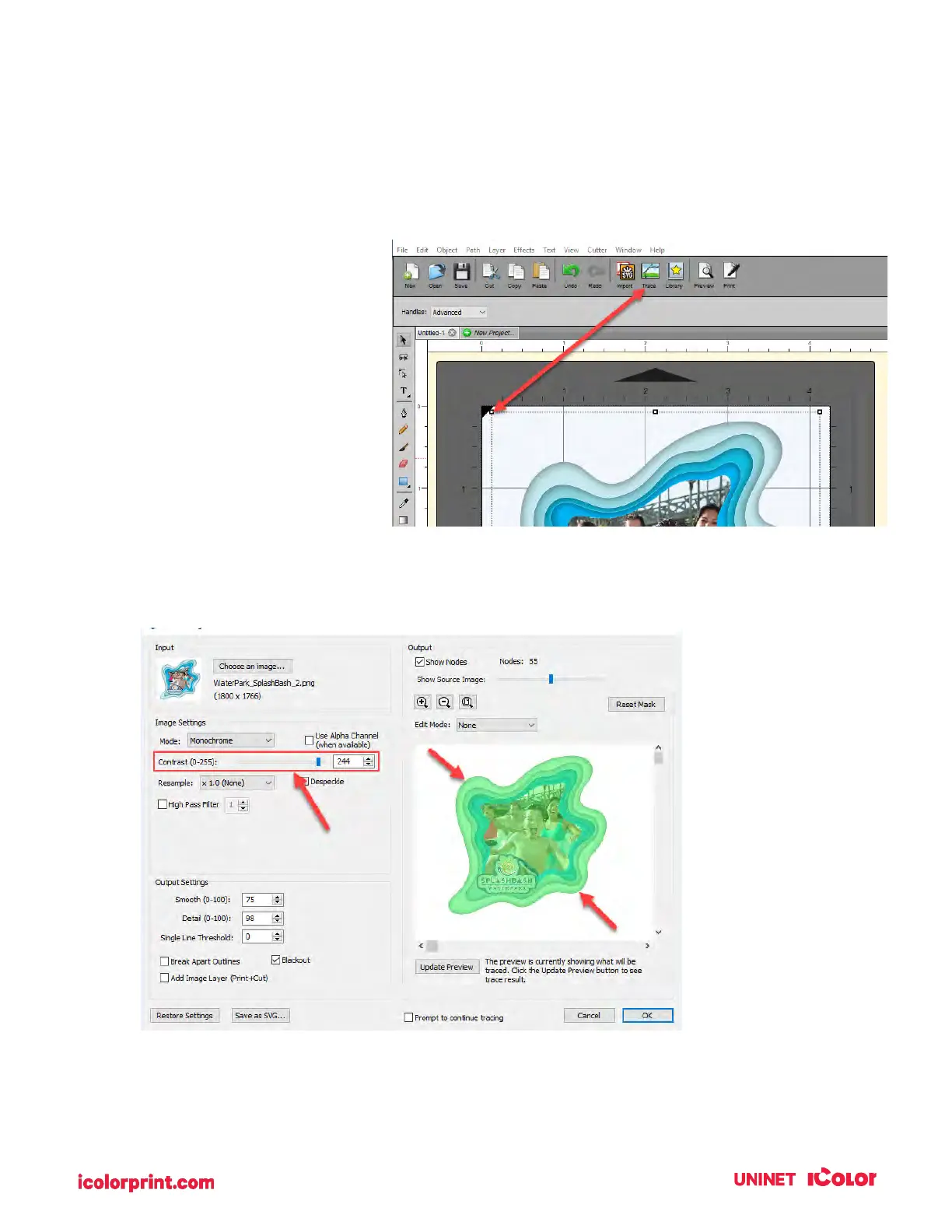
9. Select the image object that you just imported. This is very important. You’ll know it is selected
when the bounding box appears
around the image. Now click on
the Trace Icon.
10. There are many options
available in the Trace Image window. However, the most important option is Contrast. You
should adjust the contrast until the preview shows a single green highlighted image in the shape
you would like to cut.



 To Next Page