91
6E. XY Cutter Offsets (Digital Die-Cut Stock Only)
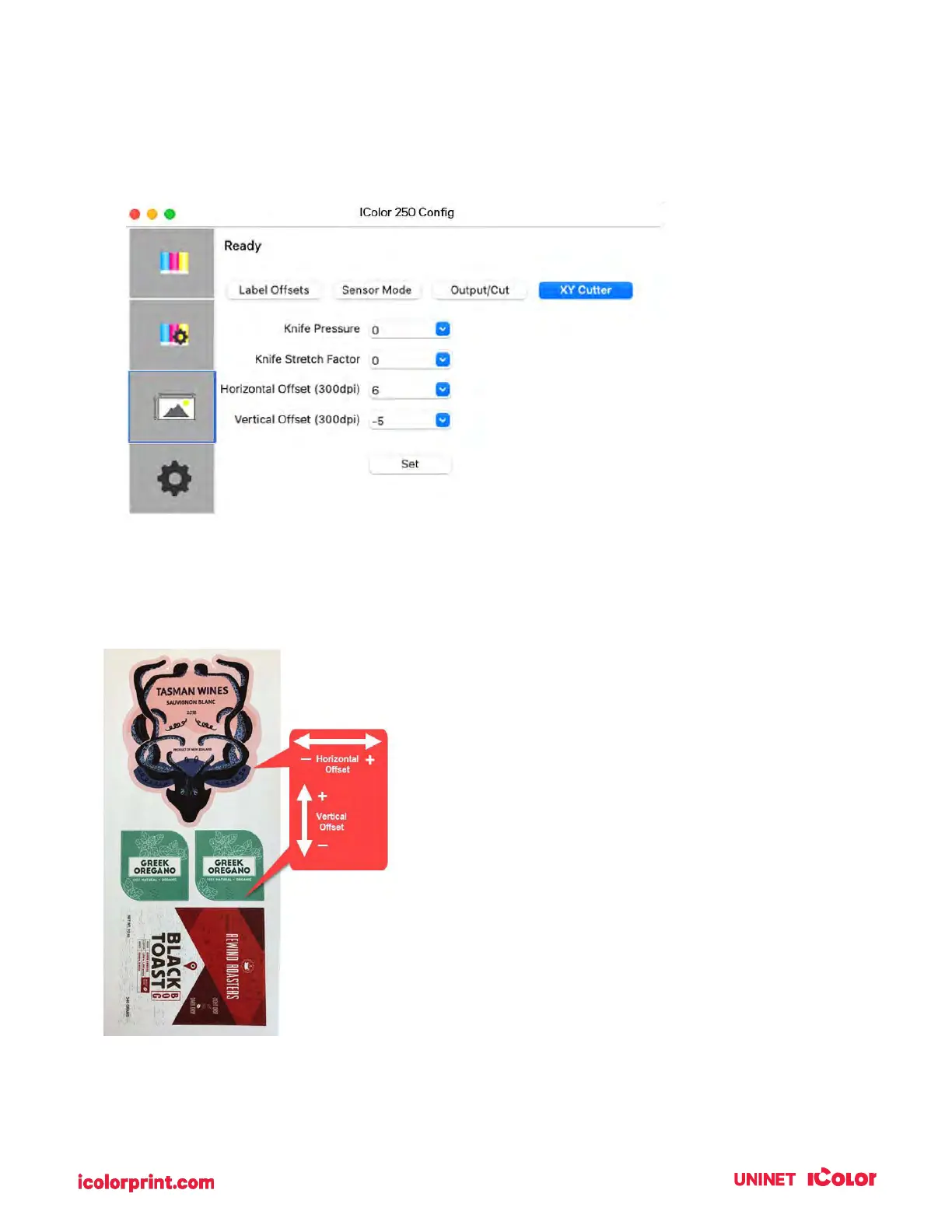
Cut Offsets, Knife Pressure, and Stretch Factor settings can be found in UNINET IColor Print Hub on the
XY Cutter Tab.
Cut Offsets If your cut does not line up with your printed image, you can adjust it using the Horizontal
Offset and Vertical Offset settings.
Press the Send Test Print to help you determine which direction to move the offsets or refer to the image
below.
Knife Pressure affects how deep into the media the
knife will cut. Ideally you want to cut deep enough to
cut through the label layer on the top but not so deep
that you cut through the backing paper (liner).
When you cut through the backing paper your label
will not peel cleaning off the backing paper. You will
also score the wear strip under the cutting knife which
can cause the knife tip to break. You will also need to
replace the wear strip more often if you cut too deep.
By default, the cutter is calibrated to work with High
Gloss Paper Media. However, other media types will
need more or less cut pressure to cut properly.
will have a recommended value to
add or subtract from the default baseline values used
for Knife Pressure and Knife Stretch Factor.
These values are listed below and printed on a label
attached to the inside of the core.



 To Next Page