46
3. Trace Allows you to create a cut file by tracing a JPG, BMP, or TIF, or other flat files that you
have imported. This is a great option for creating complex cut files without needing another
expensive and complex design program.
4. Advanced Design Tools. Advanced design tools such as Gradient, Eye Dropper, Eraser,
Freehand drawing, and the Shape Node Tool allow you to create your desire design in
IColor CustomCUT.
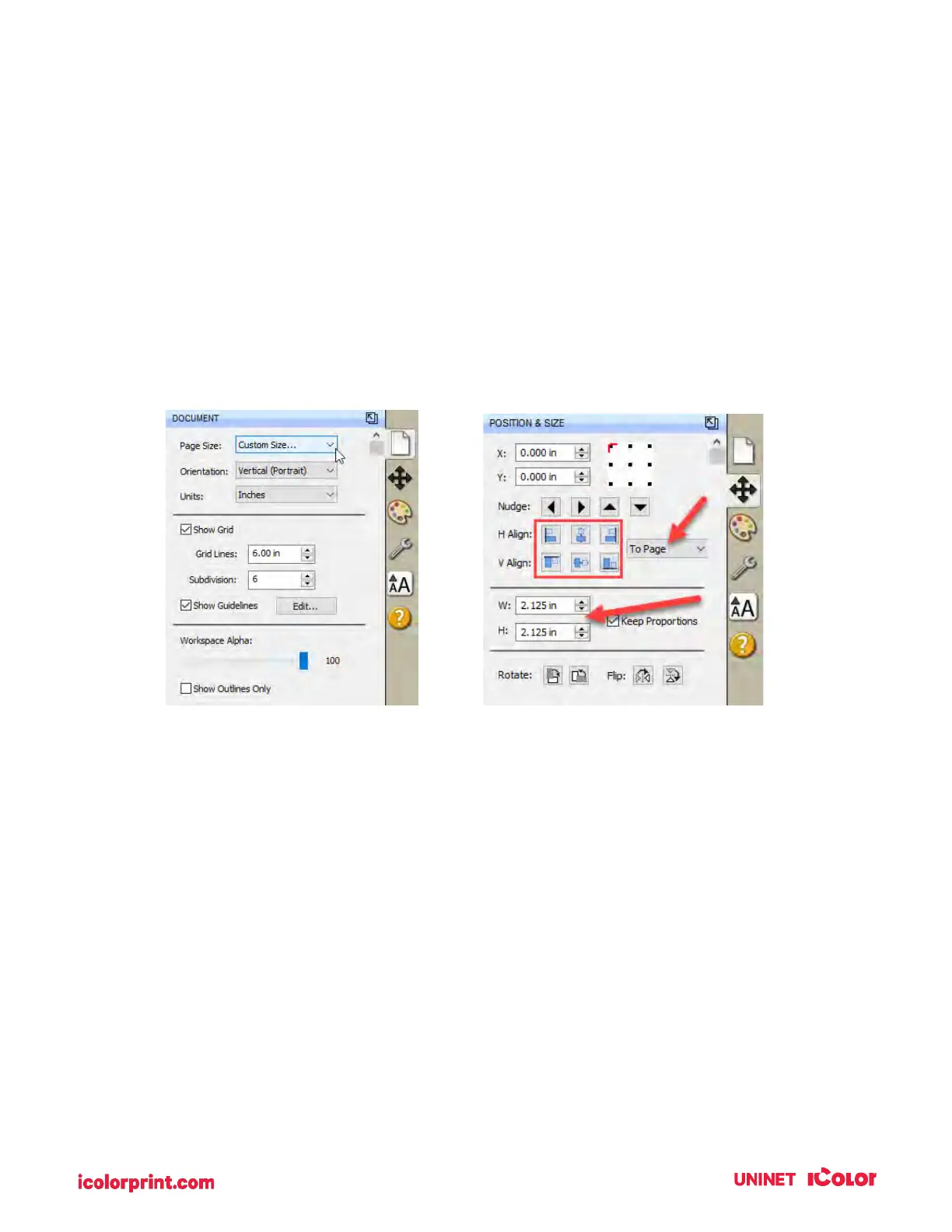
5. Document, Position & Size, Fill & Stroke, Style, Text. These tabs all manipulate existing
objects on the page. The document controls the artboard or page size. Position & Size allows
you to precisely move objects on the page. Fill & Stroke feature allows you to change the
color of the lines. The Style allows you to change whether a particular object should be cut,
printed, or both. The Text allows you the change font and size of text objects.
a. Document. Use this tab to adjust the page size after it has already been setup.
Sometimes you may need to increase the height of the page to accommodate a bleed
or multiple rows.
b. Position & Size. You will use this tab to move both the cut line and the image on the
page. It is much easier than trying to drag and drop images manually.



 To Next Page