54
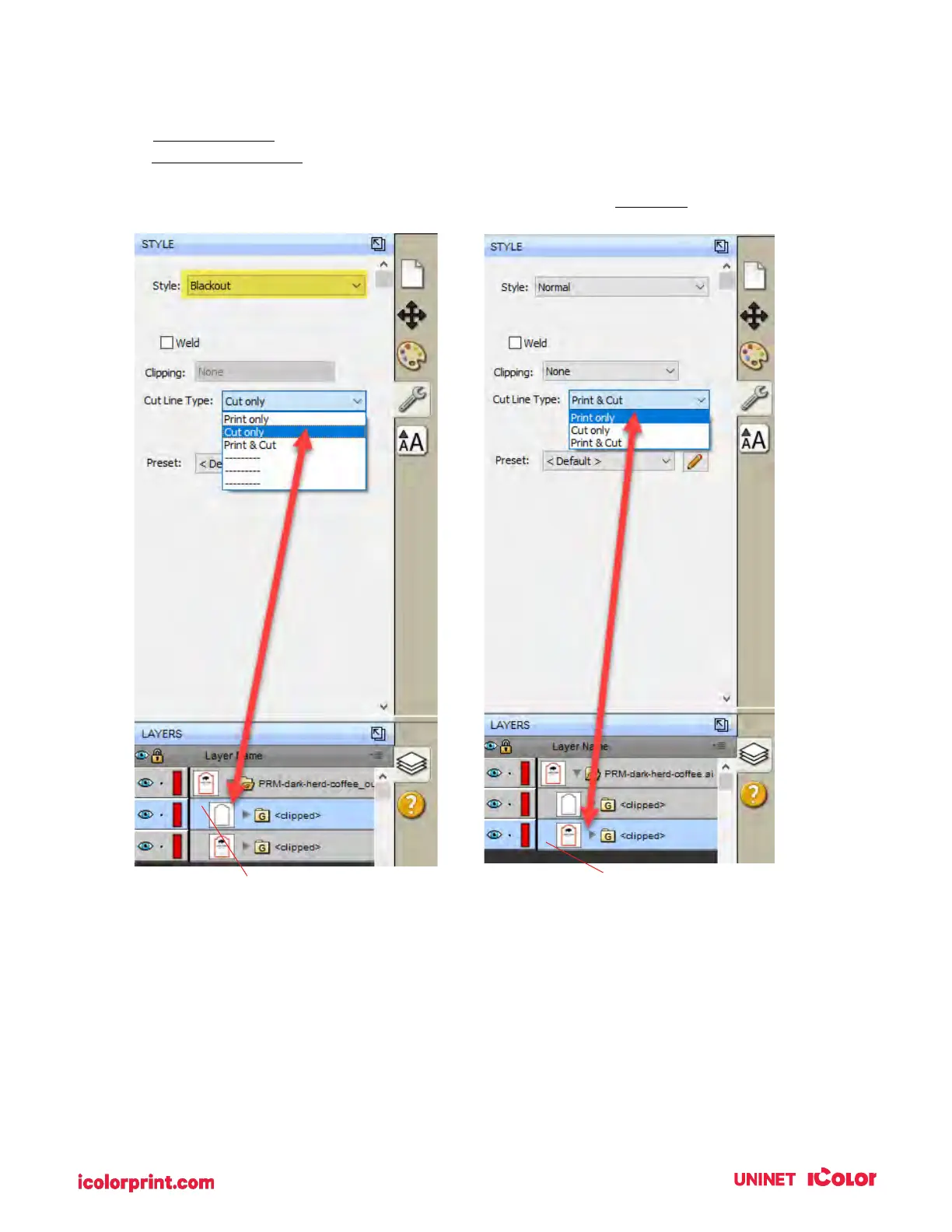
5. Once you find the cut line, select that layer, and click the style tab above.
A. Choose Cut Only.
B. Set Style to Blackout.
6. Now select the Print layer, click on the stye tab above, and choose Print Only.
7. To print go to the File menu and choose Print or click the Print Icon on the shortcut bar.
The print dialog will appear. Make sure Print+Cut is selected. Click the Properties button to
access the printer settings such as Print Quality, Saturation, and Color Matching.
For a full explanation of printer driver settings see section 5D.



 To Next Page