76
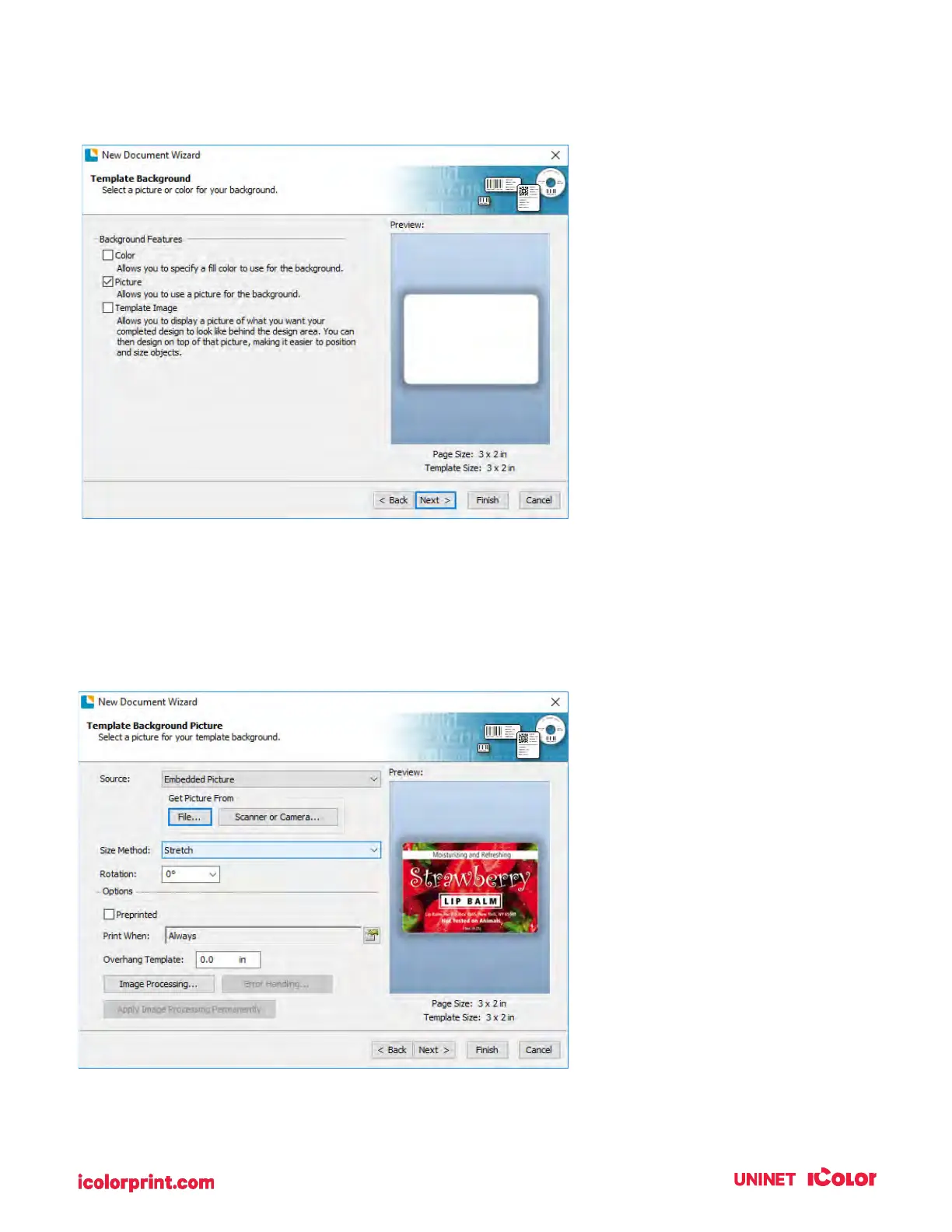
10. Check the "Picture" box to add a background photo or graphic to your label. Click "Next".
If you click "Finish", the remaining default wizard options will be set and no picture will be added.
11. Select "Embedded Picture". Click the "File" Button to browse to the location of your photo/graphic
file. Set the Size Method to "Stretch". Note the preview to the right. Click "Next" if you are satisfied
with the layout of the photo or graphic. Otherwise, you may try one of the other Size Methods in
the drop-down menu.



 To Next Page