DE35-ST Operating Instructions
D292469I 27
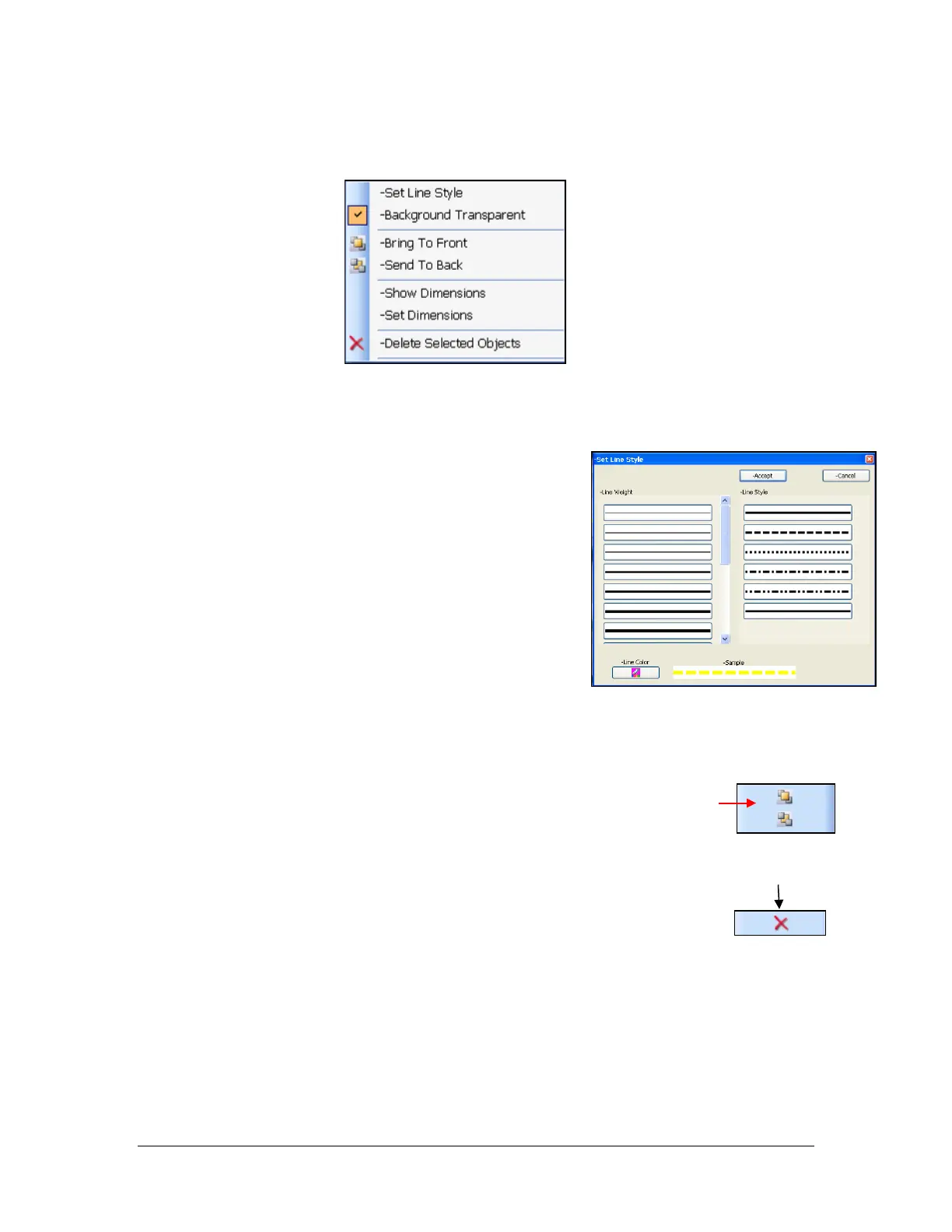
For no fill color (transparent background), right click on the shape and deselect
“Background Transparent” from the right-click menu
• To change the shape’s line style and weight, right click
on the shape. Select “Set Line Style” from the right-
click menu. In the Set Line Style window, the desired
Line Weight and Line Style can be selected, as well as
the Line Color. Click Accept to save the changes. See
Figures 5 and 6 for more detail.
2. When using multiple shapes that overlap, the order of the shapes can be altered by
selecting the desired shape and clicking “Bring To Front” or “Send To Back” from the
right click menu. The user can also press either of these buttons on the
toolbar. This operation changes which shape is displayed on top, and
which is behind.
3. Once a shape is “active”, it can be deleted by selecting “Delete Selected Objects”
from the right-click menu, or by clicking this button on the toolbar.
Figure 5 - Right-Click Menu
when shape is "active"
Figure 6 – Set Line Style Window



 To Next Page