DE35-ST Operating Instructions
D292469I 21
If desired, click on the original '+', then ensure it is selected by pressing send
forward or send backward until the active handle boxes are on the '+'. Right click
and select delete.
System Alignment: DE35-300
NOTE: For standard DE35 alignment, see the previous section.
After the System has been assembled it must be aligned. The Pickup tip, Eject needle
and the Camera must be properly aligned for the system to properly pick and place die.
1. Turn on the power and allow the system to reset, (30-40 seconds).
a. If the error message, Frame holder open, please close to continue is
displayed, check the micro switch on the holder and/or the plug in the
connector.
b. When the LCD displays To resume, press the Yes key, press YES. The
system will continue resetting.
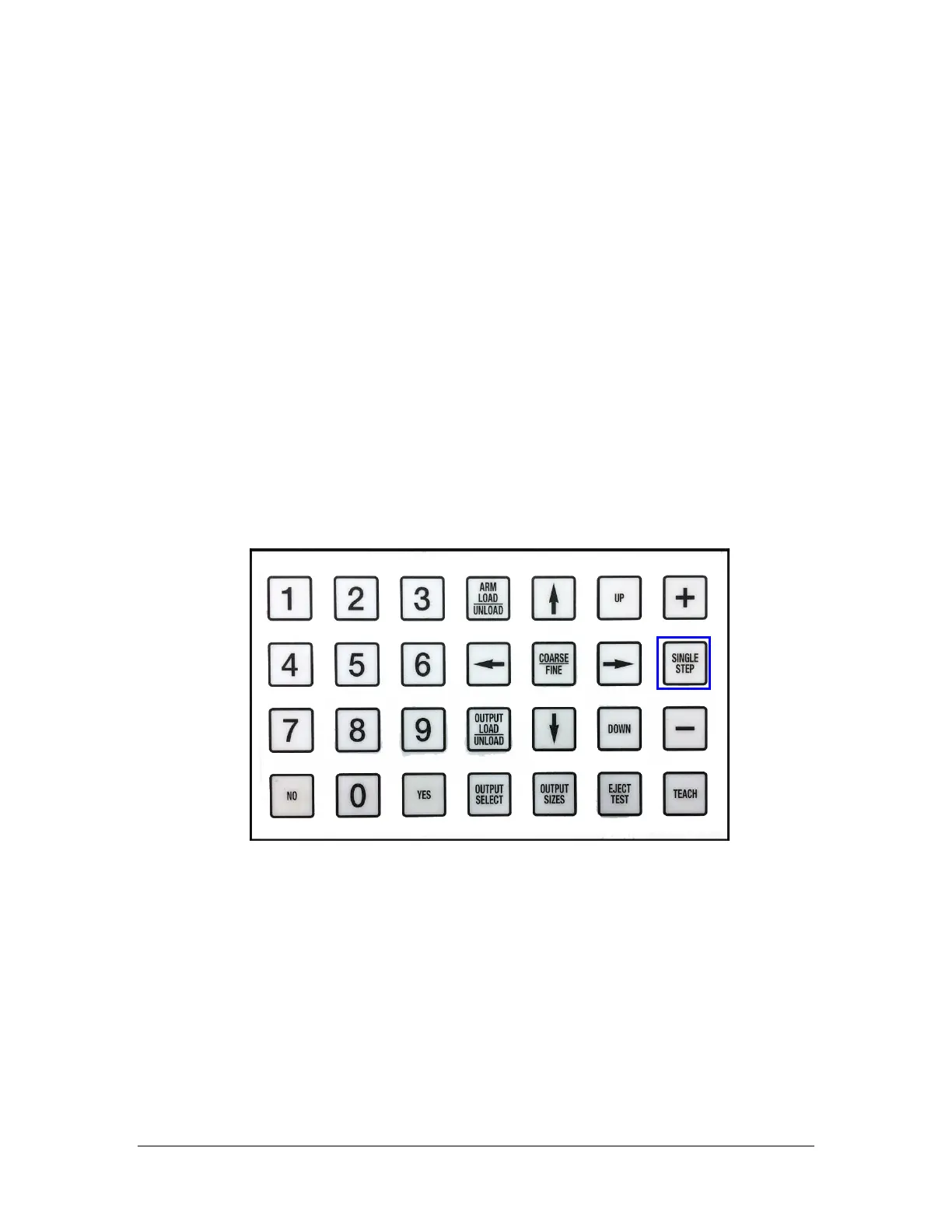
2. On the DE35 ST keyboard, select Single Step.
a. The LCD should display Teach Step Fine or Coarse in upper left corner
and “Pickup Clear” in the upper right corner.
b. The second line indicates what will occur next, when the foot switch is
depressed: Turn on Tape Vacuum
3. Use the DES to move the Wafer Holder until the die are out of the way and bare
tape is over the Eject Head.
4. Press the Foot Switch until the Pickup Arm is over the Eject Stage, and the LCD
reads Go Down To Pick Height
5. Press the Foot Pedal once more to move the Pickup Head down to pick height. If
using a Vespel tip, tap the tip lightly down on the tape surface.



 To Next Page