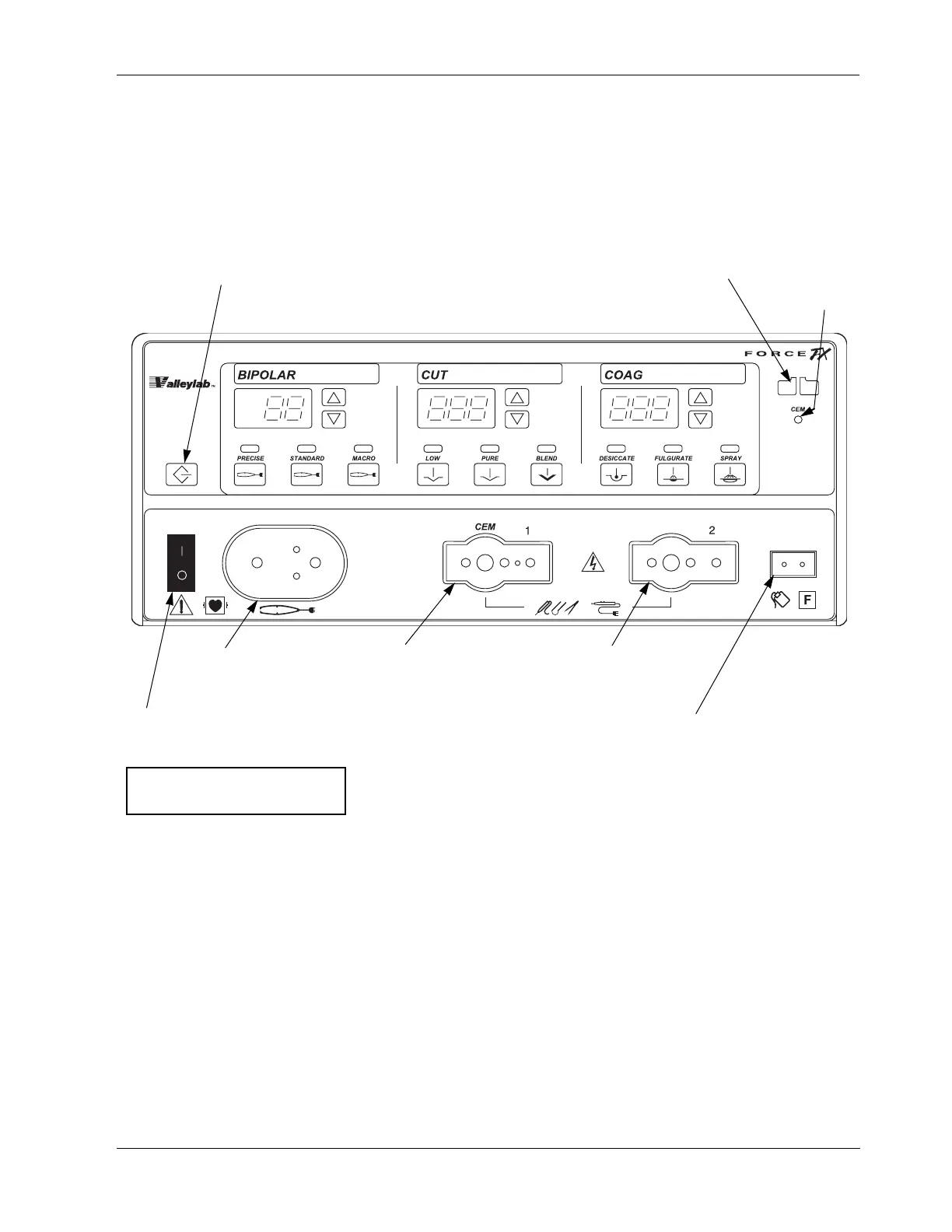
Figure 2-1.
Recall button
Pressing this button sets the
generator to the most recently
used mode and power settings.
Bipolar controls Cut controls Coag controls
CEM
indicator
Bipolar instrument
receptacle
Monopolar 1/CEM
instrument receptacle
Monopolar 2
instrument receptacle
Power switch
This switch supplies power
to the generator.
Patient return electrode
receptacle
For monopolar electrosurgery,
connect a patient return
electrode to this receptacle.
To turn on the generator, press (|).
To turn off the generator, press (
O).
REM alarm
indicator



 To Next Page