Setting Up the Generator
5-10 Force FX-8C Service Manual
generators are not synchronized. One return electrode frequently acquires
a high positive voltage while the other acquires an opposite negative
voltage. When this occurs, the potential voltage difference between them
may cause the current to flow from one patient return electrode to the
other. The current causes no harm if it produces no sparks or high current
densities on the patient.
Place each patient return electrode as close as possible to the site of the
surgery to be performed by the generator to which it is connected. Ensure
that the two patient return electrodes do not touch.
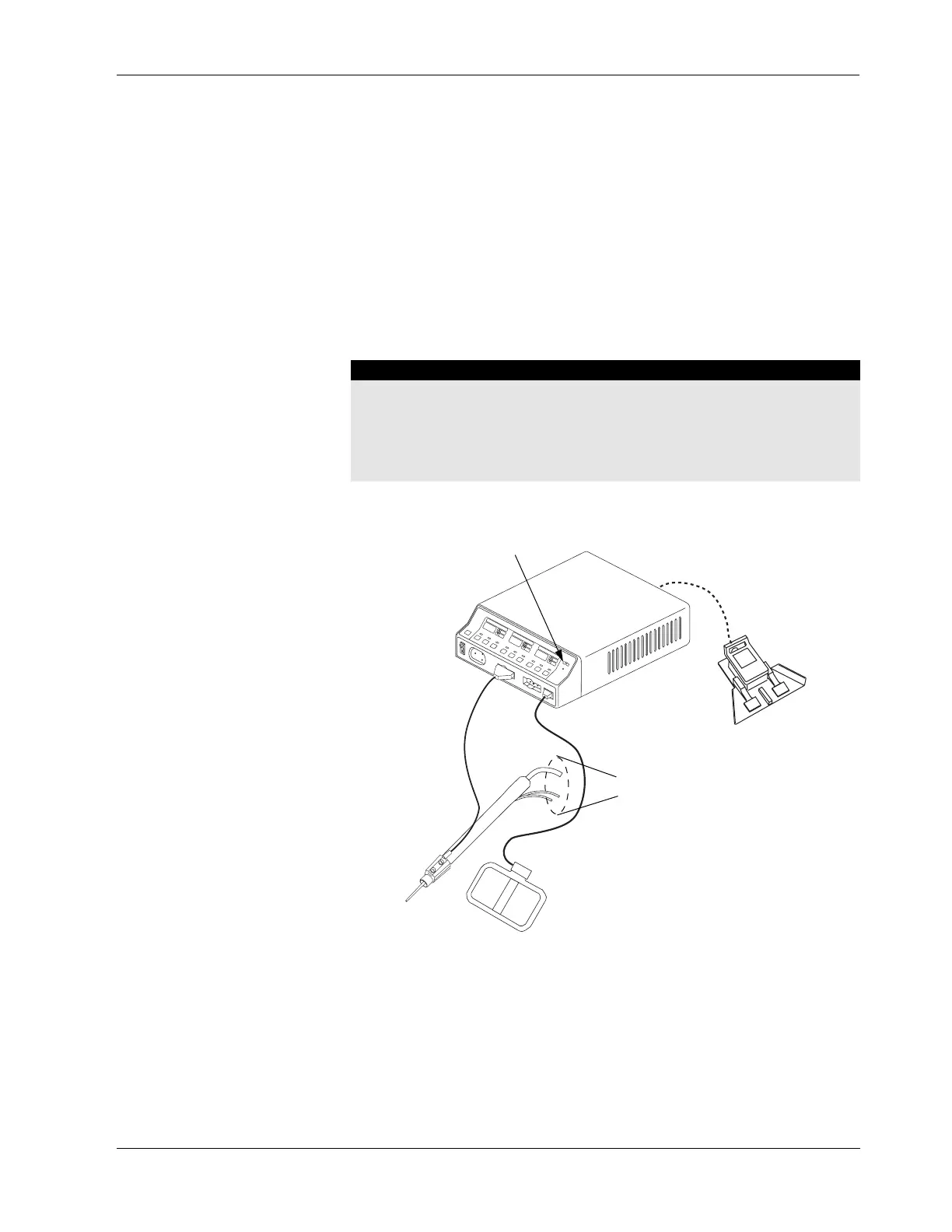
Connecting the CUSA Handpiece with CEM Nosecone
Figure 5-8.
Connections for combined
monopolar/ultrasonic surgery
Warning
Electric Shock Hazard
• Do not connect wet accessories to the generator.
• Ensure that all accessories and adapters are correctly connected and that no
metal is exposed.
If you choose to use
a monopolar
footswitch, you
must connect it to
the Monopolar 1
Footswitch
Patient return electrode
Connect to CUSA system
CUSA handpiece
with CEM
nosecone
CEM indicator
illuminates green



 To Next Page