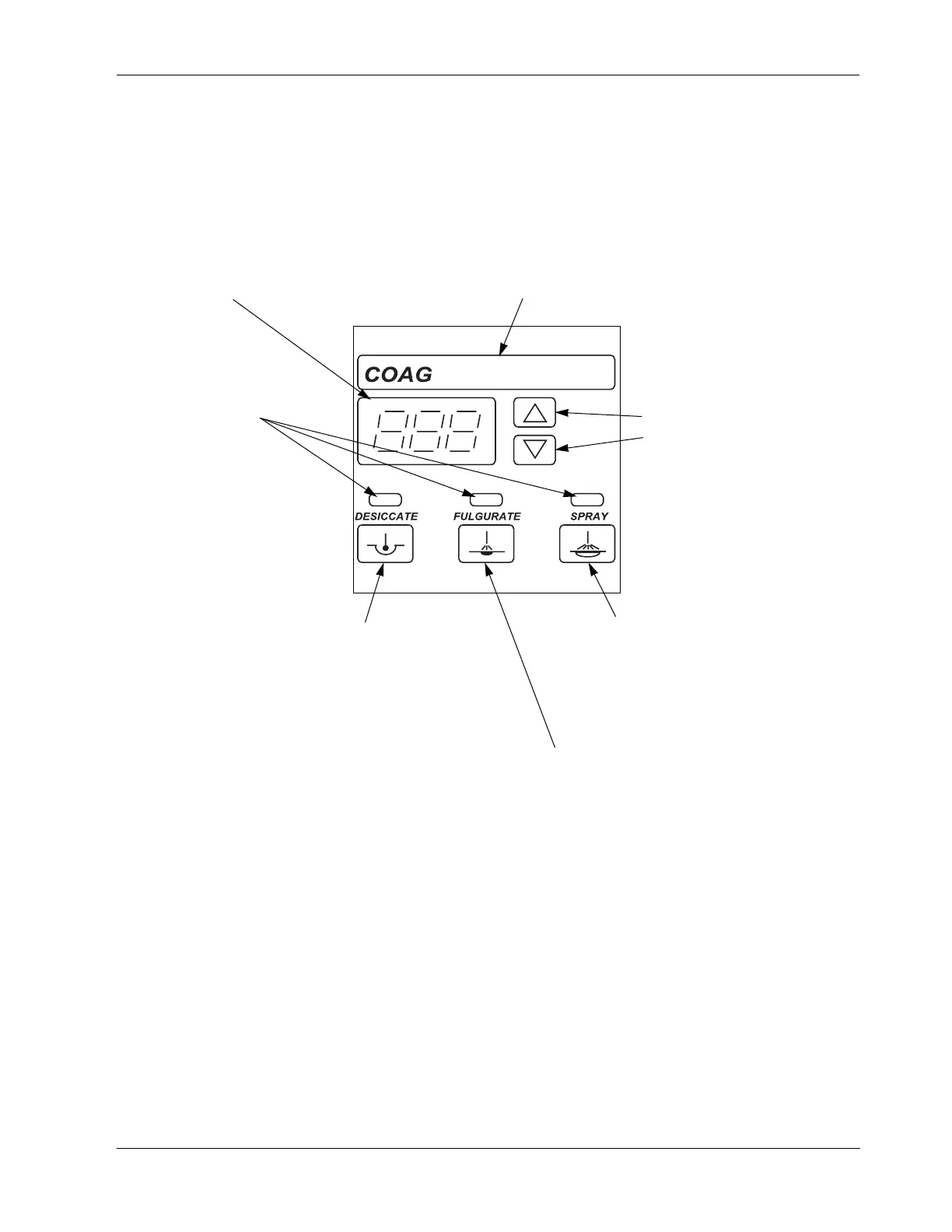
Monopolar Coag Controls
2-6 Force FX-8C Service Manual
Monopolar Coag Controls
Figure 2-4.
Buttons and indicators for coag
controls (monopolar)
Coag indicator
When you activate coag, this
indicator illuminates blue and an
activation tone sounds.
Power buttons
Press
∆ to increase the power.
Press
∇ to decrease the power.
Mode indicators
Illuminate green when you press
the corresponding mode button.
Spray mode button
Select to evenly coagulate a wide area
of tissue with a spray of sparks;
penetration is shallower and tissue area
is larger than in fulgurate mode.
Fulgurate mode button
Select to fulgurate an area of tissue with a
spray of sparks.
This unit is equipped with an additional
fulgurate mode which incorporates a
lower crest factor (LCF) than the factory
default fulgurate mode. For details about
this additional fulgurate mode, LCF
Fulgurate, refer to Section 4, Before
Surgery, in the Force FX-8C
Electrosurgical Generator User’s Guide.
Fulgurate is the default monopolar coag
mode. However, the default coag mode
can be changed to either Desiccate or
Spray through the serial port on the rear
panel.
Desiccate mode button
Select to desiccate the area of
tissue that is in direct contact
with the active electrode.
Coag display
Shows the power setting, in
watts, for the selected mode.



 To Next Page