C
HAPTER
3. M
AINTENANCE
P
ROCEDURES
3-55
02.9628.0010 CONFIDENTIAL
7-Oct-97
3.3.3.6 Dimmer Sub-Micro Switch Removal and Replacement
Parts
:
1 EA ASSY, SWITCH, SUB-MICRO W/WIRES (VL4 DIM)
(22.1026.0002)
Tools
:
Screwdriver, Phillips #1
Screwdriver, Phillips #2
Nutdriver, 5/16 inch
To remove and replace dimmer/filter/douser assembly sub-micro
switch:
Step 1. Remove power to luminaire.
Step 2. Remove dimmer/filter/douser assembly from luminaire head
(
Figure 3-7
).
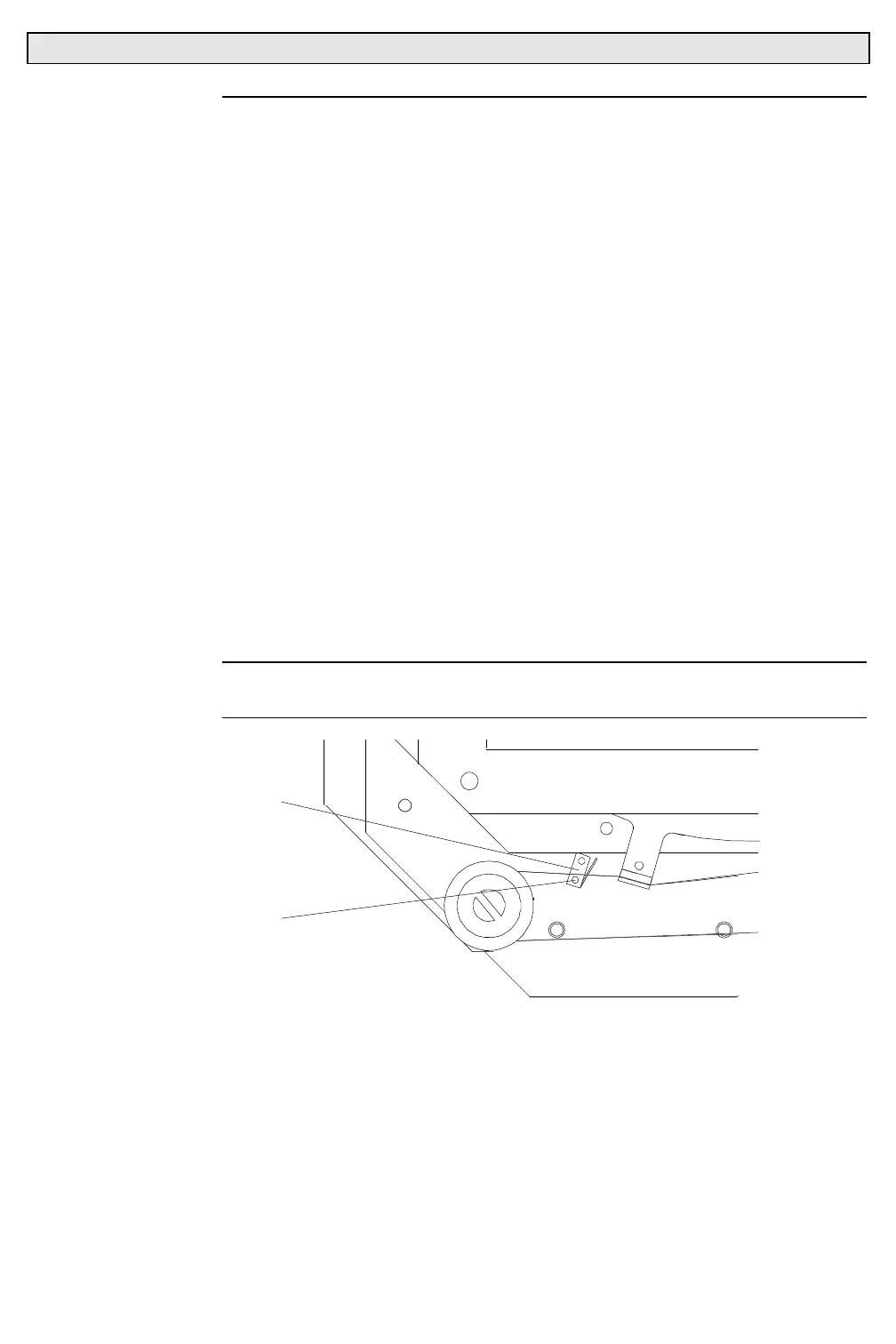
Step 3. Remove sub-micro switch.
a. Remove two 0-80x5/16"PPZ screws (and KEPS nuts if
used) that secure switch to bulkhead and remove switch
(
Figure 3-12
).
Step 4. Replace switch by doing Steps 2 and 3 in reverse.
Note:
When installing switch, verify that switch is oriented so that switch
leads point towards dimmer idler pulley.
MICROSWITCH
0-80X5/16"PPZ
SCREW
Figure 3-12. Dimmer/Filter/Douser Sub-Micro Switch Removal and Replacement



 To Next Page