3-80
V
ARI
*L
ITE
®
-
VL4
W
ASH
L
UMINAIRE
S
ERVICE
M
ANUAL
CONFIDENTIAL 02.9628.0010
7-Oct-97
3.3.5 Electronics Chassis Maintenance
3.3.5.1 Arc Power Supply Removal and Replacement
Parts
:
1 EA ASSY, ARC PWR SUPPLY+ 400WATT (VL4)
(21.9628.0020)
Tools
:
Screwdriver, Phillips #1
Screwdriver, Phillips #2
To remove and replace arc power supply plus:
Step 1. Remove power to luminaire.
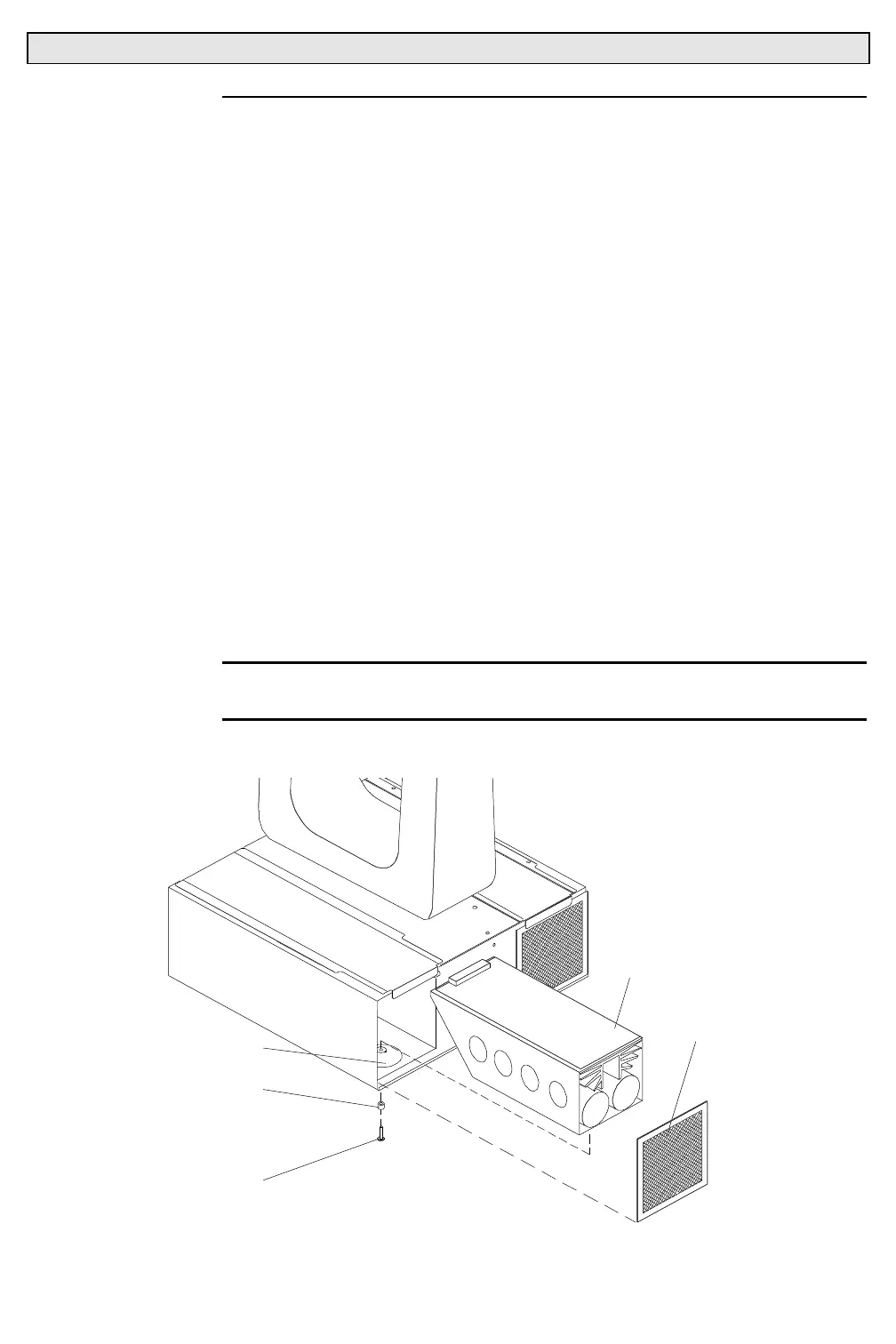
Step 2. At left electronics chassis air filter, while pressing down on
filter, pop out top of filter from chassis and fully remove filter.
Step 3. Remove power supply.
a. At bottom of chassis, in countersink, remove 6-32x5/16"
PPB screw and shoulder bushing (washer) securing power
supply (
Figure 3-27
).
b. Remove power supply by sliding out.
CAUTION
: Ensure that shoulder bushing is in place, failure to re-install
will cause comm problems.
Step 4. Replace power supply by doing Steps 2 and 3 in reverse.
APSTB1
AIR FILTER
ARC POWER SUPPLY
COUNTERSINK
6-32X5/16"PPB SCREW
#6 X 0.17"OD X 0.125"L
NYLON SHOULDER
BUSHING
Figure 3-27. Arc Power Supply Plus Removal and Replacement



 To Next Page