3-50
V
ARI
*L
ITE
®
-
VL4
W
ASH
L
UMINAIRE
S
ERVICE
M
ANUAL
CONFIDENTIAL 02.9628.0010
7-Oct-97
3.3.3.3 Filter Sensor Removal and Replacement
Parts
:
1 EA ASSY, MICROSWITCH WITH 24 AWG WIRES
(22.1023.0003)
1 EA CONN HOUSING, MTA CLOSED END NATURAL 4 PIN
(52.6300.0001)
1 EA COVER, STRAIN RELIEF, 4 POS MTA (52.6424.0004)
Tools
:
Screwdriver, Phillips #1
Screwdriver, Phillips #2
Nutdriver, 1/4 inch
Nutdriver, 5/16 inch
Pliers, needle-nosed
Diagonal cutters
MTA Crimper
Fine point permanent ink marker
To remove and replace magenta filter sensor:
Step 1. Remove power to luminaire.
Step 2. Remove dimmer/filter/douser assembly from luminaire head
(
Figure 3-7
).
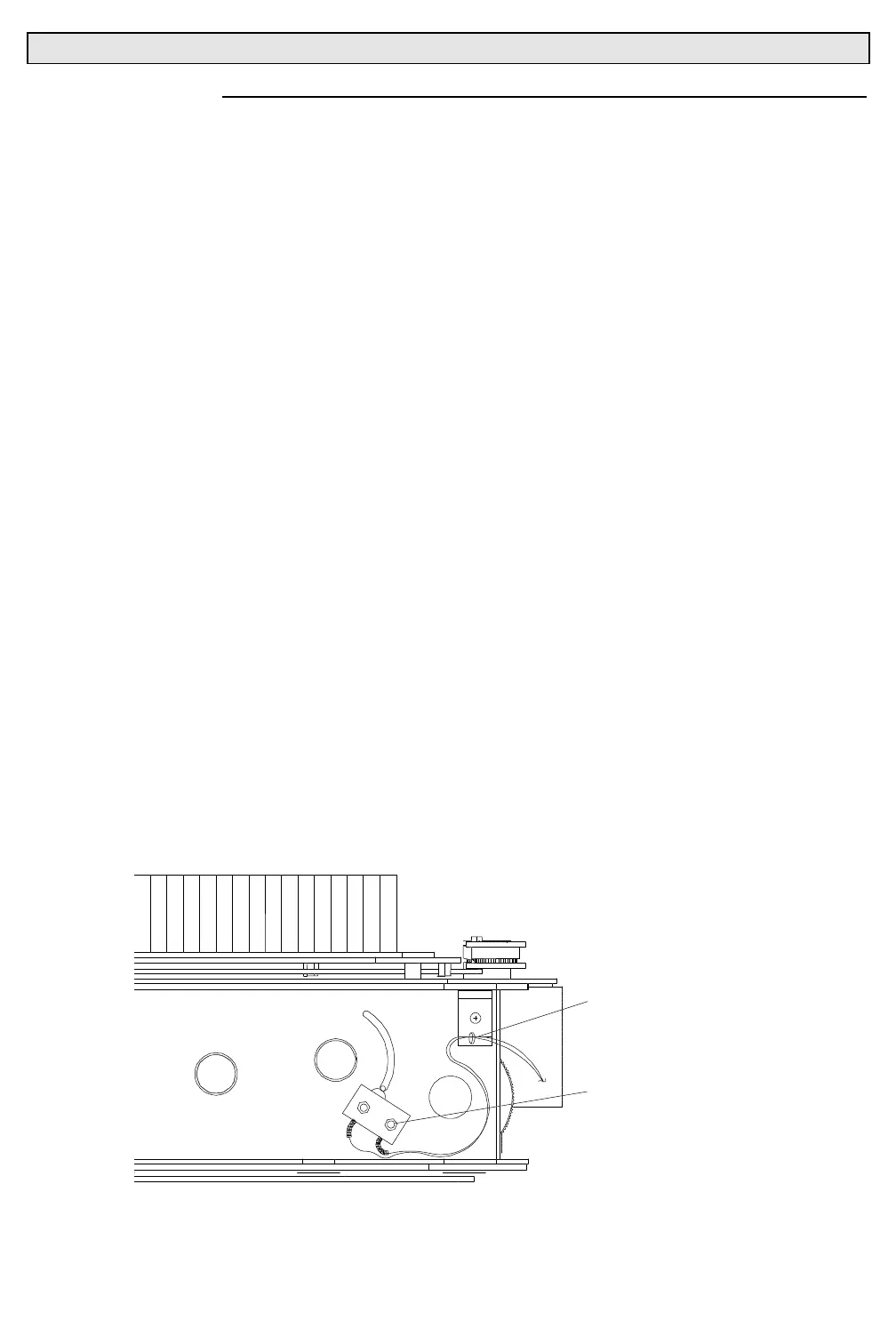
Step 3. Remove filter sensor.
a. At bulkhead cable anchors, remove cable tie securing wires
to cable anchors (
Figure 3-9
).
b. At sensor, using 1/4 inch nutdriver, remove two 3-56 nylon
insert stop lock nuts that secure sensor to front aperture
plate and remove sensor.
DFDVW1
2-56 NYLON INSERT
STOP LOCK NUT
CABLE ANCHOR
Figure 3-9. Dimmer/Filter/Douser Sensor Removal and Replacement



 To Next Page