C
HAPTER
3. M
AINTENANCE
P
ROCEDURES
3-89
02.9628.0010 CONFIDENTIAL
7-Oct-97
3.3.5.7 Transformer Assembly Removal and Replacement
Parts
:
1 EA ASSY, CONNECTORIZED TRANSFORMER (VL4)
(23.9628.0159)
Tools
:
Screwdriver, Phillips #1
Screwdriver, Phillips #2
To remove and replace transformer assembly:
Step 1. Remove power to luminaire.
Step 2. Remove voltage selector PCB (
Figure 3-29
).
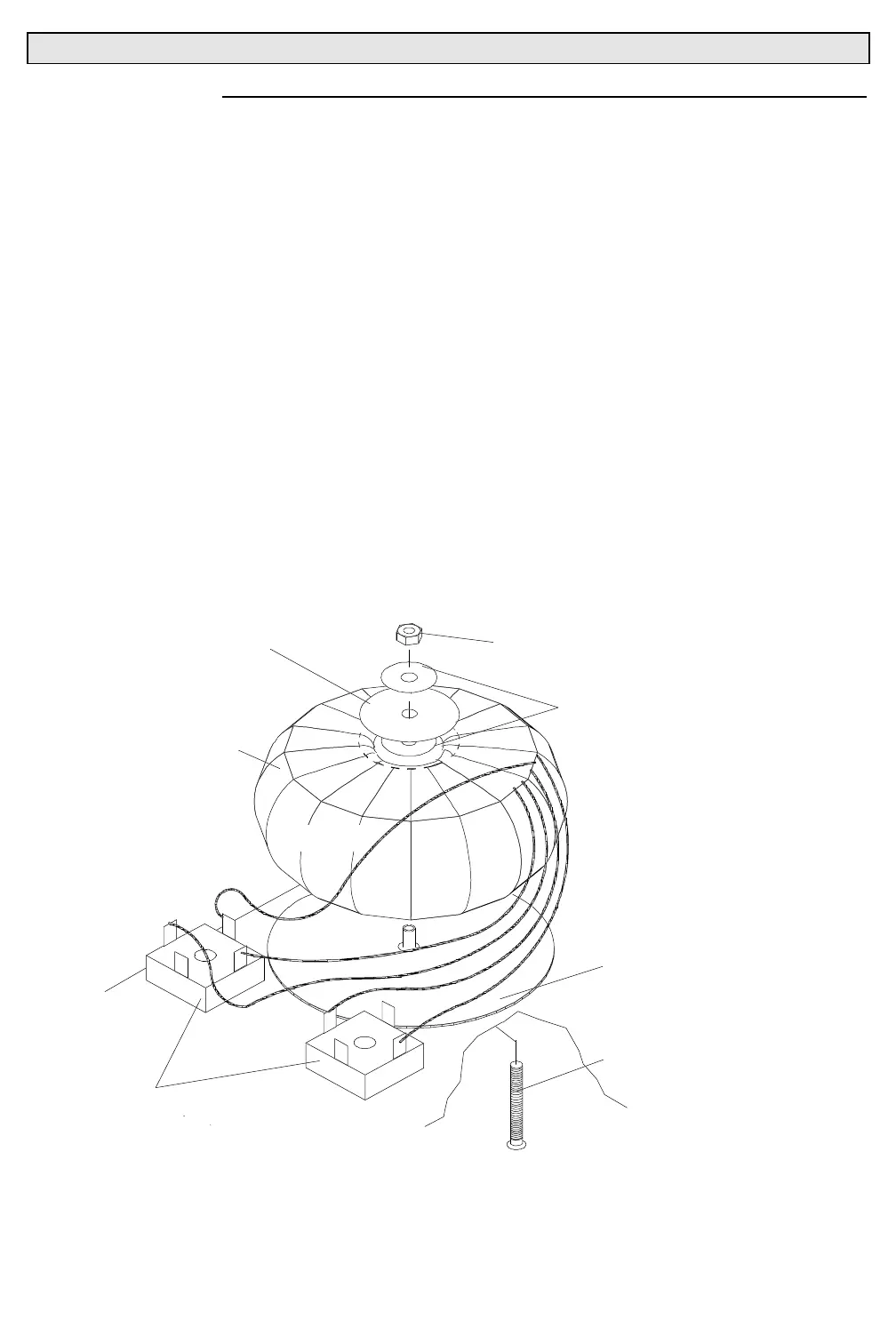
Step 3. Disconnect bridge rectifier transformer wire spade connectors.
a. At transformer orange and yellow wires, using diagonal
cutters, remove cable ties securing wires together.
b. At bridge rectifier transformer wires, disconnect two red,
two yellow, and one red/yellow wire spade connectors
(
Figure 3-34
).
XFRMRVW
10-32X2"PPB SCREW
#10 FLAT WASHER
#10 NYLON INSERT
STOP LOCK NUT
TRANSFORMER
BRIDGE
RECTIFIERS
SMALL
PAD
RUBBER
YELLOW
YELLOW
RED
RED
TRANSFORMER
PAD
RED/YELLOW
Figure 3-34. Transformer Assembly Removal and Replacement



 To Next Page