Advanced Digital Video Platform Hybrid-DVR User’s Guide
: 9-split Mode.
: 16-split Mode.
: Auto Sequence Mode.
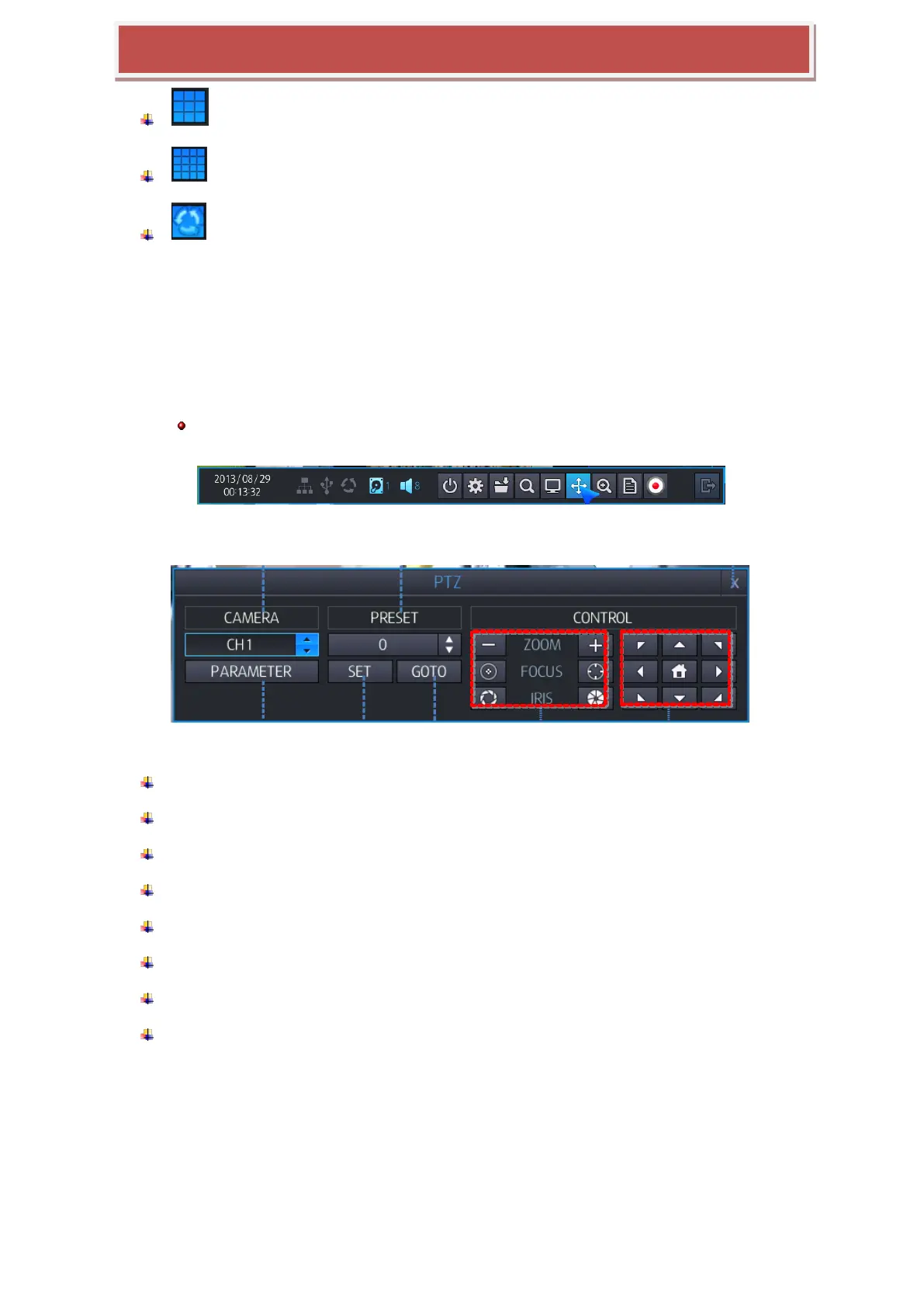
3.7 PTZ POP-UP
You can move to the PTZ control mode.
When the display mode is quad, the PTZ control panel will be opened for the selected camera which is previously
highlighted by mouse click. If there is no highlighted camera, the PTZ control panel is opened for controlling the
camera 1. In single display mode, the PTZ control panel is opened for the currently displayed camera.
Support only after PTZ IP camera integration with HYBRID-DVR completed.
[PTZ Controller Screen]
1: Select channel for PTZ control.
2: Display PTZ control parameters which are set under the „DETAIL‟ of PTZ menu settings
3: Number to configure Preset.
4: Save current screen as Preset.
5: Move to configured Preset Number.
6: Control the value of Zoom/ Focus/ Iris.
7: Move the PTZ camera to Left/ Right/Tom/Bottom
8: Move to the Home position of PTZ camera.
3.8 DIGITAL ZOOM
You can move to the Zoom mode by selecting the menu in Tool bar.
You can use mouse or tool bar to zoom in or Zoom out.
[Zoom by using TOOL BAR]
At 4-Split screen mode, you have to enter Zoom mode through channel number 1.



 To Next Page