Advanced Digital Video Platform Hybrid-DVR User’s Guide
1. BEFORE INSTALLING
• Installation should be carried out only by qualified personnel and in accordance with electrical regulations in
force.
• The DVR must be placed on a stable surface or mounted in an approved cabinet. Adequate ventilation must be
provided, taking particular care not to block any of the air vents on the DVR.
• Adequate protection against lightning strikes and power surges must be installed to prevent damage to the DVR.
• Any safety warnings on the DVR and in these instructions must be adhered to.
• If cleaning is necessary, shutdown the DVR and disconnect the power source first. Use a soft dry cloth only –
never use an abrasive cleaner.
• Do not attempt to service or repair the DVR as opening or removing covers may expose dangerous voltages or
other hazards. Refer all servicing to qualified service personnel
1.1 UPDATING SYSTEM F/W
1.1.1 WITH THE USB THUMB DRIVE
User can upgrade the system firmware by himself if required. F/W upgrading could be required to increase the
stability and the reliability or apply the new updated features. The following steps are a progress to upgrade the
f/w.
Verify the current F/W version
Prepare new F/W in the USB thumb drive
Do the upgrading process
1.1.1.1 How to verify the F/W version
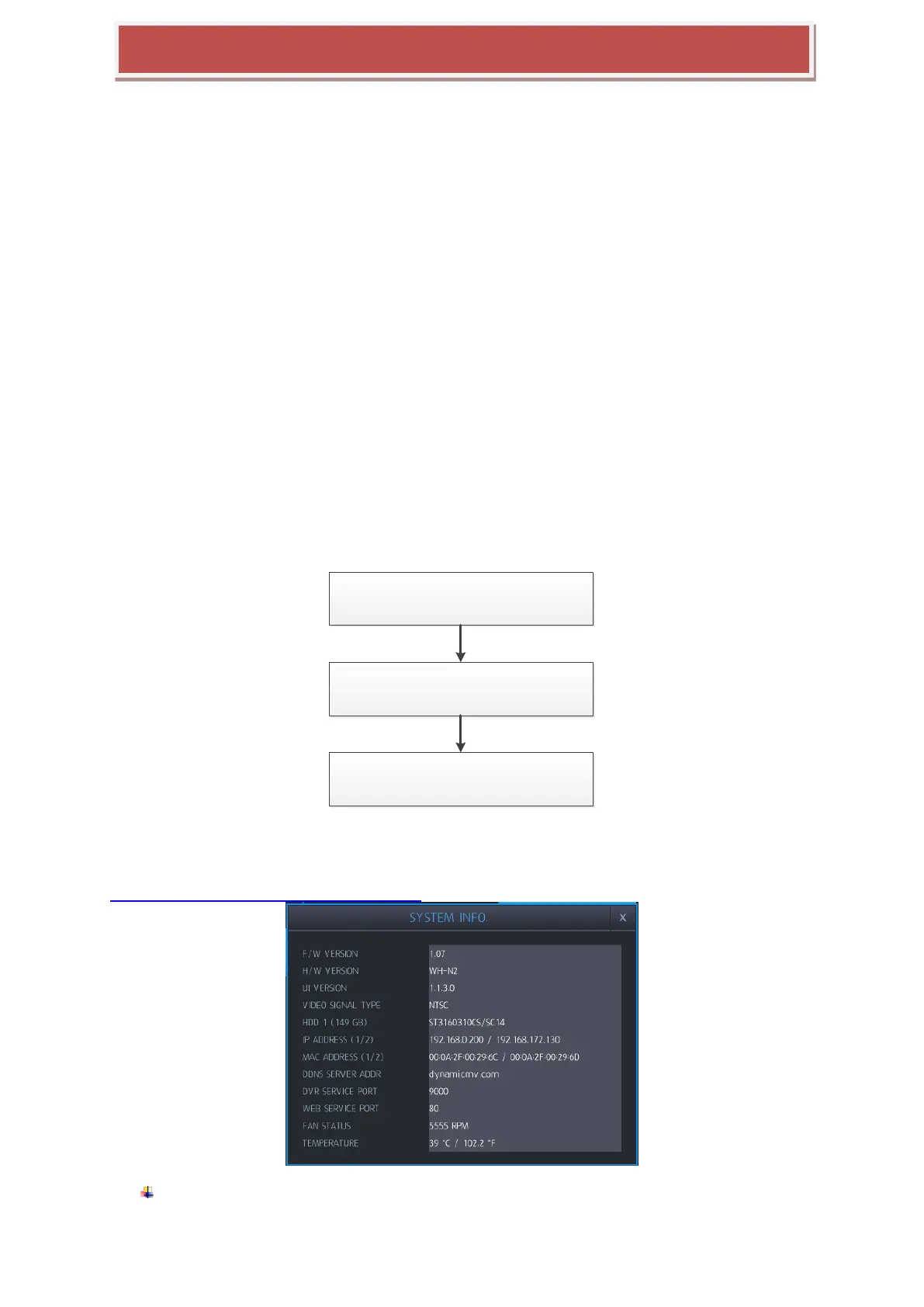
You may need to check the F/W version provided and the F/W version currently used in the system. From the
MANAGEMENT section under the SYSTEM menu, you can see the current version of F/W.
F/W version of new provided one: From the filename of the provided F/W file, you can see
the version number.



 To Next Page