Advanced Digital Video Platform Hybrid-DVR User’s Guide
8: When you return to live menu from Search Menu
9: HOUR SELECT LINE: You can select the data by hour. If certain time has recorded data,
blue color will be displayed.
10: Minutes / seconds display information for the unit : Minutes / seconds for display to help
in selection.
11: MINUTE SELECT LINE: You can search the data by minute. If certain minute has
recorded data, the blue color will be displayed.
12: RECORD DATA STATUS: You can view recording status of each channel. The blue color
shows recorded data.
13: SECOND SELECT LINE: You can select the data by second after starting playback by
choosing the desired minute.
4.2 PANORAMA SEARCH
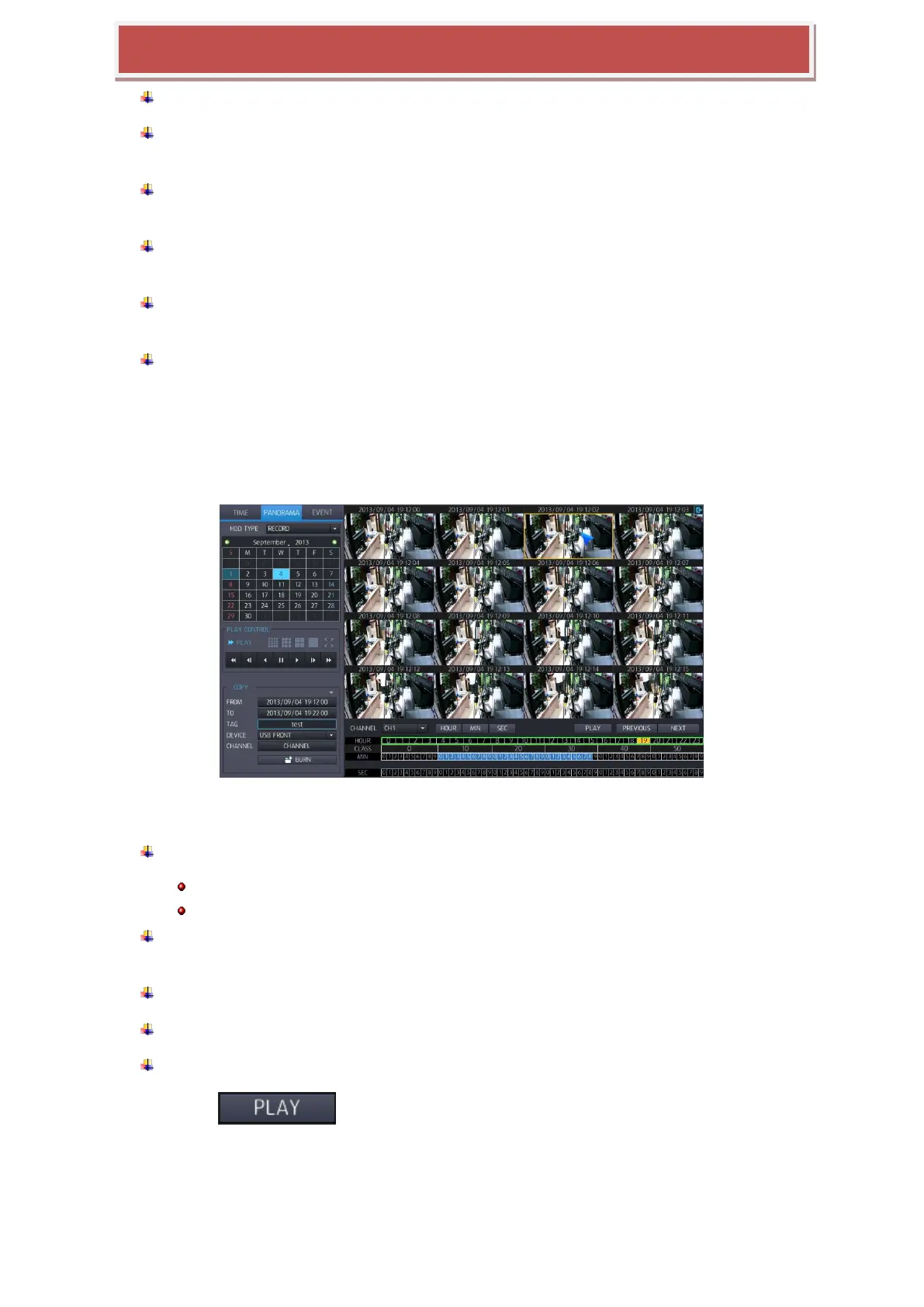
By using Panorama Search, user can search, playback, copy by hour/minute/second at 16ch view mode.
4.2.1 BASIC OPERATION
If you select the panorama channel, search mode will be changed to PANORAMA Mode.
Using front channel key or mouse double click, select channel among 16ch multi-channel.
Front key 1 can be chosen for first-left channel among 16ch
If you select the date of Calendar, panorama playing back will be started from first recorded
data in selected date.
If you choose the hour you want, will be displayed in minutes.
If you choose the minutes you want, will be displayed in second.
Using below button, you can change search by hour, minute, second, or display below time.
: You can see playback with selected time as below



 To Next Page