Advanced Digital Video Platform Hybrid-DVR User’s Guide
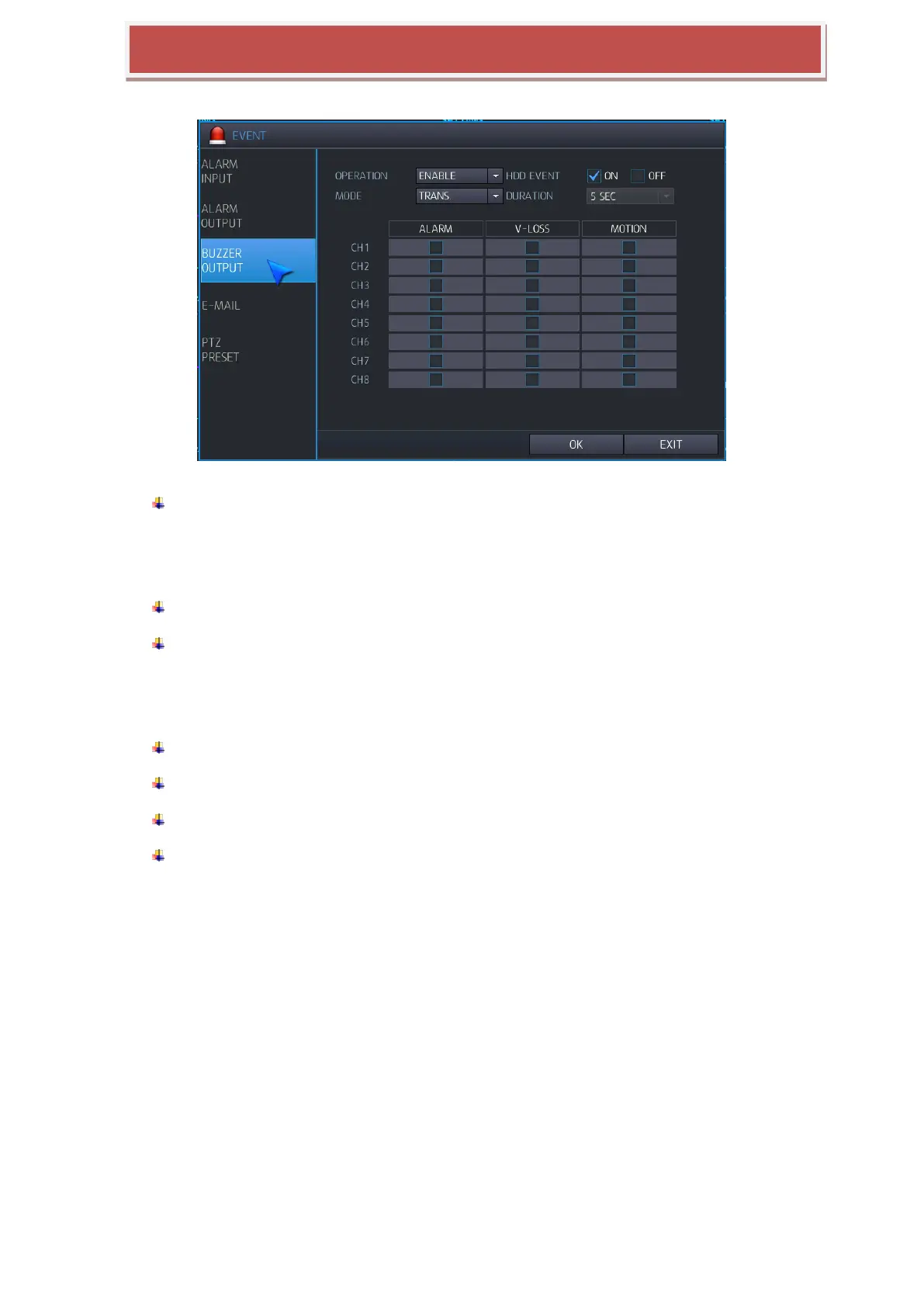
6.5.3 BUZZER OUTPUT SETUP
You can configure Buzzer output when event triggered.
OPERATION: You can configure the output status of Buzzer.
DISABLE: Buzzer is not working when event is triggered.
ENABLE: Buzzer is working when event triggered.
HDD EVENT: If HDD related event is triggered, Buzzer output will be started.
MODE: You can configure operation mode of Buzzer output.
TRANSPARENT: Keep buzzer output until event operation is stopped.
LATCHED: Keep buzzer output for the duration time from event is triggered lately.
DURATION: You can configure duration time for buzzer output at latched mode.
ALARM: When sensor input, buzzer output will be started.
VIDEO LOSS: When video loss occurred, buzzer output will be started.
MOTION: When motion triggered, buzzer output will be started.



 To Next Page