Advanced Digital Video Platform Hybrid-DVR User’s Guide
3. TOOL BAR
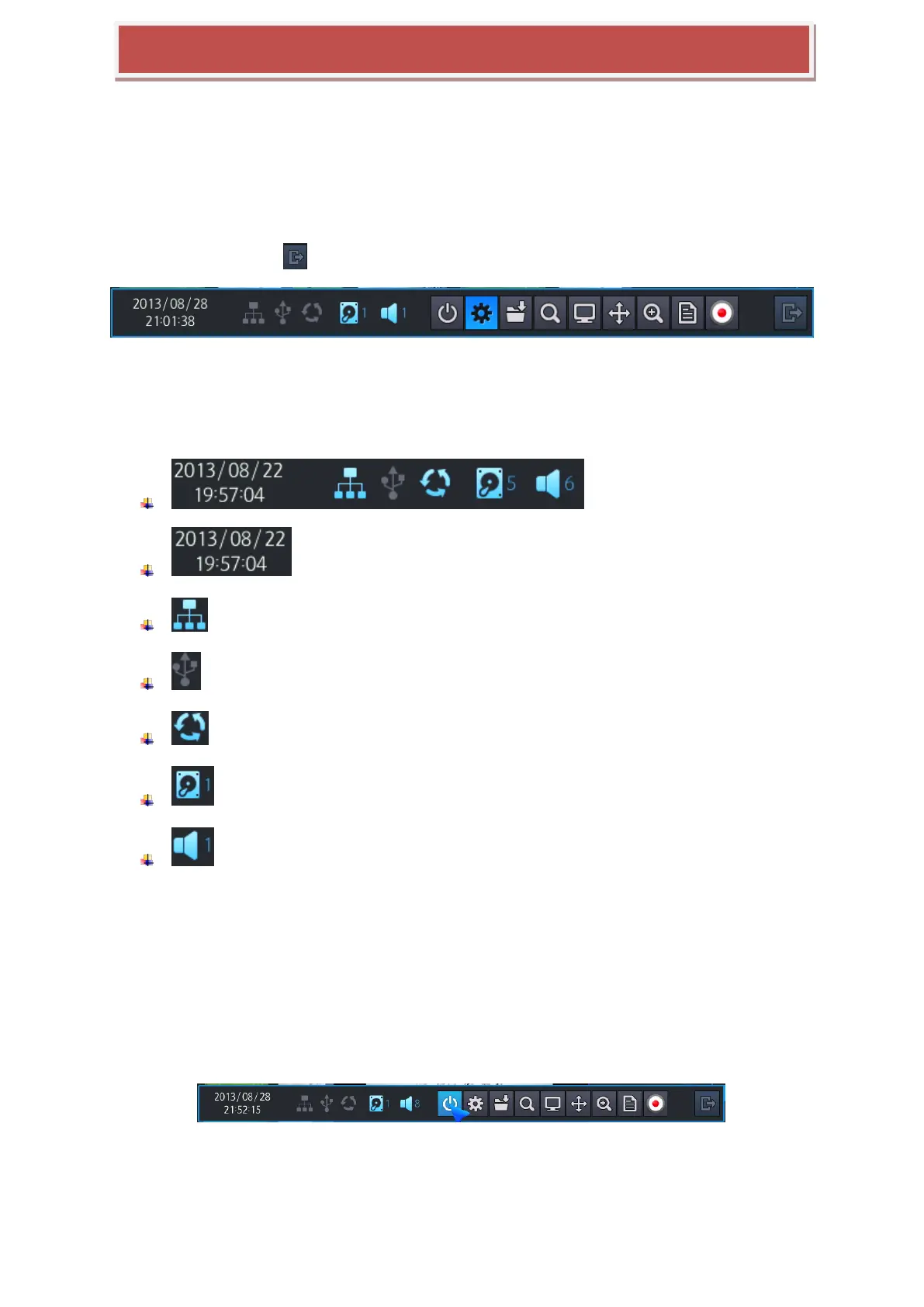
You can view following Tool Bar when you move the mouse to the bottom of screen.
The Tool-box display when the mouse pointer move to bottom of screen, disappear after pre-defined menu setting
time or exit with exit button ( ). In the menu you can set with all-time display.
3.1 STATUS DISPLAY
You can check current time / Network connection/ USB storage connection/ Auto sequence/ HDD location
currently recorded / Audio.
: Display current time.(Year / Mouth / Day / Hour / Minute / Second)
: Shows Network connection.
: Shows USB Storage connection
: Shows Auto sequence
: Shows HDD location which is currently recorded.
: Shows HDD location which is currently recorded.
3.2 LOG OFF
There are two way for log off. One is manual log off and the other one is automatic log off after configured time
passed.
User manually do log off or in the menu you can set automatic log off after certain time.
[Log-Off by using TOOL BAR]
Once Log off selected as above, current account can be log off.



 To Next Page