Advanced Digital Video Platform Hybrid-DVR User’s Guide
6.3 CONFIGURING DISK
Recording device related configuration and operation can be executed here
6.3.1 SETUP
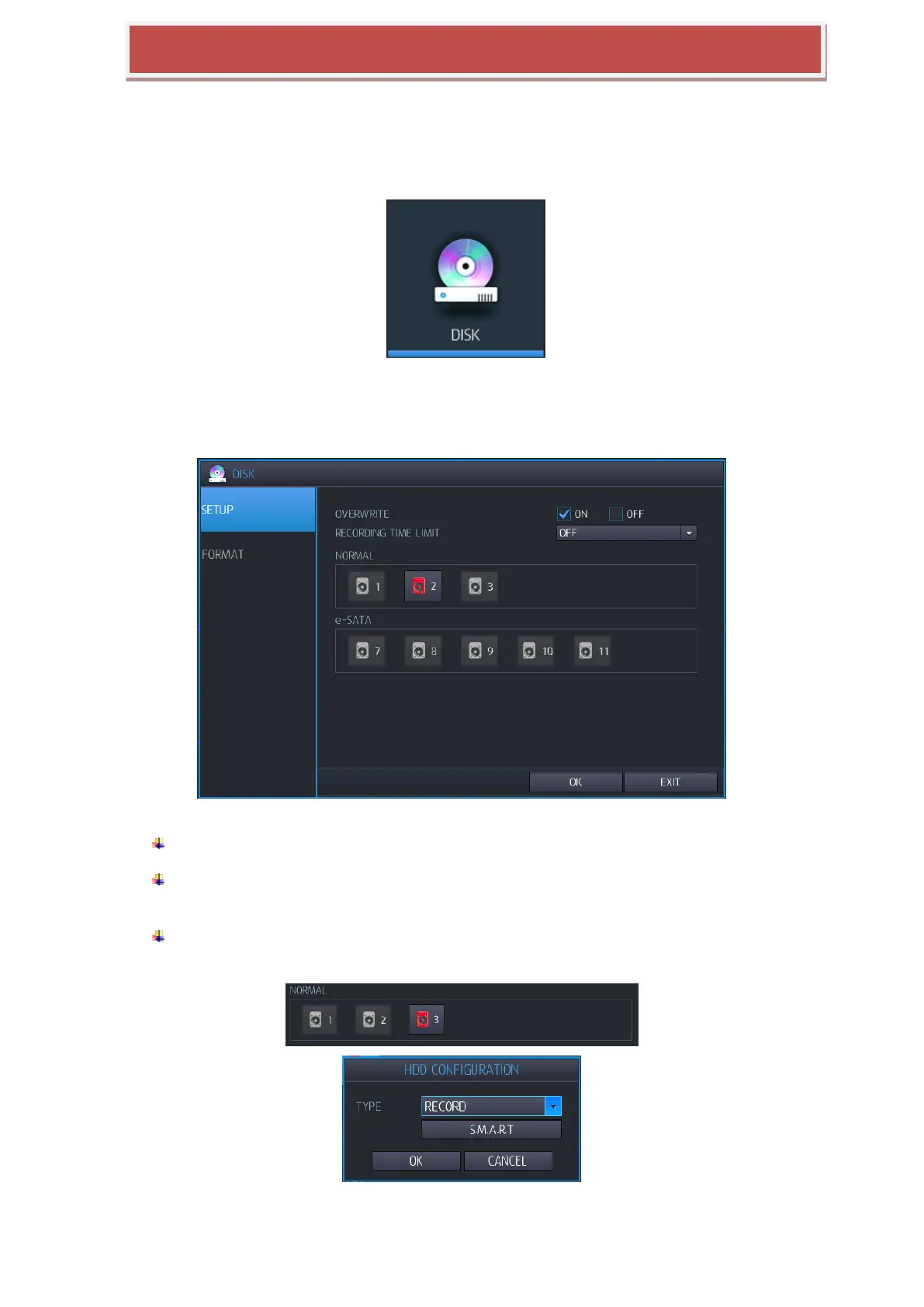
You can configure DISK operation like Recording Time Limit / Overwrite / HDD Type / HDD Configuration.
OVERWRITE: IF you select “ON”, overwrite mode will be activated.
RECORDING TIME LIMIT: You can configure the data from current time to configured
time (12hr – 2 month).
Recording HDD setup: HDD connecting to HYBRID-DVR, can be configured as recording
or mirroring, click Red marked HDD and configure operation mode and mark S.M.A.R.T.
RECORD : You can select HDD as record HDD.



 To Next Page