Advanced Digital Video Platform Hybrid-DVR User’s Guide
5. QUICK MENU
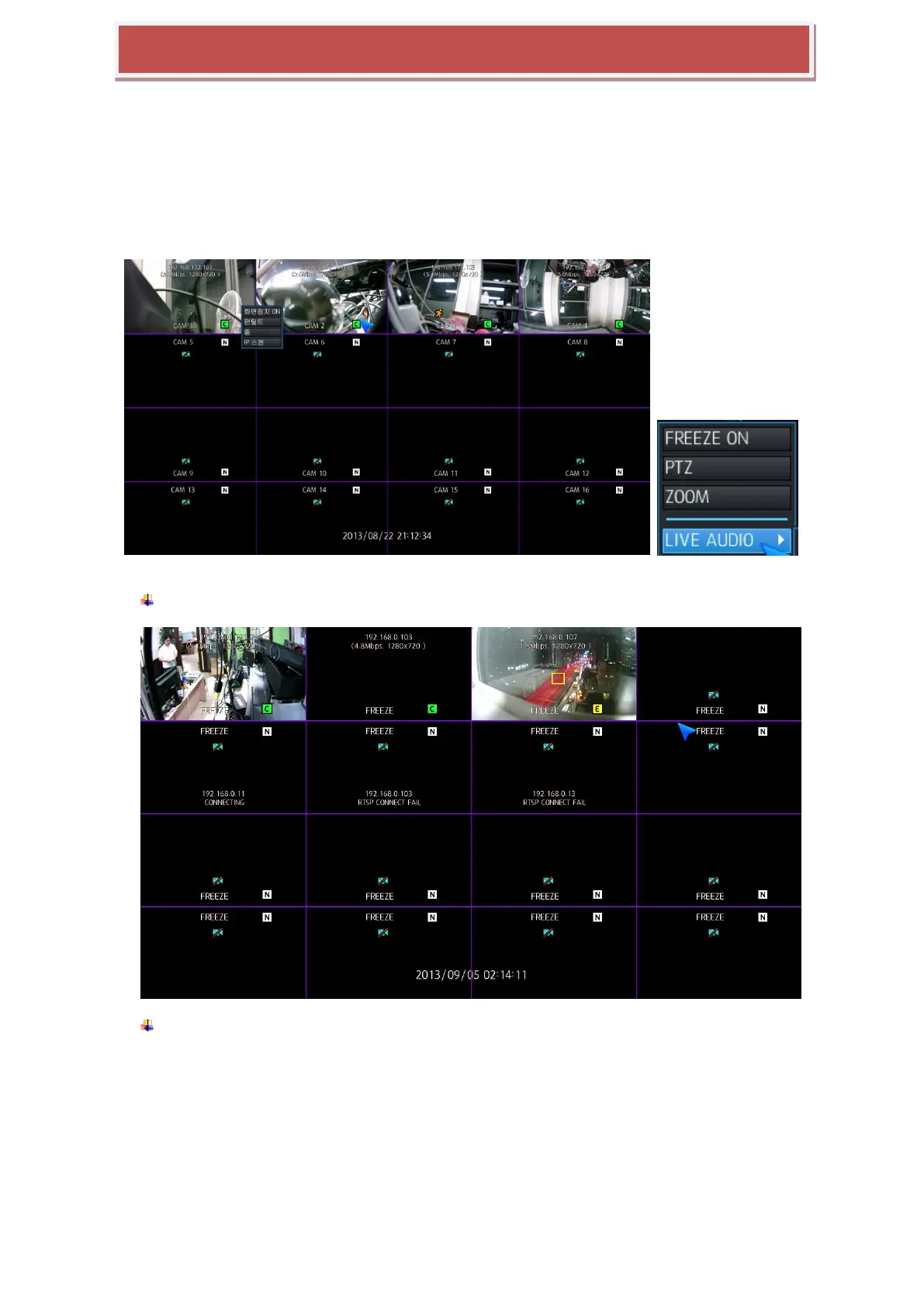
If you are using USB mouse to control the HYBRID-DVR, pressing the right button of mouse will bring up the
Quick Menu.
Here you can use display pause, pan tilt control, zoom control, live audio select.
FREEZE ON : If you press Freeze button, all screen will be stopped.
FREEZE OFF : You can release Freeze mode by pressing Freeze Off.



 To Next Page