Advanced Digital Video Platform Hybrid-DVR User’s Guide
MIRRORING : You can select HDD as mirroring HDD.
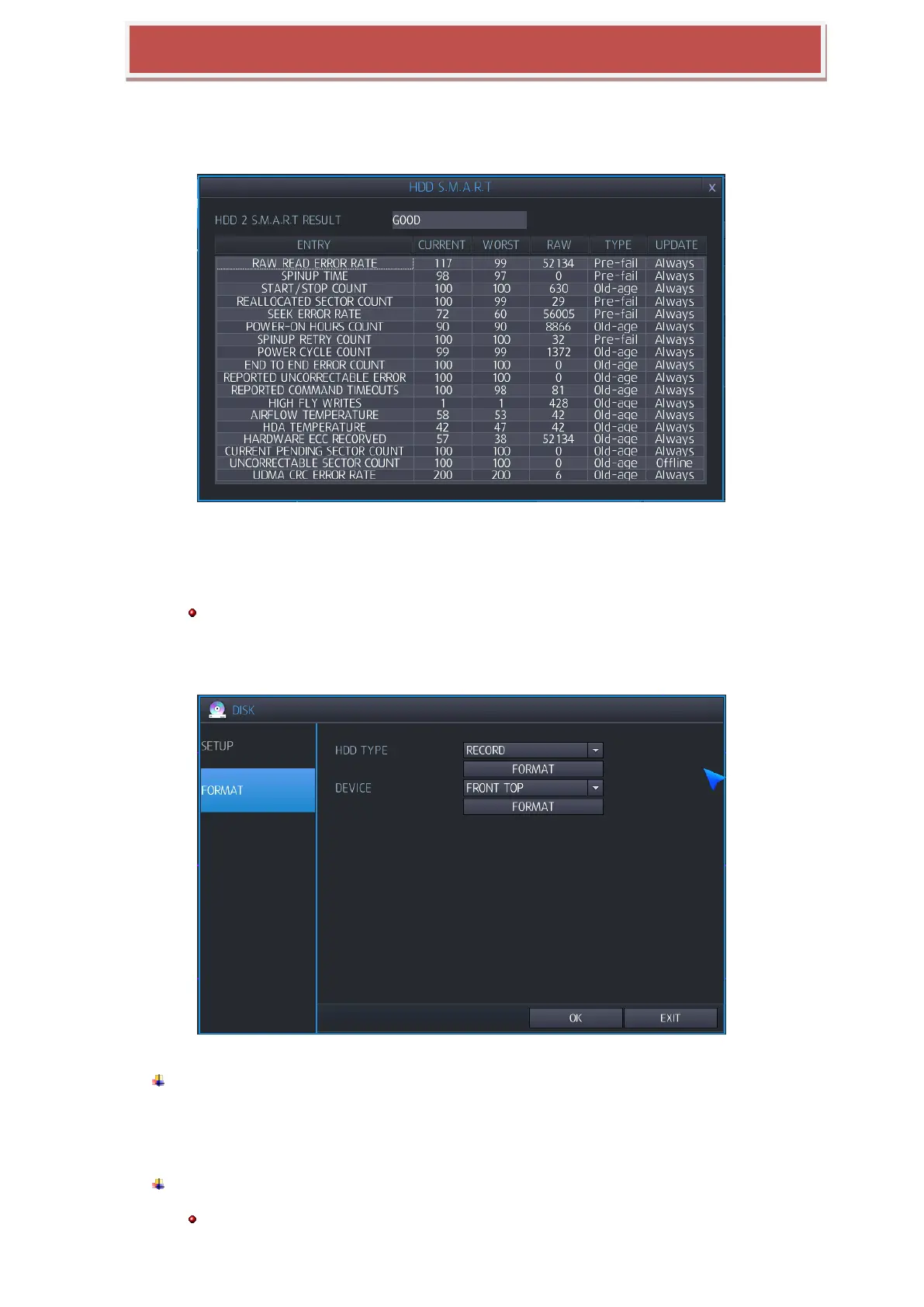
S.M.A.R.T: You can view HDD‟s user configuration connected to HYBRID-DVR and
S.M.A.R.T.
GOOD: It shows current HDD condition is good.
BAD: It shows current HDD condition is bad.
HDD’s S.M.A.R.T information would not be supported depending on HDD.
6.3.2 FORMAT
HDD TYPE: You can select HDD when you try to format.
RECORD: You select HDD of record to format at HDD configuration.
MIRRORING: You select HDD of mirroring to format at HDD configuration.
FORMAT: You can format the HDDs..
Formatting HDD time on HYBRID-DVR would be different depending on recorded capacity.



 To Next Page