Advanced Digital Video Platform Hybrid-DVR User’s Guide
4. SEARCH & PLAYBACK
4.1 TIME / CALENDAR SEARCH
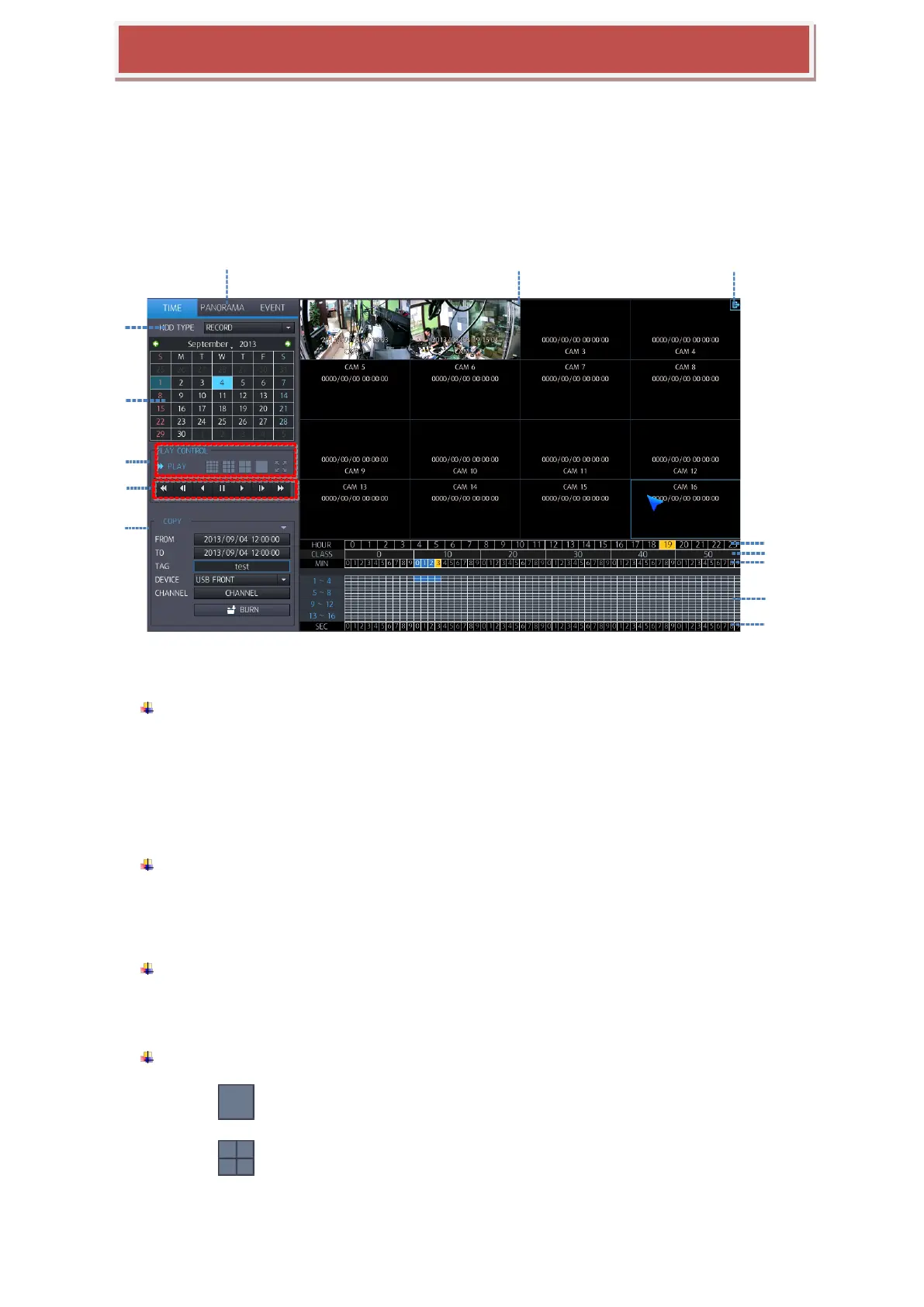
You can search the recorded data by a calendar and timeline for quick access to recorded footage.
1 : Select Search Mode : You can select the search mode.
TIME: The recorded data can be searched using the calendar.
PANORAMA: If you select the channel for panorama view, search mode will be changed to
PANORAMA Mode
EVENT: The recorded data can be searched using the event list.
2 : SEARCH HDD : You can select the HDD to search
RECORD: You can search HDD which is selected as Record.
MIRRORING: You can search HDD which is selected as Mirroring.
3: CALENDAR: If the data recorded in each date, orange color will be displayed.
If you select the date having the recorded data, you can make a display of recorded data by
hour.
4. Select Split screen
: Single screen playback mode
: Quad screen playback mode



 To Next Page