Advanced Digital Video Platform Hybrid-DVR User’s Guide
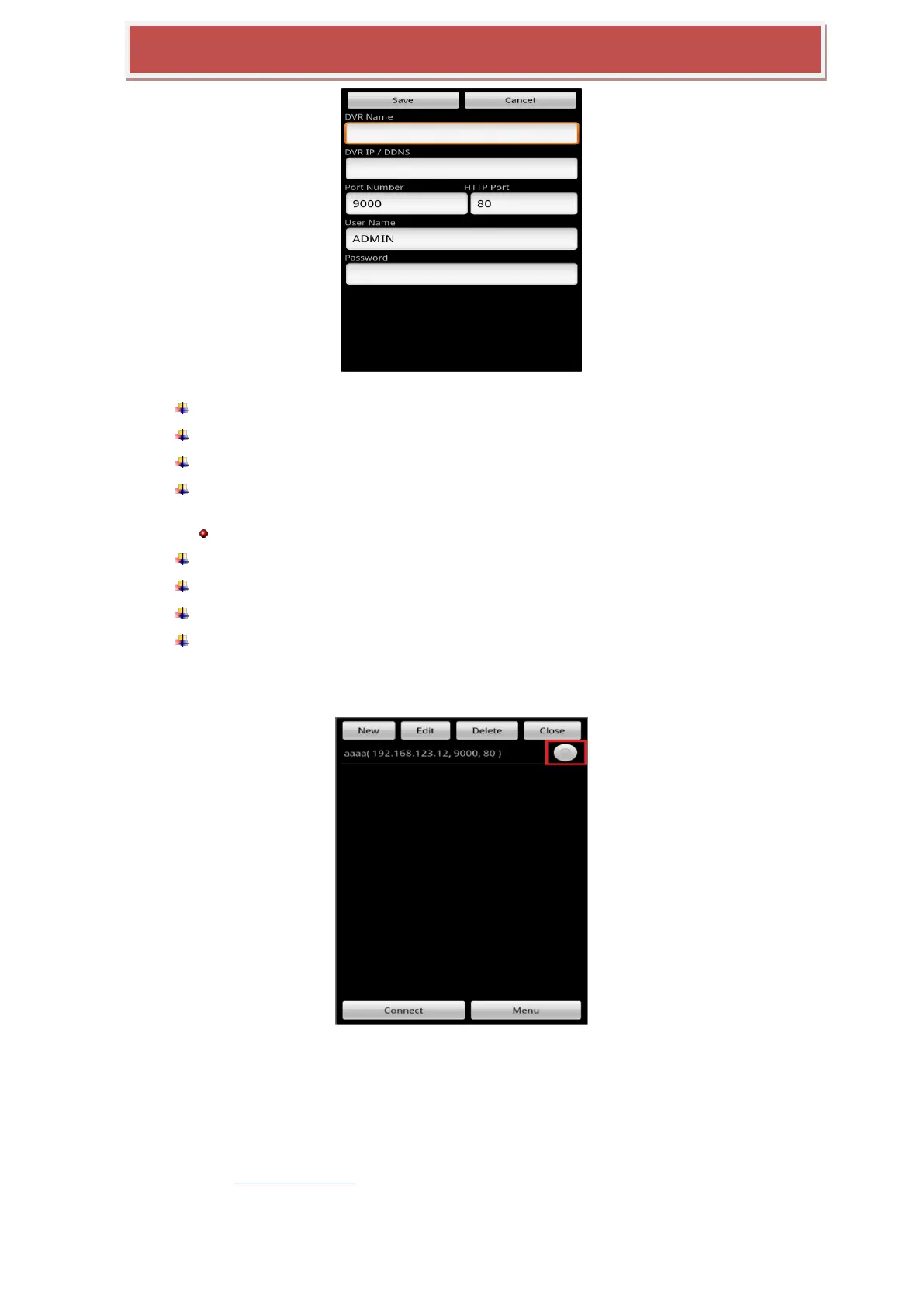
HYBRID-DVR Name : You can name newly added HYBRID-DVR to the List .
HYBRID-DVR IP/DDNS : You can input IP address and DDNS info of HYBRID-DVR.
Port Number : You can input HYBRID-DVR port number.
HTTP Port : You can input HTTP port info of HYBRID-DVR that you configured at
HYBRID-DVR network menu.
Note) this menu is for connection with Web Menu of HYBRID-DVR. Which will be supported in upgraded version
User ID : You can input ID that is configured at HYBRID-DVR menu.
Password : You can input password that is configured at HYBRID-DVR menu.
Save : You can store the info that you input pressing Save button.
Cancel : Close adding List
7.2.1.4 How to connect
You can select one of list to make a connection to HYBRID-DVR that you what to view.
7.3 DDNS SERVER
You can get Domain Name Service through DDNS server.
7.3.1 HOW TO REGISTER
You need to input http://dynamicmv.com at URL in Web Brower.
You can view following image from DDNS server.



 To Next Page