Advanced Digital Video Platform Hybrid-DVR User’s Guide
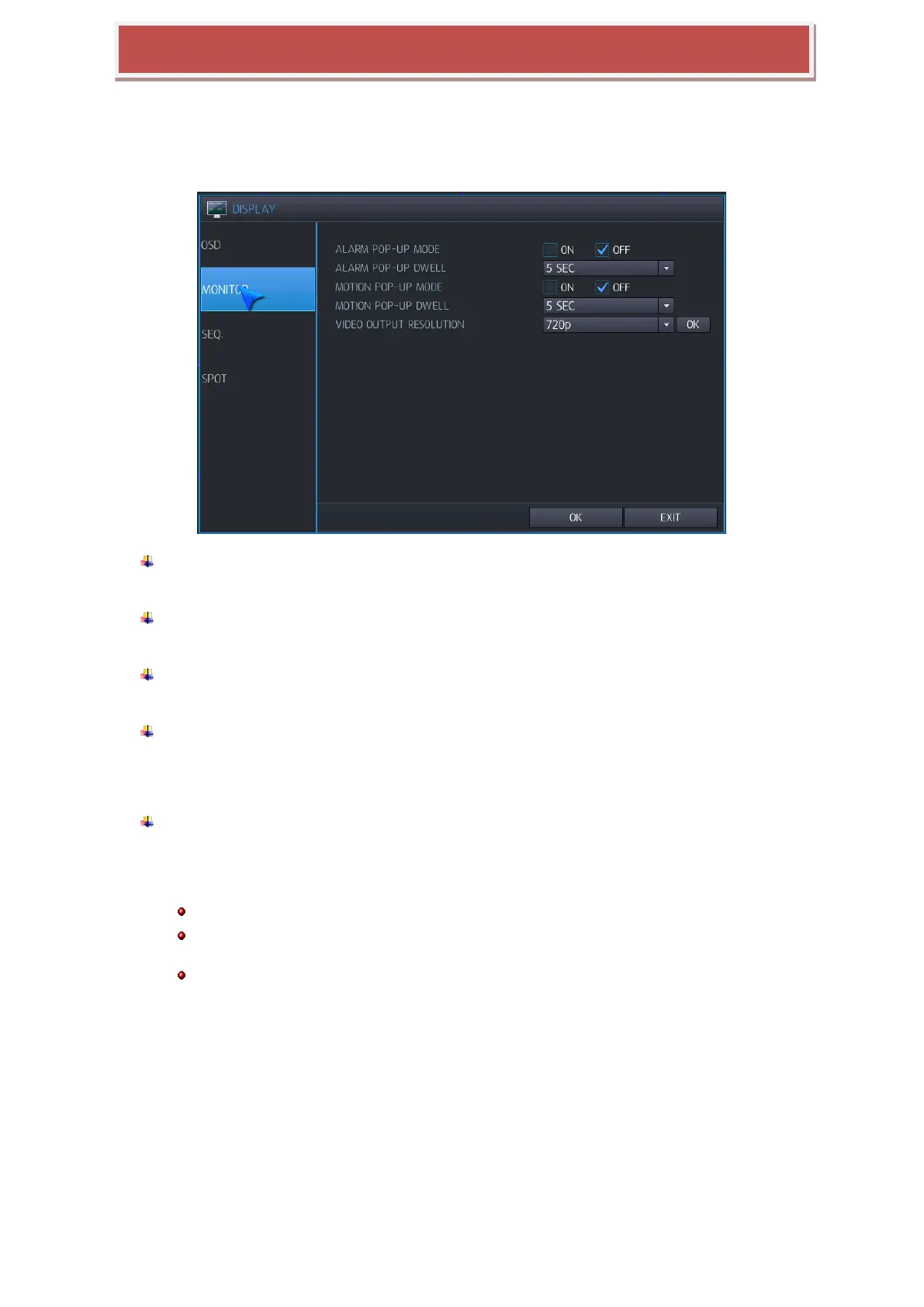
6.2.2 MONITOR
HYBRID-DVR‟s resolution / screen switch can be changed here.
ALARM POP-UP MODE: When you set ON, an alarm input will cause the associated channel
to display full screen.
ALARM POP-UP DWELL: Determines how long the full screen popup is displayed after an
alarm input.
MOTION POP-UP MODE: When you set to ON, motion detection will cause the associated
channel to display full screen.
MOTION POP-UP DWELL: Determines how long the full screen pop-up is displayed after
motion detection.
If motion continues, the popup screen is displayed constantly.
VIDEO OUTPUT RESOLUTION(MAIN VIDEO OUTPUT MODE) : You can configure video
output resolution of main video like 1024x768 / 1280x1024 / 720p / 1080P 30Hz
OK: You can press OK button to confirm configured video output.
Depending on monitor doesn’t support HD resolution, then configure VGA resolution on HYBRID-DVR.
In case HD resolution like 720p/1080p connect with VGA cable, when installation, firstly connect VGA cable and power on
for HYBRID-DVR.
Factory default resolution is 1024x 768, so you should use monitor supporting at least 1024 x 768.
6.2.3 SEQUENCE
Screen auto switch time can be configured here.



 To Next Page