Advanced Digital Video Platform Hybrid-DVR User’s Guide
6.5 CONFIGURING EVENT / SENSOR
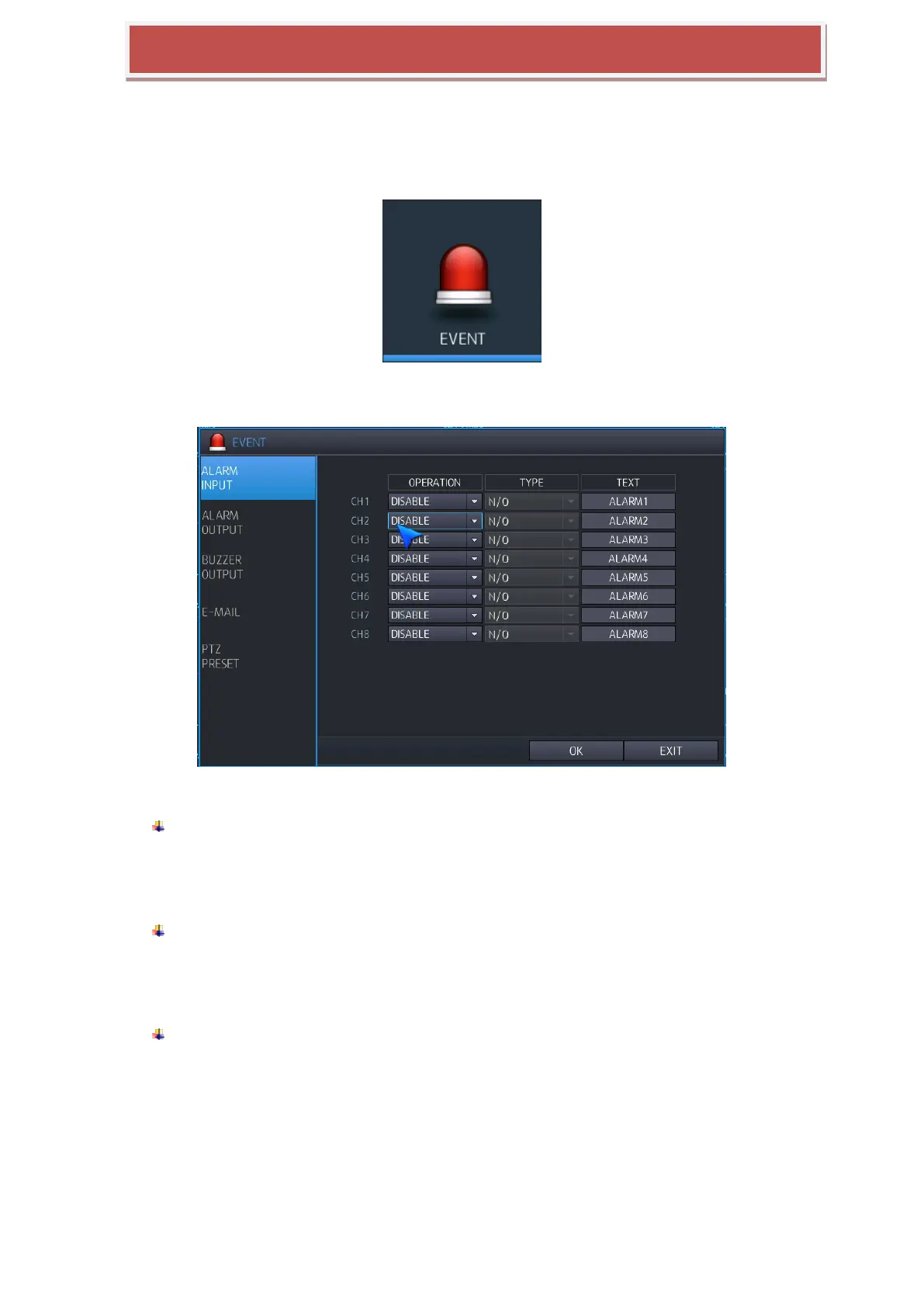
You can configure Event activation like Alarm Input / Alarm Output / Buzzer Out / E-Mail / PTZ Pre-set.
6.5.1 ALARM INPUT
You can configure Alarm input .
OPERATION: You can configure activation when Sensor is triggered.
DISABLE: When Sensor input is triggered, Event is not working.
ENABLE: When Sensor input is triggered, Event is working.
TYPE: If the operation is enabled.
N/O: Keep Normal Open of Sensor‟s normal status
N/C: Keep Normal Close of Sensor‟s normal status.
TEXT: If event is triggered after Sensor input, you can make a title of channel will be
displayed.



 To Next Page