Advanced Digital Video Platform Hybrid-DVR User’s Guide
D.S.T: When set to ON, the HYBRID-DVR will automatically adjust the time by one hour
on the relevant date in spring and autumn
FROM: D.S.T Start time of DST
End : D.S.T End Time of DST
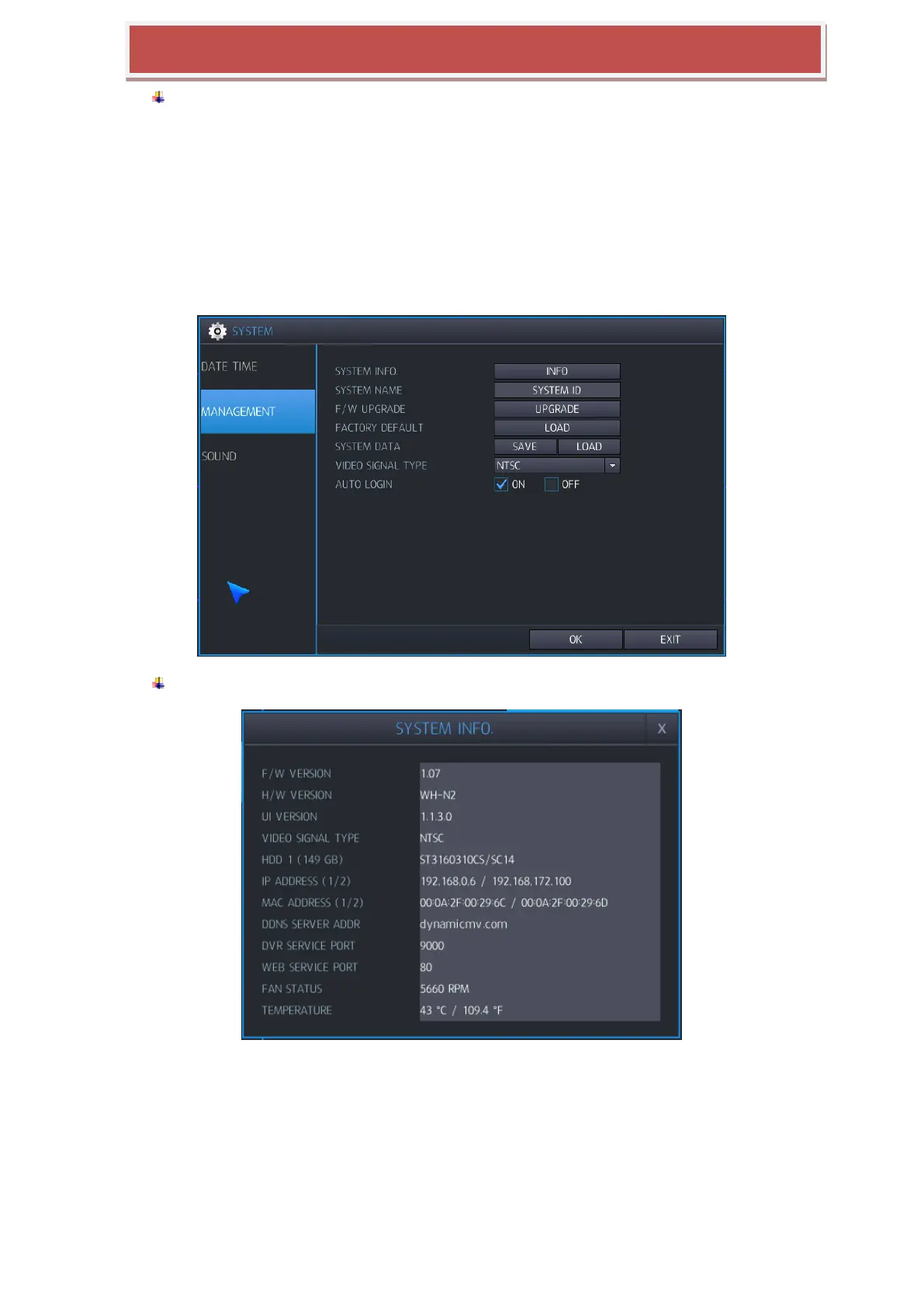
6.4.2 MANAGEMENT
HYBRID-DVR‟s system information/ firmware upgrade can be processed here.
SYSTEM INFORMATION: Select INFO to display. Following window will be displayed.
F/W VERSION: Shows the firmware version of the HYBRID-DVR.
H/W VERSION: Shows the hardware version of the HYBRID-DVR.
UI VERSION : Shows the UI version of the HYBRID-DVR
VIDEO SIGNAL TYPE: The HYBRID-DVR can be selected between PAL and NTSC via a
selector
HDD NUMBER: Shows the hard drive capacity installed.



 To Next Page