Advanced Digital Video Platform Hybrid-DVR User’s Guide
If you press Quick Connect button, the above image will be displayed.
HYBRID-DVR Address : You need to input IP Address
Port Number : You need to input HYBRID-DVR port number that you configured at
Network menu at HYBRID-DVR.
User ID : You need to input ID that you configured in HYBRID-DVR. ( default
password of Admin is 1234)
Password : You need to input password ( default password of Admin is 1234)
Connect : You can connect to HYBRID-DVR to view the video pressing Connect button.
Cancel : Close Quick Connect.
7.2.1.2 HYBRID-DVR LIST
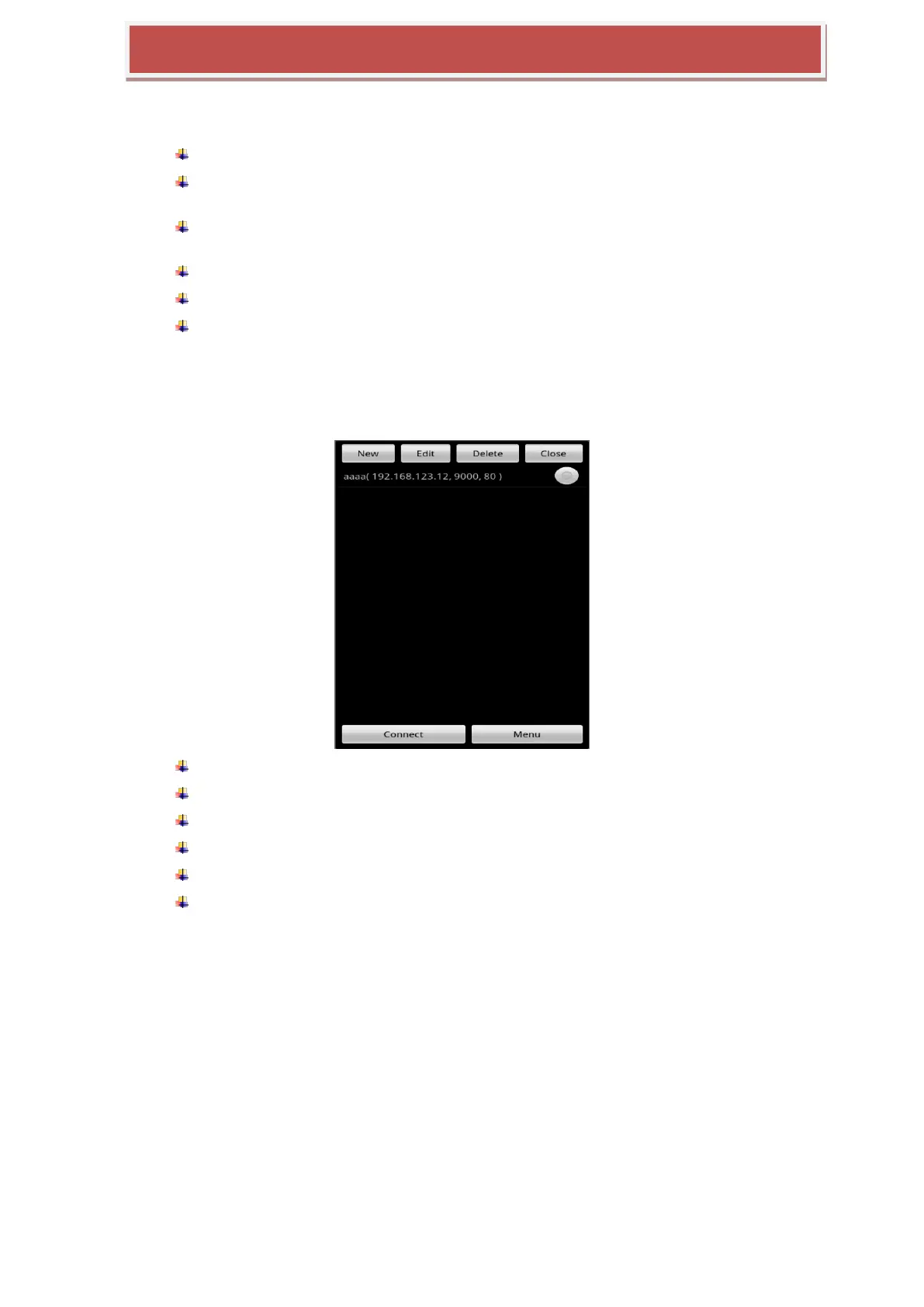
If you press HYBRID-DVR list button, following window will be displayed.
New : You can create new HYBRID-DVR will be added to List.
Edit : You can edit list currently stored.
Delete : You can delete list currently stored.
Close : You can close HYBRID-DVR list menu
Connect : You can connect one of List already stored.
Menu : You can connect to Web menu of HYBRID-DVR ( it will be supported in next
firmware) after selection one of HYBRID-DVR in the List.
7.2.1.3 How to add HYBRID-DVR to the List
If you press New button, following window will be displayed.



 To Next Page