Advanced Digital Video Platform Hybrid-DVR User’s Guide
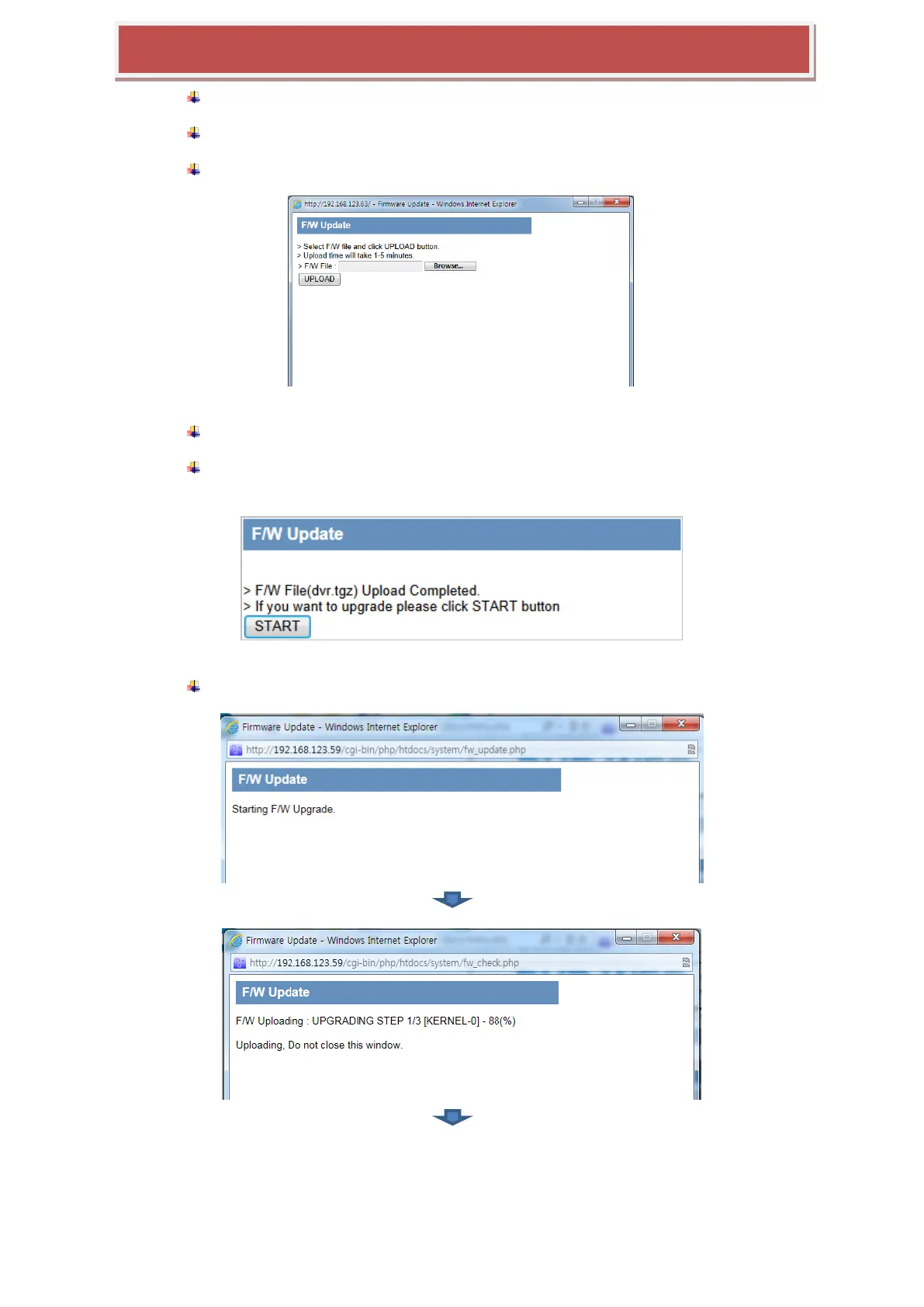
Click the button „UPGRADE‟ and open the update page.
In the update page, click the „BROWSE‟ button and call the file open window.
Choose the provided F/W files which has the file extension „tar.gz or tgz‟.
Click the „F/W UPLOAD‟ button and let the system uploading the F/W into the system.
When uploading is finished successfully, the system is going to be ready to update
and wait to start. Click the „START‟ button triggers the updating processes.
While the update is on, the progress steps will appears such as below.



 To Next Page