9 LIEBERT ICOM HARDWARE INSTALLATION
Your unit includes the Liebert iCOM controller. This section describes the installation of connections and
cabling to fully utilize the iCOM features.
9.1 Installing Wired Remote Sensors
Up to 10 remote-sensor modules, installed in the monitored racks and connected to the cooling unit,
provide control and reference input to iCOM and building-management systems. Using remote, rack
sensors combats cooling problems related to recirculation air, uneven rack loading, and air distribution.
Each Liebert CRV comes with 3 2T sensors standard. Although using and adding additional remote
sensors is optional, we recommend attaching one remote sensor to each rack that the unit is intended to
cool because they allow more efficient and effective operation of the cooling unit.
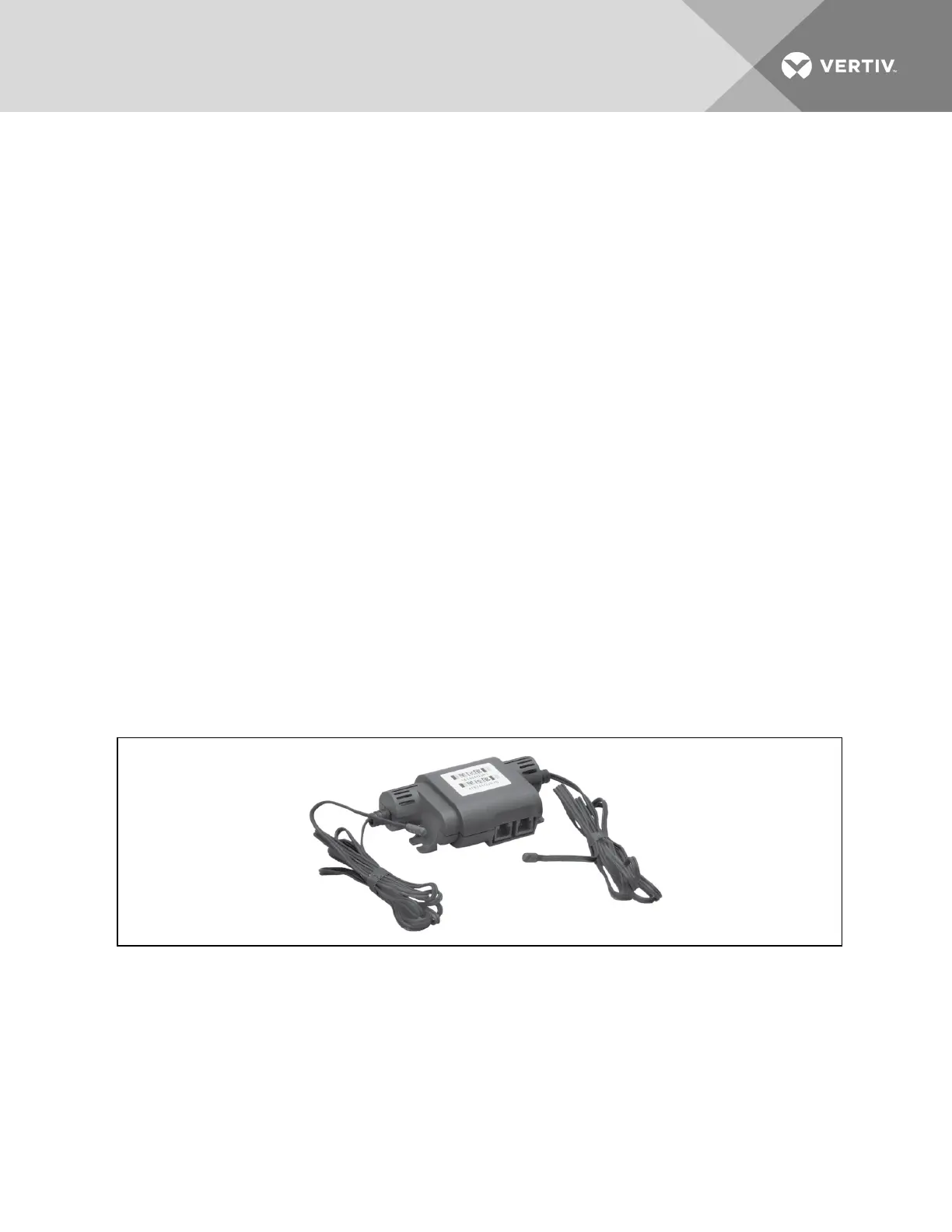
The sensor array consists of 2T sensors that each have two temperature probes on a 6-ft (1.8-m) probe-
connection cable, Figure 9.1 below, and requires several steps to prepare, connect, and begin monitoring
the racks:
• Set DIP switches in each sensor.
• Terminate final sensor on CANbus link.
• Install sensors on racks.
• Install CANbus cabling between sensors.
• Connect CANbus cable to the cooling unit.
• Configure the sensors in iCOM.
NOTE: The 2T sensor shown in Figure 9.1 below may differ slightly for your system, depending on
equipment installed.
Figure 9.1 2T sensor for rack monitoring
9.1.1 Setting DIP switches and labeling 2T sensors
Tools required:
• Small, non-conductive tool to set switches
• Small, Phillips-head screw driver to open 2T housing.
Vertiv | Liebert CRV Installer/User Guide | 91







 To Next Page