60 030624.13
vetus® Electronic engine remote control
11.1 Programming of the push-pull cable strokes
1 Switch-off the power supply, either from the mains or unplug and plug-in again the supply connector
2
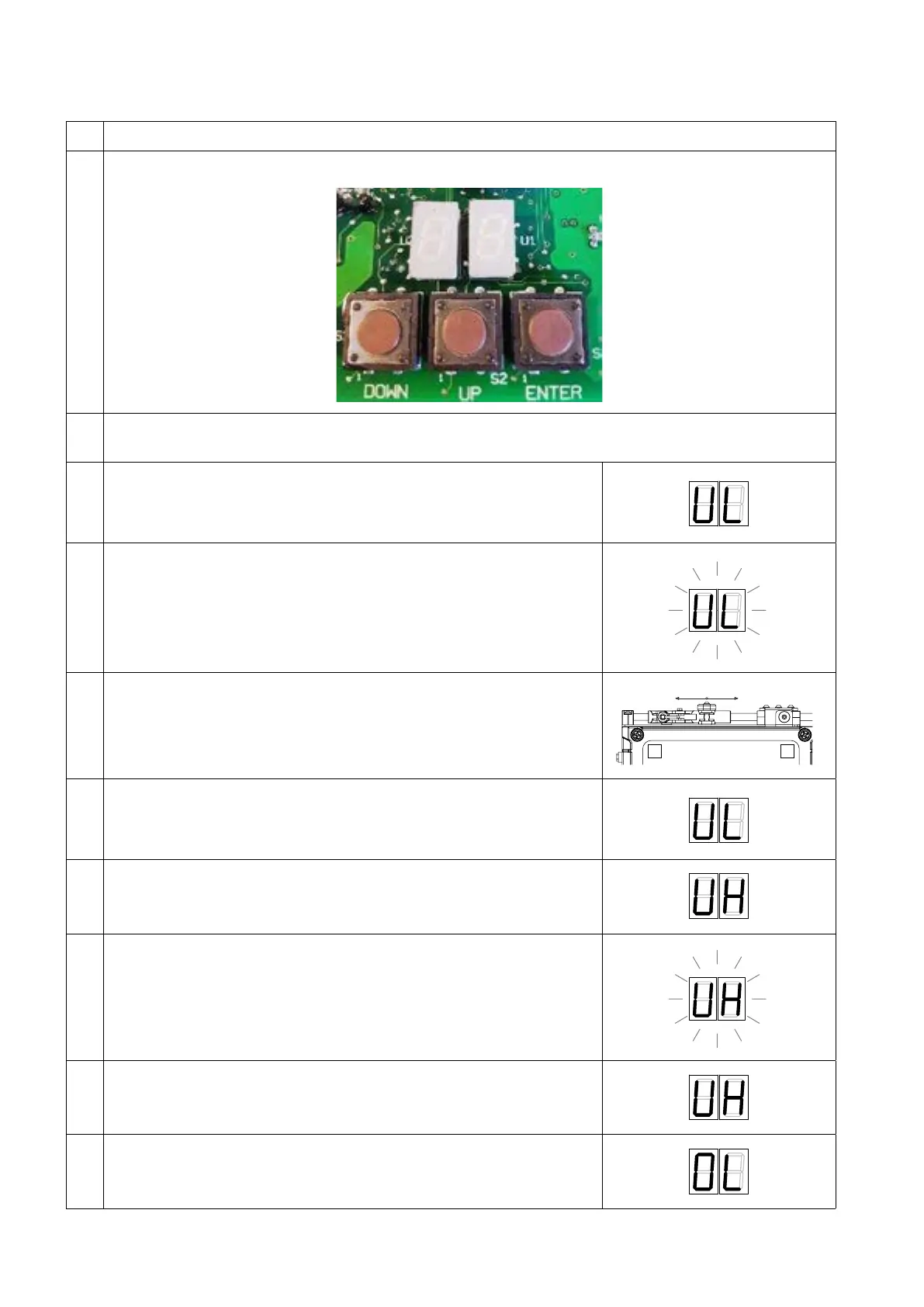
Open the Actuator box and identify the programming keypad (3 push buttons) and the display (2 digits)
3
Press at the same time key “UP” and “DOWN” and, keeping pressed both keys “UP” and “DOWN”, turn on the
actuator’s voltage supply
4
On the 2-digit display shows up, with a steady light “UL”, which
corresponds to parameter Minimum Throttle. If you don’t need to modify
the minimum stroke, jump to step 8 of this procedure
5 Press the “Enter” push button and the display will start flashing
6
When the display is flashing you have entered into the jog mode and
if you press either the “Up” or the “Down” push button, the left push-
pull cable will move according to the picture here beside. Press “Up” or
“Down” to adjust the position of Minimum Throttle
DOWN
UH
UP
UL
7
To store the position of Minimum Throttle, press “Enter” again. When the
display stops flashing it means that you have stored the position
8
Press the “Down” push button and the display will move to “UH”
(parameter
of Maximum Throttle)
9
Press the “Enter” push button and the display will start flashing. Press “Up”
until the cable reaches the position of Maximum Throttle
10
To store the position of Maximum Throttle, press “Enter” again. When the
display stops flashing it means that you have stored the position
11
Press the “Down” push button and the display will move to “0L”
(parameter of Gearbox Reverse)


 To Next Page