VR Technology Limited
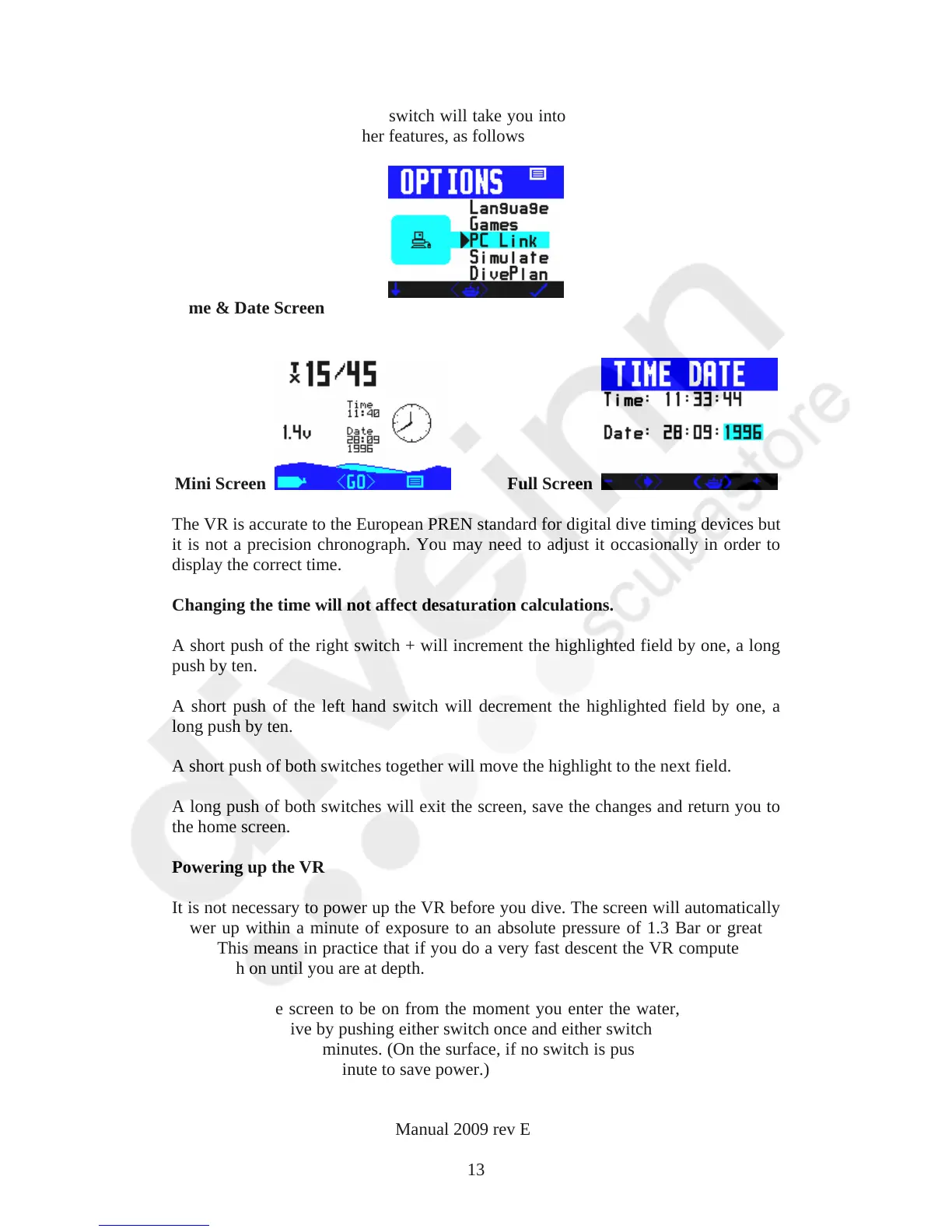
A long push of the right hand switch will take you into the Options Menu which will
give you access to five further features, as follows
Time & Date Screen
Mini Screen Full Screen
The VR is accurate to the European PREN standard for digital dive timing devices but
it is not a precision chronograph. You may need to adjust it occasionally in order to
display the correct time.
Changing the time will not affect desaturation calculations.
A short push of the right switch + will increment the highlighted field by one, a long
push by ten.
A short push of the left hand switch will decrement the highlighted field by one, a
long push by ten.
A short push of both switches together will move the highlight to the next field.
A long push of both switches will exit the screen, save the changes and return you to
the home screen.
Powering up the VR
It is not necessary to power up the VR before you dive. The screen will automatically
power up within a minute of exposure to an absolute pressure of 1.3 Bar or greater.
Note: This means in practice that if you do a very fast descent the VR computer may
not switch on until you are at depth.
If you want the screen to be on from the moment you enter the water, power up the
VR before you dive by pushing either switch once and either switch again. The screen
will stay active for 5 minutes. (On the surface, if no switch is pushed the VR will turn
itself off after about a minute to save power.)
VR Dive Computer Operations Manual 2009 rev E 28/01/2009
13



 To Next Page