VR Technology Limited
highlight to the XFunc and XDec features via successive short pushes of both
switches.
To use the VR with an analyser or to calibrate a rebreather link, with the highlight
under XFunc use short pushes of either switch to bring up XO2.
You will then be able to bring up the O2 SENSOR mini screen on your VR’s
Home Screen
When you have a cable connected from your VR to an oxygen cell(s) in a
rebreather, ensure that XDec in the Dive Options screen is set to ON so that your
VR will calculate decompression based on the reading from the external cell.
How to use your Open Circuit VR as an Oxygen Analyser using the C8b Oxygen
Analyser Kit
Connect the sensor cable to the VR's I/O port.
Ensure the R17 oxygen sensor cell is installed on the end of the cable.
You can calibrate the analyzer either in ambient air or by inserting the cell in a “Quick
Ox” cylinder connection kit and attaching the connection kit to an air cylinder.
When using the “Quick Ox” connection kit attach it to an air cylinder and increase the
flow gradually until the sensor reading changes, then decrease the flow until the
reading comes back down and becomes stable.
That is the correct flow rate to use in future.
Switch on your VR
Analyser calibration is normally carried out in air and on Open Circuit VRs air is
automatically set as the only CAL gas.
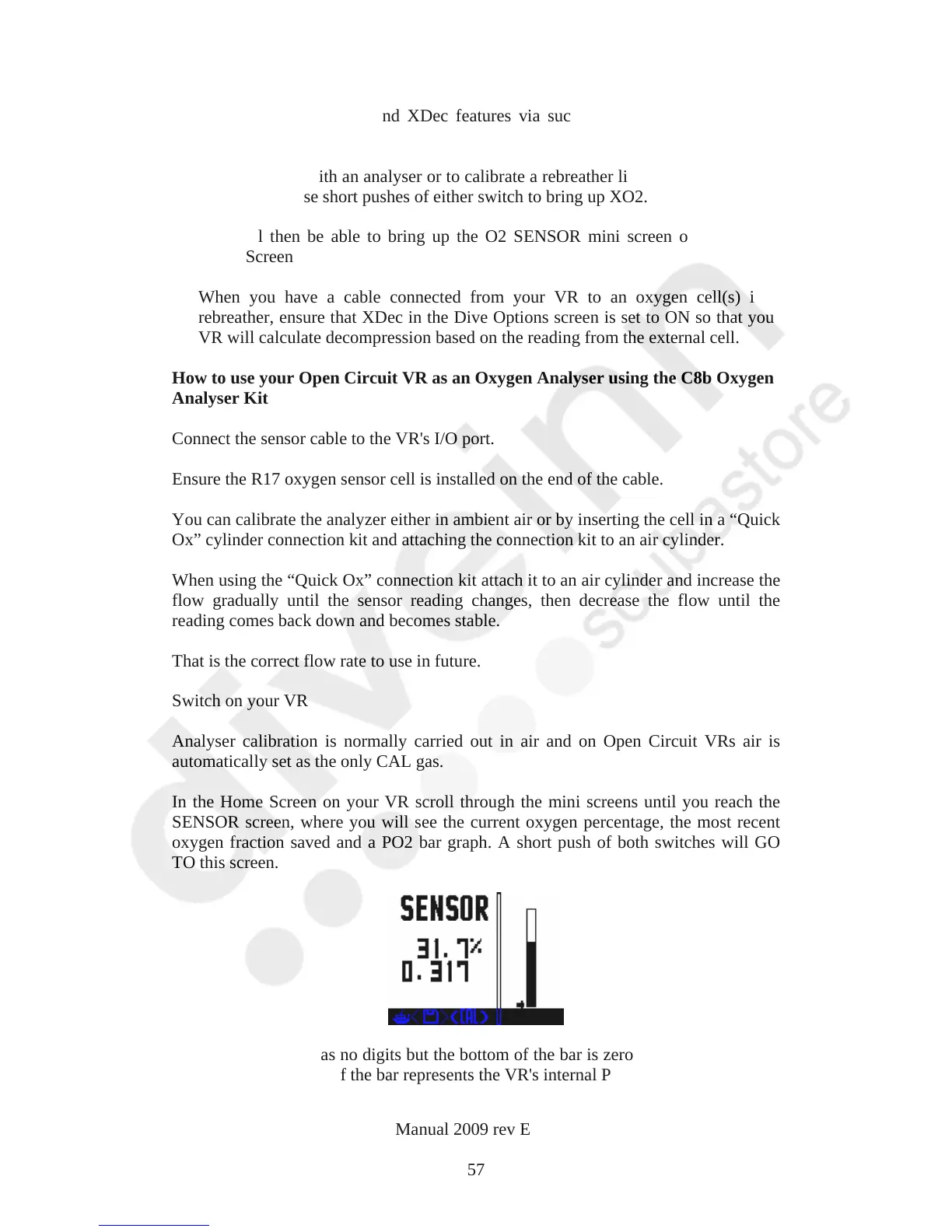
In the Home Screen on your VR scroll through the mini screens until you reach the
SENSOR screen, where you will see the current oxygen percentage, the most recent
oxygen fraction saved and a PO2 bar graph. A short push of both switches will GO
TO this screen.
The PO2 bar graph has no digits but the bottom of the bar is zero and the top 2.0. The
small arrow to the left of the bar represents the VR's internal PO2 set point.
VR Dive Computer Operations Manual 2009 rev E 28/01/2009
57



 To Next Page