VR Technology Limited
Using a Closed Circuit Rebreather cable link
The VRx can be configured as a single or 3 sensor unit while the VR3 will only work
with one oxygen sensor. Certain rebreather manufacturers have optional ports
available to interface witr the VR computer cabling systems. Please check with your
rebreather manufacturer.
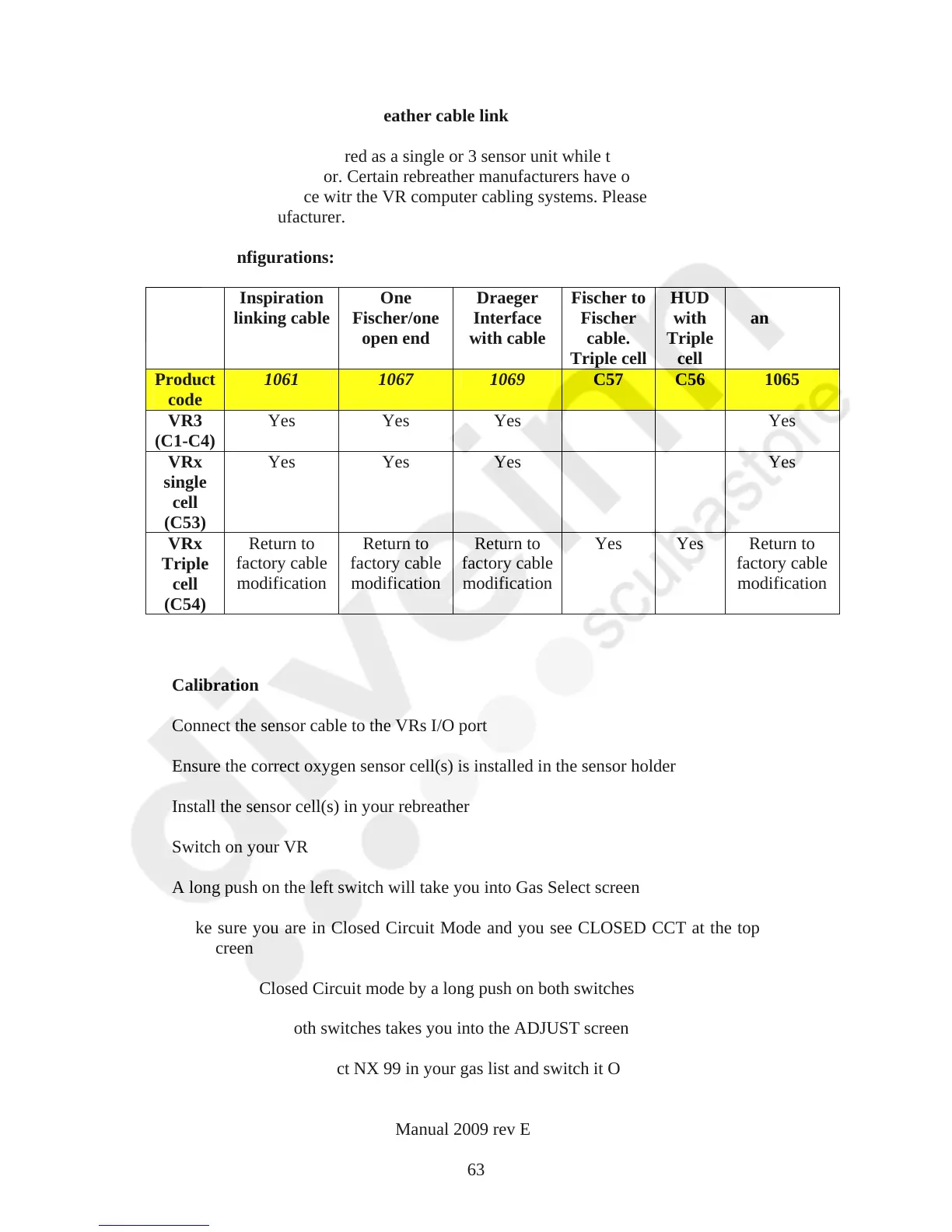
Cable configurations:
Inspiration
linking cable
One
Fischer/one
open end
Draeger
Interface
with cable
Fischer to
Fischer
cable.
Triple cell
HUD
with
Triple
cell
Oxygen
analyser
Product
code
1061 1067 1069 C57 C56 1065
VR3
(C1-C4)
Yes Yes Yes Yes
VRx
single
cell
(C53)
Yes Yes Yes Yes
VRx
Triple
cell
(C54)
Return to
factory cable
modification
Return to
factory cable
modification
Return to
factory cable
modification
Yes Yes Return to
factory cable
modification
Calibration
Connect the sensor cable to the VRs I/O port
Ensure the correct oxygen sensor cell(s) is installed in the sensor holder
Install the sensor cell(s) in your rebreather
Switch on your VR
A long push on the left switch will take you into Gas Select screen
Make sure you are in Closed Circuit Mode and you see CLOSED CCT at the top of
your screen
If not, go to Closed Circuit mode by a long push on both switches
A short push of both switches takes you into the ADJUST screen
Move the cursor to select NX 99 in your gas list and switch it ON
VR Dive Computer Operations Manual 2009 rev E 28/01/2009
63



 To Next Page