VR Technology Limited
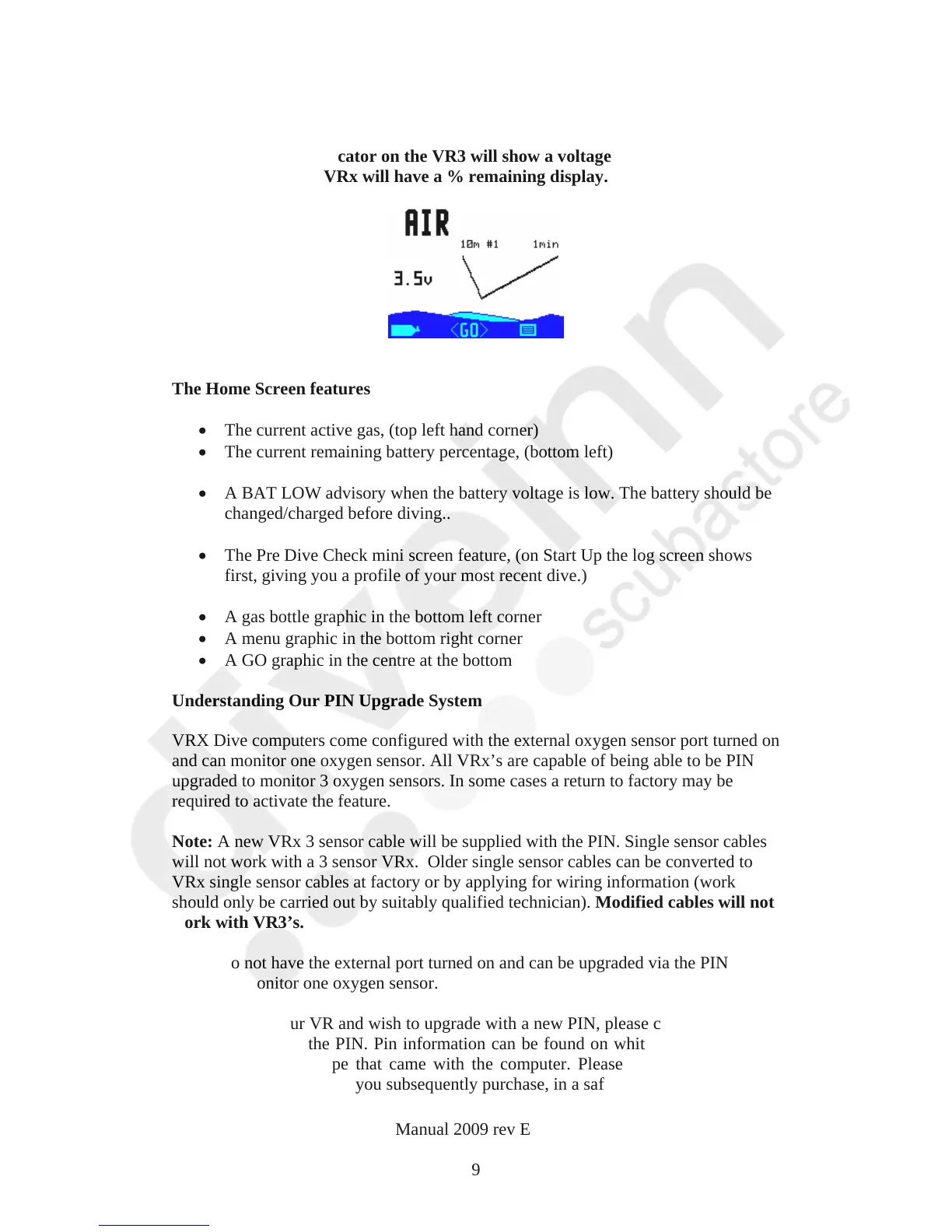
Home Screen
Note. The battery indicator on the VR3 will show a voltage (lithium battery
shown) whereas the VRx will have a % remaining display.
The Home Screen features
The current active gas, (top left hand corner)
The current
remaining battery percentage, (bottom left)
A BAT LOW advisory when the battery voltage is low. The battery should be
changed/charged before diving..
The Pre Dive Check mini screen feature, (on Start Up the log screen shows
first, giving you a profile of your most recent dive.)
A gas bottle graphic in the bottom left corner
A menu graphic in the bottom right corner
A GO graphic in the centre at the bottom
Understanding Our PIN Upgrade System
VRX Dive computers com
e configured with the external oxygen sensor port turned on
and can monitor one oxygen sensor. All VRx’s are capable of being able to be PIN
upgraded to monitor 3 oxygen sensors. In some cases a return to factory may be
required to activate the feature.
Note: A new VRx 3 sensor cable will be supplied with the PIN. Single sensor cables
will not work with a 3 sensor VRx. Older single sensor cables can be converted to
VRx single sensor cables at factory or by applying for wiring information (work
should only be carried out by suitably qualified technician). Modified cables will not
work with VR3’s.
VR3’s do not have the external port turned on and can be upgraded via the PIN
system to monitor one oxygen sensor.
If you bought your VR and wish to upgrade with a new PIN, please contact us or your
dealer to purchase the PIN. Pin information can be found on white strips attached to
the plastic CD envelope that came with the computer. Please keep a note of these
PINs, and any other PINs you subsequently purchase, in a safe place.
VR Dive Computer Operations Manual 2009 rev E 28/01/2009
9



 To Next Page