VR Technology Limited
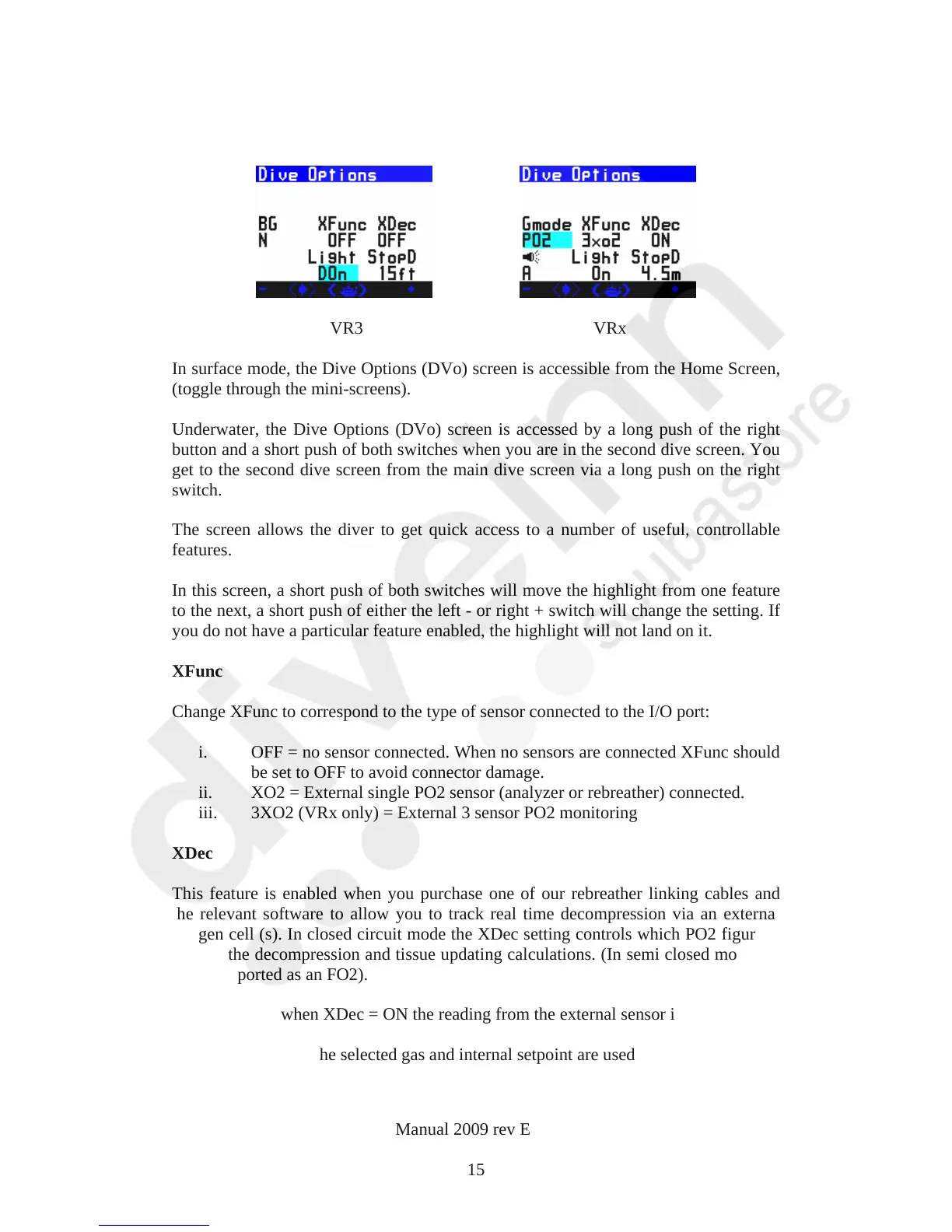
The Dive Options Screen
VR3 VRx
In surface mode, the Dive Options (DVo) screen is accessible from the Home Screen,
(toggle through the mini-screens).
Underwater, the Dive Options (DVo) screen is accessed by a long push of the right
button and a short push of both switches when you are in the second dive screen. You
get to the second dive screen from the main dive screen via a long push on the right
switch.
The screen allows the diver to get quick access to a number of useful, controllable
features.
In this screen, a short push of both switches will move the highlight from one feature
to the next, a short push of either the left - or right + switch will change the setting. If
you do not have a particular feature enabled, the highlight will not land on it.
XFunc
Change XFunc to correspond to the type of sensor connected to the I/O port:
i. OFF = no sensor connected. When no sensors are connected XFunc should
be set to OFF to avoid connector damage.
ii. XO2 = External single PO2 sensor (analyzer or rebreather) connected.
iii. 3XO2 (VRx only) = External 3 sensor PO2 monitoring
XDec
This feature is enabled when you purchase one of our rebreather linking cables and
the relevant software to allow you to track real time decompression via an external
oxygen cell (s). In closed circuit mode the XDec setting controls which PO2 figure is
used in the decompression and tissue updating calculations. (In semi closed mode the
PO2 is reported as an FO2).
To summarise, when XDec = ON the reading from the external sensor is used.
When XDec = OFF the selected gas and internal setpoint are used.
VR Dive Computer Operations Manual 2009 rev E 28/01/2009
15



 To Next Page