VR Technology Limited
PIN
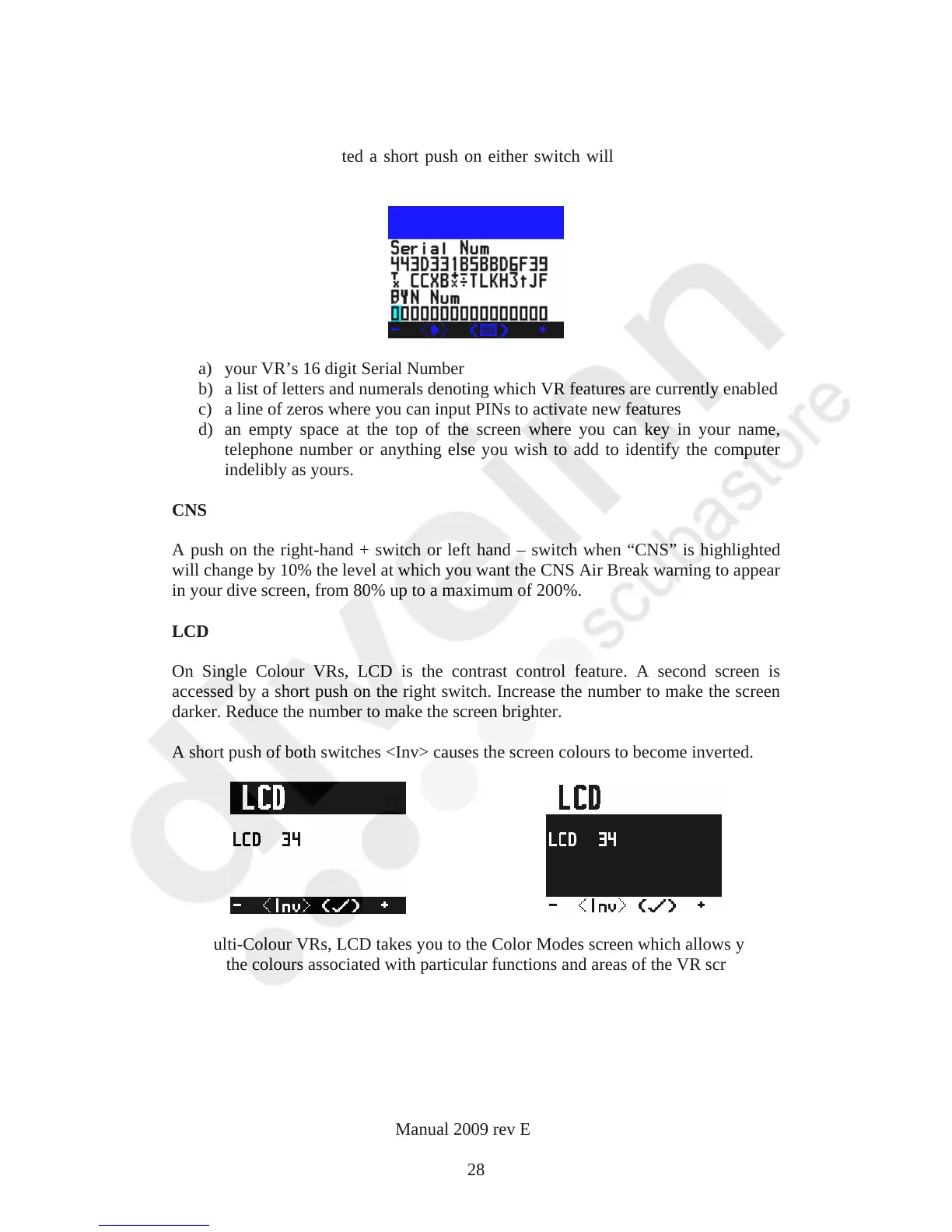
When “Pin” is highlighted a short push on either switch will take you into a screen
where you will see
a) your VR’s 16 digit Serial Number
b) a list of letters and numerals denoting which VR features are currently enabled
c) a line of zeros where you can input PINs to activate new features
d) an empty space at the top of the screen where you can key in your name,
telephone number or anything else you wish to add to identify the computer
indelibly as yours.
CNS
A push on the right-hand + switch or left hand – switch when “CNS” is highlighted
will change by 10% the level at which you want the CNS Air Break warning to appear
in your dive screen, from 80% up to a maximum of 200%.
LCD
On Single Colour VRs, LCD is the contrast control feature. A second screen is
accessed by a short push on the right switch. Increase the number to make the screen
darker. Reduce the number to make the screen brighter.
A short push of both switches <Inv> causes the screen colours to become inverted.
On Multi-Colour VRs, LCD takes you to the Color Modes screen which allows you to
change the colours associated with particular functions and areas of the VR screens.
VR Dive Computer Operations Manual 2009 rev E 28/01/2009
28



 To Next Page