VR Technology Limited
to track. If you temporarily break a decompression ceiling and get back to the
correct depth within 60 seconds, the timer will start to count up again. When it
reaches 60 the decompression calculations will restart. Depending on the
extent of your excursion you should build in extra safety for the remainder of
the dive. MISSED STOPS warnings will be stored on the logbook and the
warning will be displayed for 24 hours on the home screen. The VR will not
lock you out. If you re-enter the water, best-guess decompression will still be
shown but should not be relied upon.
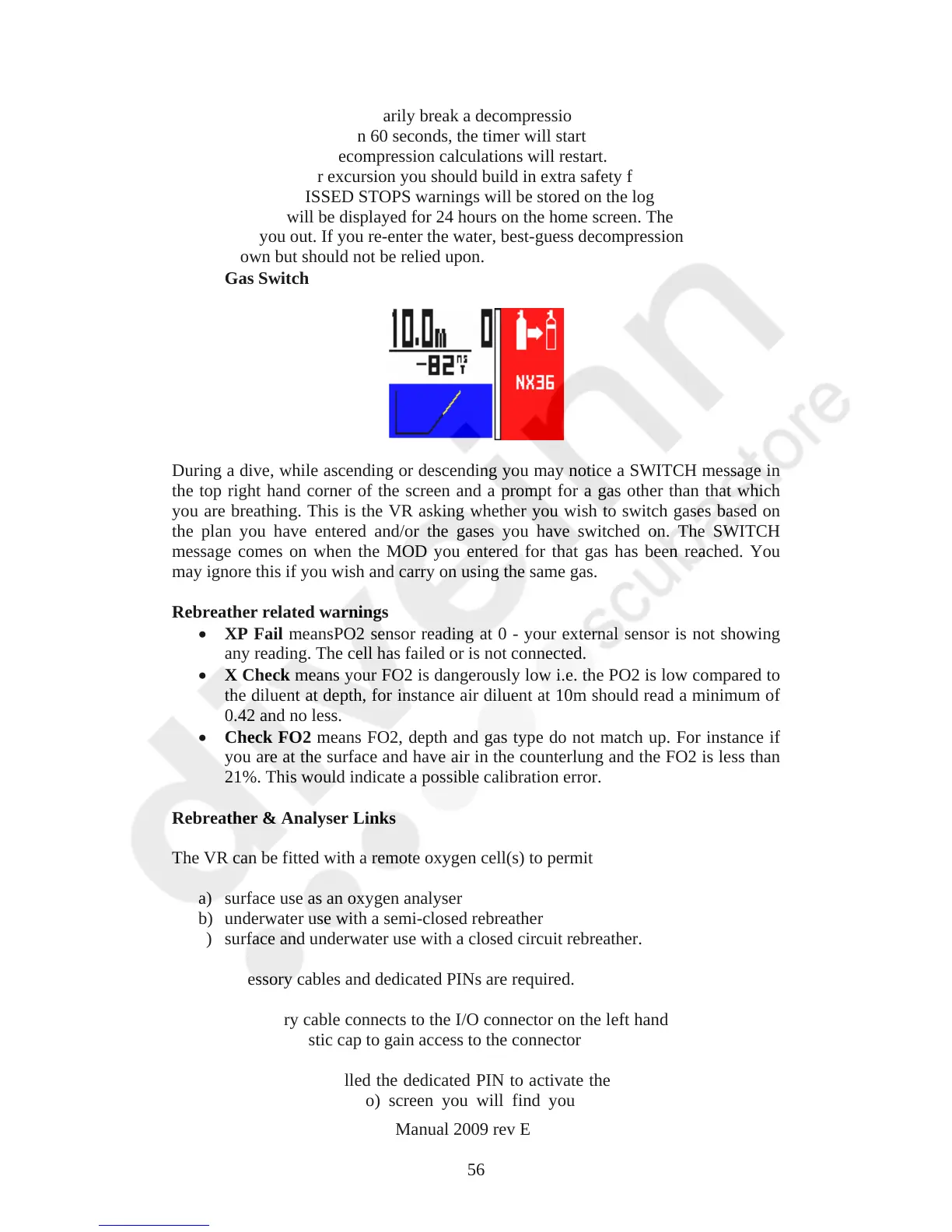
Gas Switch
During a dive, while ascending or descending you may notice a SWITCH message in
the top right hand corner of the screen and a prompt for a gas other than that which
you are breathing. This is the VR asking whether you wish to switch gases based on
the plan you have entered and/or the gases you have switched on. The SWITCH
message comes on when the MOD you entered for that gas has been reached. You
may ignore this if you wish and carry on using the same gas.
Rebreather related warnings
XP Fail meansPO2 sensor reading at 0 - your external sensor is not showing
any reading. The cell has failed or is not connected.
X Check means your FO2 is dangerously low i.e. the PO2 is low compared to
the diluent at depth, for instance air diluent at 10m should read a minimum of
0.42 and no less.
Check FO2 means FO2, depth and gas type do not match up. For instance if
you are at the surface and have air in the counterlung and the FO2 is less than
21%. This would indicate a possible calibration error.
Rebreather & Analyser Links
The VR can be fitted with a remote oxygen cell(s) to permit
a) surface use as an oxygen analyser
b) underwater use with a semi-closed rebreather
c) surface and underwater use with a closed circuit rebreather.
An accessory cables and dedicated PINs are required.
The accessory cable connects to the I/O connector on the left hand side of the VR.
Remove the plastic cap to gain access to the connector
Once you have installed the dedicated PIN to activate the VR’s I/O connector, in
the Dive Options (DVo) screen you will find you are now able to move the
VR Dive Computer Operations Manual 2009 rev E 28/01/2009
56



 To Next Page