VR Technology Limited
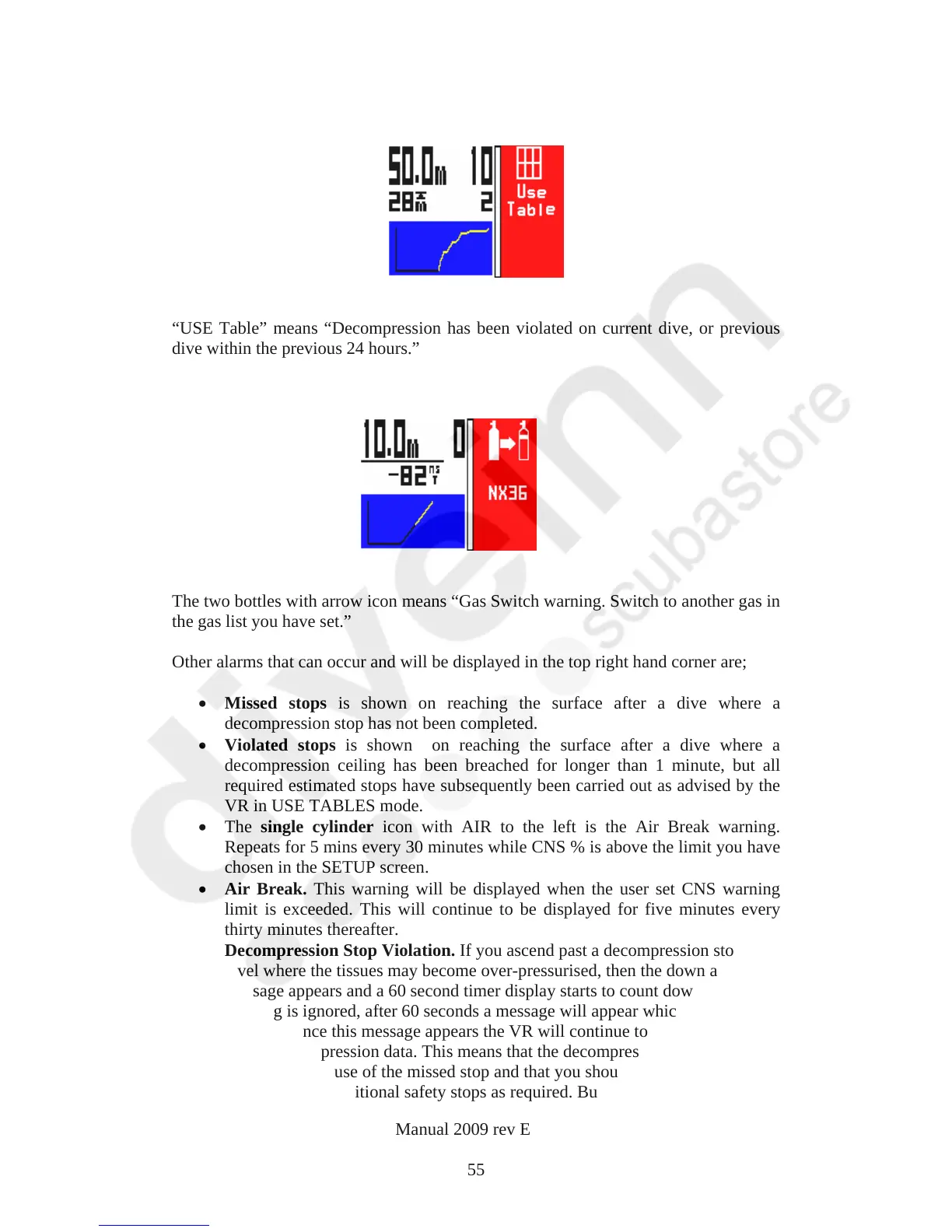
“USE Table” means “Decompression has been violated on current dive, or previous
dive within the previous 24 hours.”
The two bottles with arrow icon means “Gas Switch warning. Switch to another gas in
the gas list you have set.”
Other alarms that can occur and will be displayed in the top right hand corner are;
Missed stops is shown on reaching the surface after a dive where a
decompression stop has not been completed.
Violated stops is shown on reaching the surface after a dive where a
decompression ceiling has been breached for longer than 1 minute, but all
required estimated stops have subsequently been carried out as advised by the
VR in USE TABLES mode.
The single cylinder icon with AIR to the left is the Air Break warning.
Repeats for 5 mins every 30 minutes while CNS % is above the limit you have
chosen in the SETUP screen.
Air Break. This warning will be displayed when the user set CNS warning
limit is exceeded. This will continue to be displayed for five minutes every
thirty minutes thereafter.
Decompression Stop Violation. If you ascend past a decompression stop to a
level where the tissues may become over-pressurised, then the down arrow
message appears and a 60 second timer display starts to count down. If the
warning is ignored, after 60 seconds a message will appear which says USE
TABLE. Once this message appears the VR will continue to display ‘best
guess’ decompression data. This means that the decompression displayed may
be in error because of the missed stop and that you should consult back up
tables and add additional safety stops as required. But your VR will continue
VR Dive Computer Operations Manual 2009 rev E 28/01/2009
55



 To Next Page